
- Title: K50-T5 – Original from Aliexpress Seller
- Listed: August, 2015
- Last modified: 09/09/2015 11:22 pm
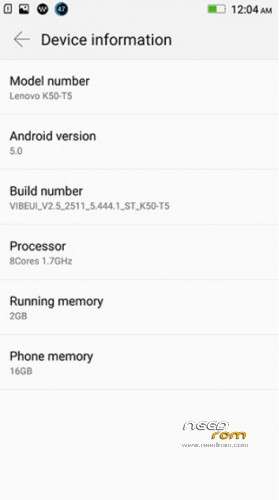
- Version: Automatic updates OTA WORKS (vibeui 2.5 2511 5.444.1 st k50-t5)
You must be logged for ROM download.
50976 total views, 3 today
21 Total favorites
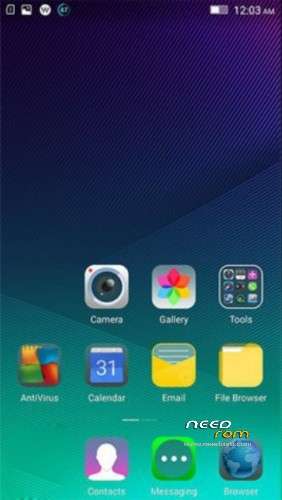
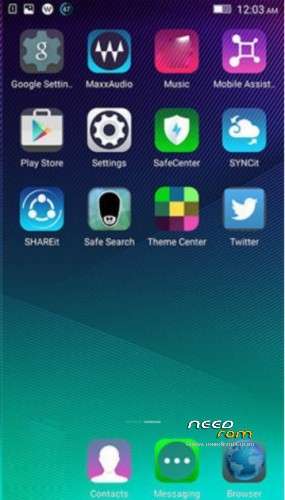
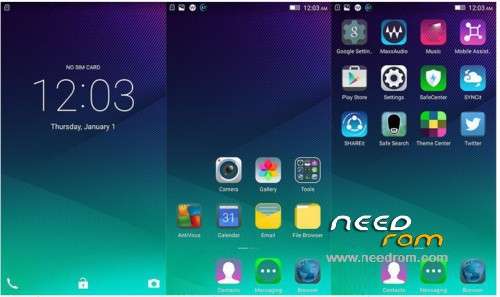
 Member Info
DESCRIPTION
Original for k50-t5 (Rom by Aliexpress Seller)
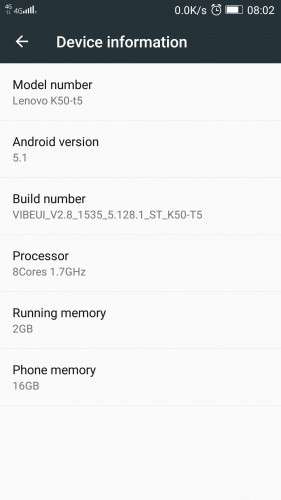
vibeui_2.5_2511_5.444.1_st_k50-t5 + Automatic update -> VIBEUI_V2.8._1535_5.128.1_ST_K50-T5
09.Sept.2015
NEW: Automatic updates: OTA UPDATE TO GET LATEST STABLE VERSION,
ALSO SUCCESSFUL FIX FOR INVALID IMEI AND "NVRAM WARNING ERR: = 0×10" ! (IF YOU HAVE PROBLEMS WITH IMEI AND WIFI). Currently latest stable version is VIBEUI_V2.8._1535_5.128.1_ST_K50-T5
ST – STABLE!!!
Works on Android 5.1!
include: GooglePlayStore, Lenovo Camera ver. 4.1, MaxAudio (not Dolby Atmos)…Unlike some other versions, I've tried, this version quickly charges the battery. GPS works great. Locate fast satellites(when GPS is set on device only). Double tap to wake. slide left or right to unlock, draw "v" or "o" for camera / google/firefox, or other apps you wish, and other features works , they are in Settings->Character settings !!! (not like in Indian version – in features). Mail Exchange Services works great with Email app, Led notification for unread mails works only with pre-installed Email app.
The original Chinese stock ROM for K3 Note (With Google Support).
Please click here for help in using Flash Tools (https://forum.hovatek.com/thread-159.html)
Pls. In word document skip step 2 (unpack Huawei_honor_3C_lang.rar)
Install only drivers and flashtool!, after run the flashtool.
Please use Flash Tools Select the scatter file in the flash tools (Make sure you select "Download Only")
Click on Download
If your PC doesn't recognize your phone, use USBDeview.exe, and uninstall devices like MTP…, Preloader…. After that, install drivers ,flash tool…
Thats it. The system will do the rest.
—————————————————————–
Just watch here: https://www.youtube.com/watch?v=TySRc_DkcFk or here https://www.youtube.com/watch?v=nHFMnr4W8ag
or read below: 10.Sept.2015 How to install zip's (root, gaps, dolby atmos) – I suggest this way for installing on Lenovo K3 – It always works.
All applications ,drivers and flash you have here (on my links on the top of this page). You can find and some utility USBDeview – it helps in case pc does not recognize your phone. If your PC doesn't recognize your phone(after you connect phone, nothing happens), use USBDeview.exe, and uninstall devices like MTP…, Preloader…. (right click on device, uninstall…) After that, install drivers ,flash tool…You not need rooting, only do steps 1.2.3.4:
1.install USB driver from Drivers.zip -> Install drivers -> flash drivers–auto install -> InstallDriver.exe .AFTER INSTALLING CONNECT YOUR PHONE, WINDOWS WILL SHOW MESSAGE SEARCHING FOR DRIVERS….DRIVER IS INSTALLED. YOU MUST SEE THIS MESSAGE. AFTER, DISCONECT PHONE FROM PC.SHUTDOWN PHONE!
2.unzip AIO_Upgrade_Tools_v5.1436.00.000.zip . In extracted folders you will find flash_tool.exe
3.Unzip K50-T5_USR_ST2511_5.444.1_1503111505-Lang-PK4.zip, In extracted folders you will find file "MT6752_Android_scatter.txt".
4.RUN flash_tool.exe, select scatter file "MT6752_Android_scatter.txt"., click download, and connect your SWITCHED OFF phone. Progress bar (yellow color) will appear, wait until message dialog "Download OK". Disconect phone and that's all. Power on the phone, wait 5-10 min and here is your new firmware.
You have many videos…just search "SP FlashTool K3 NOTE" 
if nothing happens when you connect your phone, run USBDeview.exe, and uninstall devices like MTP…, Preloader…. Restart PC. Run steps 1,2,3,4 again.
09.Sept.2015
NEW: Automatic updates: OTA UPDATE TO GET LATEST STABLE VERSION,
ALSO SUCCESSFUL FIX FOR INVALID IMEI AND "NVRAM WARNING ERR: = 0×10" ! ! (IF YOU HAVE PROBLEMS WITH IMEI AND WIFI)
INVALID IMEI: Download file IMEI restore.zip. You can find pictures inside zip – to help you. Do That.
For me – it doesnt work  . But DO THAT!. After 4 days trying to solve INVALID IMEI, and WIFI error "nvram warning err: = 0×10", finaly I have success! Just download LenovoOTA_v3.5.zip. UnRoute your phone. Install LENOVOOTA FOR OTA UPDATES. Run . Now your phone will use OTA and you will have latest STABLE version of vibeui (Stable – ST, not developer DEV)! Download updates and install them. Finnaly, SOLVED INVALID IMEI – IMEI IS OK, and WIFI ERROR message "nvram warning err: = 0×10" has gone too.. Everything is great ! Now I have STABLE VERSION VIBEUI_V2.8._1535_5.128.1_ST_K50-T5. After update, route phone again and install google play services (becouse they will lost while Automatic update (OTA update)). This gaps works: gapps-5.1-arm64-2015-07-17-15-08_OK.zip. (I tried many gaps, but with no success. This one is OK. Gaps install throught twrp.
PS. After AUTOMATIC OTA UPDATES YOU WILL ONLY HAVE ENGLISH AND CHINESE LANGUAGE, NOT MULTILANGUAGE!
10.Sept.2015
How to install zip's (root, gaps, dolby atmos)
Download "Lenovo K3 NOTE CWM Recovery.zip" . You also need SP FlashTool (in AIO_Upgrade_Tools_v5.1436.00.000).
1. Shut down phone. (remove battery for 3-4 sec and put in phone). Don't power on phone.
2.Run USBDeview.exe and delete all rows wich contain Preloader.
3. Run InstallDriver.exe ( from Drivers.zip -> Install drivers -> flash drivers–auto install -> InstallDriver.exe )
4.Run SP Flash Tool. (unzip AIO_Upgrade_Tools_v5.1436.00.000.zip . In extracted folders you will find flash_tool.exe)
5. In FlashTool select scatter file from Lenovo K3 NOTE CWM Recovery.zip (Unzip first file: Lenovo K3 NOTE CWM Recovery.zip, inside are two files : recovery.img and scatter file)
6. Click on download.
7. Connect your phone to PC (phone is SWITCHED OFF). Progress bar (yellow color) will appear, wait until message dialog "Download OK". Disconect phone and that's all. Power on the phone presssing power, vol+ and vol- until you see new black screen – Select english (another is chinese). Go trought menu with vol+ and vol-. Select install zip from sdcard. Select file "gapps-5.1-arm64-2015-07-17-15-08_OK.zip'. After that, go to restart . Now you will have Google play services. On the same way, you can install many zip's. To root your phone, install zip: "UPDATE-SuperSU-v2.46.zip". To install Dolby Atmos , install "DA_R6.5_FIX_RU_UK (DOLBY ATMOS).zip"…..:)
If you install Dolby, turn off " Use NuPlayer (experimental)" , in your Developer options.
You can do every install one by one, without restarting. If you route your phone, you will be able to remove system application on chinese! You have many apps on google play store for removing system apps. Enjoy.
Once you have installed spflashtools and drivers, just run steps 1 , 4, 5..(skip step 2 and 3). But sometimes, your PC does not recognize your phone when you connect to pc. Then, run all steps 1,2,3…..IT ALWAYS WORKS!
Before OTA Updates, remove ROOT, download updates, install them, and, again :run FlashTool and "Lenovo K3 NOTE CWM Recovery.zip"…To root again.
※Please make a backup of your device before installing or updating ROM
But, LED is work for whatsapp and facebook notifications or only recharger?
-recharger -> Red light
-missed cals, mails, messages -> Green light
-facebook ->NO!
-whats up -> ? I don't use , I don't know
Here is setting for led:
how much free rom available
can do me faVour..please give me snapit/camera apk (stable one) my gmail idis tanjib2@gmail.com
thx mate
It depends on your installed software….
I have more than 30 apps installed (and running), so my free RAM is: 770MB
update OTA ?
NO OTA! (OTA Only on Indian version)
There are any Youtube video, how install this ROM ?
yes, just watch here: https://www.youtube.com/watch?.....v=TySRc_DkcFk or here https://www.youtube.com/watch?.....v=nHFMnr4W8ag
All applications ,drivers and flash you have here (on my links on the top of this page). You can find and some utility USBDeview. If your PC doesn't recognize your phone (after you connect phone, nothing happens), use USBDeview.exe, and uninstall devices like MTP…, Preloader…. After that, install drivers ,flash tool…You not need rooting, only
1.install USB driver from Drivers.zip -> Install drivers -> flash drivers–auto install -> InstallDriver.exe .AFTER INSTALLING CONNECT YOUR PHONE, WINDOWS WILL SHOW MESSAGE SEARCHING FOR DRIVERS….DRIVER IS INSTALLED. YOU MUST SEE THIS MESSAGE. AFTER, DISCONECT PHONE FROM PC.SHUTDOWN PHONE!
2.unzip AIO_Upgrade_Tools_v5.1436.00.000.zip . In extracted folders you will find flash_tool.exe
3.Unzip K50-T5_USR_ST2511_5.444.1_1503111505-Lang-PK4.zip, In extracted folders you will find file "MT6752_Android_scatter.txt".
4.RUN flash_tool.exe, select scatter file "MT6752_Android_scatter.txt"., click download, and connect your SWITCHED OFF phone. Progress bar (yellow color) will appear, wait until message dialog "Download OK". Disconect phone and that's all. Power on the phone, wait 5-10 min and here is your new firmware.
You have many videos…just search "SP FlashTool K3 NOTE"
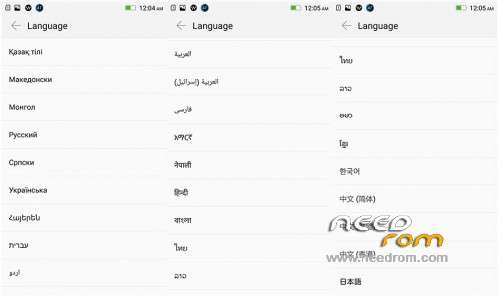
You know if there are portuguese(Brasil) Languagem ?
Yes,
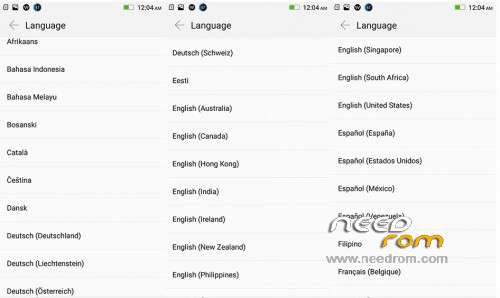
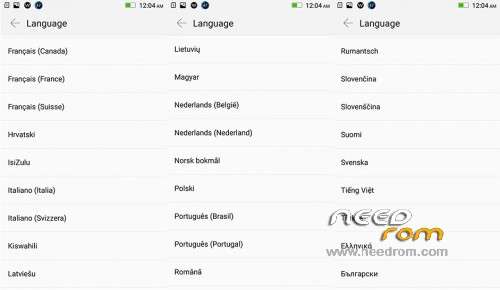
List of all languages:
Bloatware and virus (installs apps without you asking), and Proximity sensor does not work.
Please fix the proximity sensor!
Sim 2 is now working. Any solution?
that gapps zip file is corrupted. Cannot open the file.
Search Google for "gapps-5.1-arm64-2015-07-17-15-08.zip". You will find this zip. ( I have added _OK on the end of filename).
When you perform these procedures above, if you get something like "BROM ERROR… failed to open COM port… 1013" try this worked for me…
Use USBDeview.exe to remove all devices like "Preloader…" and "K3 Note…"
Perform again steps 1,2,3,4 and plug phone into a different USB port. When I had this error I was plugged into a USB 3.0 port. And succeeded when I was plugged into USB 2.0 port.
I installed the LenovoOTA .apk app and ran it. It did not do anything until I hit the "refresh" icon on the bottom of the screen, then it started downloading via OTA the update VIBEUI_V2.8_1535_5.128.1_ST_K50-T5
yes, it's ok. After that, you must install twrp again, and gaps. Gaps are now ok, I have upload the gaps now.
I have never used twrp before. How do I do that? I need to install gapps.