
- Title: K50-T5 – Original from Aliexpress Seller
- Listed: August, 2015
- Last modified: 09/09/2015 11:22 pm
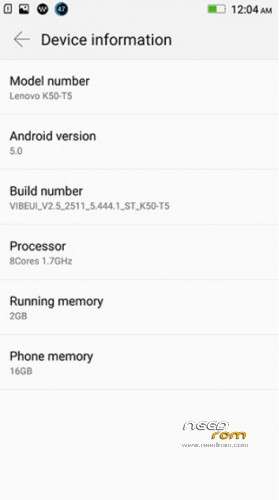
- Version: Automatic updates OTA WORKS (vibeui 2.5 2511 5.444.1 st k50-t5)
You must be logged for ROM download.
50980 total views, 7 today
21 Total favorites
 Member Info
DESCRIPTION
Original for k50-t5 (Rom by Aliexpress Seller)
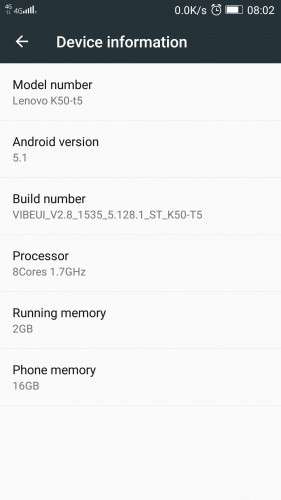
vibeui_2.5_2511_5.444.1_st_k50-t5 + Automatic update -> VIBEUI_V2.8._1535_5.128.1_ST_K50-T5
09.Sept.2015
NEW: Automatic updates: OTA UPDATE TO GET LATEST STABLE VERSION,
ALSO SUCCESSFUL FIX FOR INVALID IMEI AND "NVRAM WARNING ERR: = 0×10" ! (IF YOU HAVE PROBLEMS WITH IMEI AND WIFI). Currently latest stable version is VIBEUI_V2.8._1535_5.128.1_ST_K50-T5
ST – STABLE!!!
Works on Android 5.1!
include: GooglePlayStore, Lenovo Camera ver. 4.1, MaxAudio (not Dolby Atmos)…Unlike some other versions, I've tried, this version quickly charges the battery. GPS works great. Locate fast satellites(when GPS is set on device only). Double tap to wake. slide left or right to unlock, draw "v" or "o" for camera / google/firefox, or other apps you wish, and other features works , they are in Settings->Character settings !!! (not like in Indian version – in features). Mail Exchange Services works great with Email app, Led notification for unread mails works only with pre-installed Email app.
The original Chinese stock ROM for K3 Note (With Google Support).
Please click here for help in using Flash Tools (https://forum.hovatek.com/thread-159.html)
Pls. In word document skip step 2 (unpack Huawei_honor_3C_lang.rar)
Install only drivers and flashtool!, after run the flashtool.
Please use Flash Tools Select the scatter file in the flash tools (Make sure you select "Download Only")
Click on Download
If your PC doesn't recognize your phone, use USBDeview.exe, and uninstall devices like MTP…, Preloader…. After that, install drivers ,flash tool…
Thats it. The system will do the rest.
—————————————————————–
Just watch here: https://www.youtube.com/watch?v=TySRc_DkcFk or here https://www.youtube.com/watch?v=nHFMnr4W8ag
or read below: 10.Sept.2015 How to install zip's (root, gaps, dolby atmos) – I suggest this way for installing on Lenovo K3 – It always works.
All applications ,drivers and flash you have here (on my links on the top of this page). You can find and some utility USBDeview – it helps in case pc does not recognize your phone. If your PC doesn't recognize your phone(after you connect phone, nothing happens), use USBDeview.exe, and uninstall devices like MTP…, Preloader…. (right click on device, uninstall…) After that, install drivers ,flash tool…You not need rooting, only do steps 1.2.3.4:
1.install USB driver from Drivers.zip -> Install drivers -> flash drivers–auto install -> InstallDriver.exe .AFTER INSTALLING CONNECT YOUR PHONE, WINDOWS WILL SHOW MESSAGE SEARCHING FOR DRIVERS….DRIVER IS INSTALLED. YOU MUST SEE THIS MESSAGE. AFTER, DISCONECT PHONE FROM PC.SHUTDOWN PHONE!
2.unzip AIO_Upgrade_Tools_v5.1436.00.000.zip . In extracted folders you will find flash_tool.exe
3.Unzip K50-T5_USR_ST2511_5.444.1_1503111505-Lang-PK4.zip, In extracted folders you will find file "MT6752_Android_scatter.txt".
4.RUN flash_tool.exe, select scatter file "MT6752_Android_scatter.txt"., click download, and connect your SWITCHED OFF phone. Progress bar (yellow color) will appear, wait until message dialog "Download OK". Disconect phone and that's all. Power on the phone, wait 5-10 min and here is your new firmware.
You have many videos…just search "SP FlashTool K3 NOTE" 
if nothing happens when you connect your phone, run USBDeview.exe, and uninstall devices like MTP…, Preloader…. Restart PC. Run steps 1,2,3,4 again.
09.Sept.2015
NEW: Automatic updates: OTA UPDATE TO GET LATEST STABLE VERSION,
ALSO SUCCESSFUL FIX FOR INVALID IMEI AND "NVRAM WARNING ERR: = 0×10" ! ! (IF YOU HAVE PROBLEMS WITH IMEI AND WIFI)
INVALID IMEI: Download file IMEI restore.zip. You can find pictures inside zip – to help you. Do That.
For me – it doesnt work  . But DO THAT!. After 4 days trying to solve INVALID IMEI, and WIFI error "nvram warning err: = 0×10", finaly I have success! Just download LenovoOTA_v3.5.zip. UnRoute your phone. Install LENOVOOTA FOR OTA UPDATES. Run . Now your phone will use OTA and you will have latest STABLE version of vibeui (Stable – ST, not developer DEV)! Download updates and install them. Finnaly, SOLVED INVALID IMEI – IMEI IS OK, and WIFI ERROR message "nvram warning err: = 0×10" has gone too.. Everything is great ! Now I have STABLE VERSION VIBEUI_V2.8._1535_5.128.1_ST_K50-T5. After update, route phone again and install google play services (becouse they will lost while Automatic update (OTA update)). This gaps works: gapps-5.1-arm64-2015-07-17-15-08_OK.zip. (I tried many gaps, but with no success. This one is OK. Gaps install throught twrp.
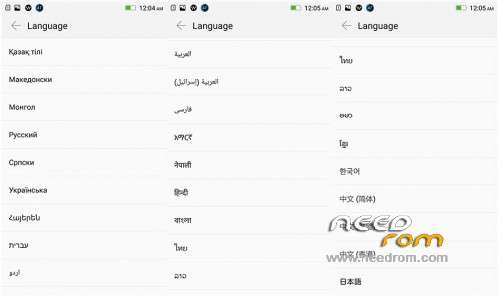
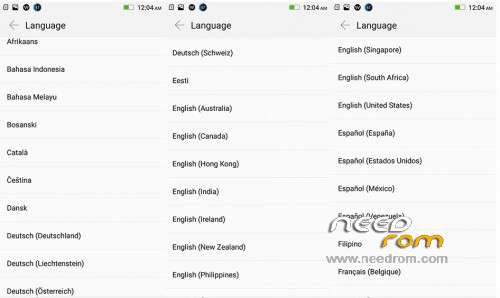
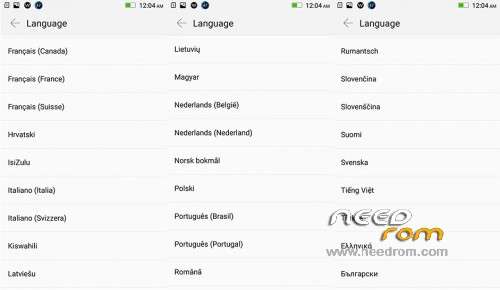
PS. After AUTOMATIC OTA UPDATES YOU WILL ONLY HAVE ENGLISH AND CHINESE LANGUAGE, NOT MULTILANGUAGE!
10.Sept.2015
How to install zip's (root, gaps, dolby atmos)
Download "Lenovo K3 NOTE CWM Recovery.zip" . You also need SP FlashTool (in AIO_Upgrade_Tools_v5.1436.00.000).
1. Shut down phone. (remove battery for 3-4 sec and put in phone). Don't power on phone.
2.Run USBDeview.exe and delete all rows wich contain Preloader.
3. Run InstallDriver.exe ( from Drivers.zip -> Install drivers -> flash drivers–auto install -> InstallDriver.exe )
4.Run SP Flash Tool. (unzip AIO_Upgrade_Tools_v5.1436.00.000.zip . In extracted folders you will find flash_tool.exe)
5. In FlashTool select scatter file from Lenovo K3 NOTE CWM Recovery.zip (Unzip first file: Lenovo K3 NOTE CWM Recovery.zip, inside are two files : recovery.img and scatter file)
6. Click on download.
7. Connect your phone to PC (phone is SWITCHED OFF). Progress bar (yellow color) will appear, wait until message dialog "Download OK". Disconect phone and that's all. Power on the phone presssing power, vol+ and vol- until you see new black screen – Select english (another is chinese). Go trought menu with vol+ and vol-. Select install zip from sdcard. Select file "gapps-5.1-arm64-2015-07-17-15-08_OK.zip'. After that, go to restart . Now you will have Google play services. On the same way, you can install many zip's. To root your phone, install zip: "UPDATE-SuperSU-v2.46.zip". To install Dolby Atmos , install "DA_R6.5_FIX_RU_UK (DOLBY ATMOS).zip"…..:)
If you install Dolby, turn off " Use NuPlayer (experimental)" , in your Developer options.
You can do every install one by one, without restarting. If you route your phone, you will be able to remove system application on chinese! You have many apps on google play store for removing system apps. Enjoy.
Once you have installed spflashtools and drivers, just run steps 1 , 4, 5..(skip step 2 and 3). But sometimes, your PC does not recognize your phone when you connect to pc. Then, run all steps 1,2,3…..IT ALWAYS WORKS!
Before OTA Updates, remove ROOT, download updates, install them, and, again :run FlashTool and "Lenovo K3 NOTE CWM Recovery.zip"…To root again.
※Please make a backup of your device before installing or updating ROM
thanks to you tbmiso
it's apper get stable version VIBEUI_V2.8._1535_5.128.1_ST_K50-T5
if i install this , should the google apps stay .. (like playstore , gmail , …. ) or 'll be gone .. ?!
You must install playstore after update
1.Install OTA, run updates – Its automatic(if phone is routed, unroute first) . After reboot you will have the latest stable version VIBEUI_V2.8._1535_5.128.1_ST_K50-T5.
2. run flashtools and install cwmrecovery
3. shut down.
4. vol + vol – power – and install gaps
5.restart. Thats all.
How to unroot. the phone?
Yes, if it is routed. Lunch SuperSu->settings->Full unrout!
Thanks.. got new update and Google Apps also working.. but Sim showing 3G.. it should be 4G
Try to disable wifi, Go outside…
Please, What is the difference between these two firmewares?
VIBEUI_V2.8._1535_5.128.1_ST_K50-T5
AND
K50a40_S121_150813_ROW
I know the difference that this for k50-t5 and the other is for the indian k50a40
this firme VIBEUI_V2.8._1535_5.128.1_ST_K50-T5 is android 5.1 and the indian is 5.0
i mean the real difference what is that?
in performance, vibeui differences and the options in settings and the battery life?
I have k50-t5 and flashed the indian firmeware K50a40_S121_150813_ROW, i unistalled the bloatware that are removable without root cause i didn't root my phone and every thing is working perfect but i feel some lag and the ram use is very high
so i'm confused of staying with this firmeware (the indian) or going to flash the chineese firmeware VIBEUI_V2.8._1535_5.128.1_ST_K50-T5 !!!
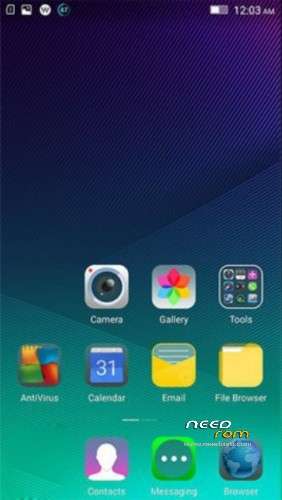
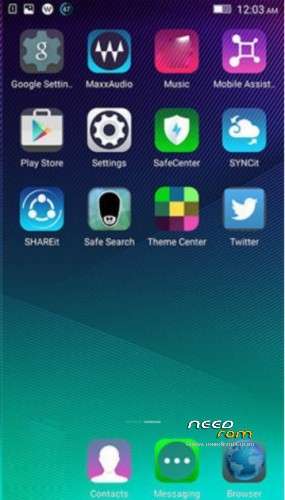
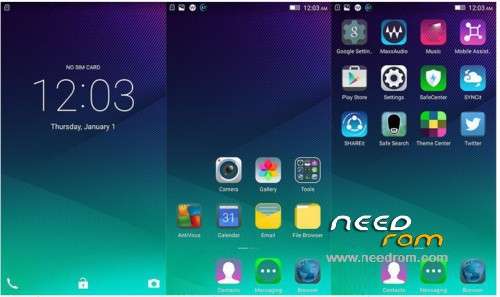
and please can you post screenshots from fresh installed VIBEUI_V2.8._1535_5.128.1_ST_K50-T5 firmeare?
Thank you in advance
Hmm…
1.With indian version my free ram was: 800-900 mb, with vibe2.8: 10032 mb (it's not too much impotrtant…Your K3 Note has enough memory – 2GB of Ram).
2.vibe2.8. looks more bautiful. You must try to see diferencess. Sorry, there is no video for vibeui…..
But, it's all cosmetics, take what you want . If you want to waste your time….then go trying
But, what about battery life in VIBEUI_V2.8._1535_5.128.1_ST_K50-T5 firmeare without rooting? just cwm and minimal gapps?
is the performance is better and the battery life is better than the indian?
sorry for asking alot cause i don't like trying flashing alot i want astable software for everyday use with good battery life, good performance and powerful system features
3m a7med anta mneen ?
a5ok bardo daya3 … w 3awz azobt el mobile …
ana lsa ma3mltsh leh ay 7aga ?
lw tadeny rakmk aklmk tab2a 3amlt ma3ya wagb masry
El face bta3y
Facebook.com/eldamaty.f
Kalmny aleh ya Ayman
batery life is the same: 4-5 hours
for more time i am going to settings -> power manager -> battery saver.
I tried VIBEUI_V2.8._1535_5.128.1_ST_K50-T5 and it was better in everything except the chinese language every where, this is really anoying
you have to flash gapps and disable alot of bloatware then the rom will be neare perfect except these things:
1- chinese language and symbols
2- no builtin gapps
3- you can't flash VIBEUI_V2.8._1535_5.128.1_ST_K50-T5 directly cause it's an update file
3- you have to root to edit the build.prop file for right gps and weather working
4- lot of editing methodes to make the rom work fine
finaly i returned back to the s121 latest indian firmeware cause everything works fine without any rooting or flashing som thing else, just disable the bloatware you don't need from the app manager
i dream that there is VIBEUI_V2.8. android 5.1 ROW version or somthing like that ! Is there?
Thank you for posting your experience!
I am also working with the last Indien Version, and wanted to upgrade to VIBEU_V2.8, but with the experience you have made, I will also wait for a
VIBEU_V2.8 with andriod 5.1 in ROW Version. I am quite sure it will come sooner or later
i lost my phone Serial Numbers after doing Format + Download on SPFlashtool… Did anyone knows how to restore phone Serial Numbers?? Please Help!!!
use mtk engineer mode
I try to install from sd but the menu is in chinese how can guess which selection is ?