
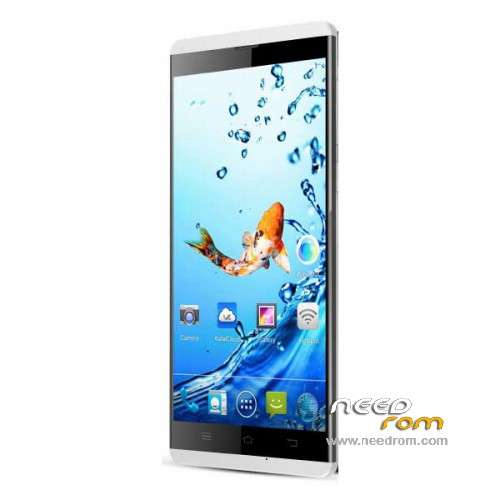
- Title: Kata M2
- Listed: February, 2015
- Last modified: 07/07/2015 3:09 am
- Version: ROM Android 4.4.2
You must be logged for ROM download.
27603 total views, 3 today
16 Total favorites
 Member Info
DESCRIPTION
ROM Mobile Kata M2 – ROM Android 4.4.2
ONLY MT6582
Update ROM 1 – Official ROM Kata M2 Version : Kata-M2-A25E-CA-V1.0.12 – mt82_a25e_kata-ca2_sbyh_cc-kata_kk_wcdma_mul – KOT49H
————————————————————————————————————————————————————————————-
ROM 1 – Official ROM Kata M2 Version : Kata-M2-A25E-CA-V1.0.11 – mt82_a25e_kata-ca2_sbyh_cc-kata_kk_wcdma_mul – KOT49H
————————————————————————————————————————————————————————————-
ROM 2 – Add another Official ROM Kata M2 Version : Kata-M2-Z25-V1.0.3 – mt82_a25e_kata-m2_sbyh_kk_wcdma_mul – KOT49H
ATTENTION this rom is not compatible with ROM 1
Gapps include – No Rooted
Language support: Multilang
Install ROM :
- Unpack FlashTools, and Click on Flash_tool.exe
- Select a the MT6582_Android_scatter.txt in ROM
- Wait file to be added into Flash Tool
- choose Option->USB Model,click USB Model
–> Choose Option->DA DownLoad All->Speed->High Speed, click High Speed
- Turn off your phone, remove the battery and replace it after some seconds (and don't turn on the phone).
- "Press F9 (hit Download button)" OR " if upgrade ROM Firmware->Upgrade "
- and connect your phone into the computer via USB data cable.
- The process will start and a red progress bar will appear after color purple, yellow.
- And green circles display
- Finish !
- You can now safely disconnect your phone and turn it on.
※Please make a backup of your device before installing or updating ROM
need help. why theres nothing happen. i follow all the instruction.
The ROM works fine. Just make sure that you have the proper USB driver for your M2 device.
Download the ROM above – just click it and it will be downloaded.
Install the USB driver
Install the Flashtool
Unzip ROM files
Open the Flash tool >Locate the scatter file from ROM folder> Click download.
Note: Do not trun ON your phone
Plug the phone to USB – just unplug replug if nothing works.
A Colored bar will appear on the Flash tool once detected. (RED to ViOLET then GREEN)
Just wait and yor Done!
Thanks to the Author and NeedROM!
i repeatedly unplugged and then replug again but nothing happens only a battery bar appears
  please help
where can i get the usb driver for my m2
Great! Now there is a repository for Kata M2 ROMs. Keep it up and your good work!
Thank you.
Prof. Eduards
Philippines
it doesn’t work on my phone
,13 already available via OTA !!!
Link for USB Driver please
Try to get it from here . . .
https://www.facebook.com/downl.....M%20drivers.rar
Why not join this FB group if you are not a member yet?
https://www.facebook.com/group.....s/KataM2/
Can i flash KATA M2L (4G LTE supported) using this file?
Thanks man.
thank for this Firmware Kata M2 my problem solve
tnx alot