
- Title: Kingelon G9000
- Listed: July, 2014
- Last modified: 07/14/2014 2:09 am
- Version: ROM Android 4.4.2(4.2.2)
You must be logged for ROM download.
24586 total views, 3 today
 Member Info
DESCRIPTION
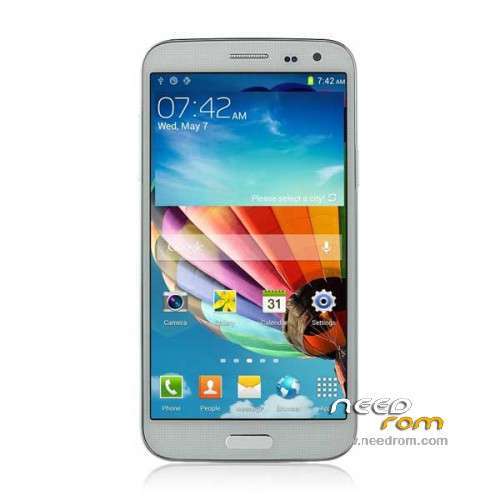
ROM Phone Kingelon G9000 – ROM Android 4.4.2(4.2.2)
ONLY MT6592
Official ROM Kingelon G9000 Version: G9000_20140512 – 706_v92_jbla_fhd
Gapps include – No Rooted
Language support : Multilang
Install ROM :
- Unpack FlashTools, and Click on Flash_tool.exe
- Select a the MT6592_Android_scatter.txt in ROM
- Wait file to be added into Flash Tool
- choose Option->USB Model,click USB Model
–> Choose Option->DA DownLoad All->Speed->High Speed, click High Speed
- Turn off your phone, remove the battery and replace it after some seconds (and don't turn on the phone).
- "Press F9 (hit Download button)" OR " if upgrade ROM Firmware->Upgrade "
- and connect your phone into the computer via USB data cable.
- The process will start and a red progress bar will appear after color purple, yellow.
- And green circles display
- Finish !
- You can now safely disconnect your phone and turn it on.
※Please make a backup of your device before installing or updating ROM
I bought my new phone.
WiFi and bluetooth did not work.
"offical rom" I've installed.
but the screen image is distorted.
do not understand anything.
my phone's screen malfunctioned.
"Kingelo 13mpix the G9000 + 8 Mpix ROM 4.4.2" I've installed the problem was not solved.
Could you please help me?
hi did you you solve your problem with kingelon g9000 please help me if you now something mail: robert.nincevic@gmail.com
I downloaded lot of roms but screen image is disorted I don't know what to do
Please help
hi, did u fix you phone´s screen? if yes how do you fix it. I flashed this rom for my Kingelon G9000 but there are vertical lines and white space, also I tried another rom but nothing.
I will thank you if you can share what did you do.
hi misteriozo777,
okay I'll help.
I've solved the problem …
I hope you too will be positive.
Let me install the necessary files to the internet.
I'll give you a link.
I've the same problem, could you give another link because this below is empty, thx
hi misteriozo777,
https://drive.google.com/folde.....038;usp=sharing
need original firmware….after flash, display nt working
need help
I have the same problem need origiinal rom, because de drivers of the lcd and the main camera ddon´t work:
Drivers of the phone
Main Sensor: s5k4e1mipi_raw – Default
Sub Sensor: gc2235mipi_raw – Default
Lcd: RX_52R_1051A
I have the ki and the recovery, but when i put this drivers whti the SPMultiPortFlash and select the correct drivers in 4.4.2 kit kat, the phone don´t boot, stay in the logo and restart.
Please help
I am also facing the same problem of uboot file issues… Have you got the problem resolved?
If your problem got resolved can you share the uboot( ik.bin) file along with sp MDT files… Thanks in advance. Need help to solve my phone its g8000 or g9000 not sure…..
I am also facing the same problem of uboot file issues… Have you got the problem resolved?
If your problem got resolved can you share the uboot( ik.bin) file along with sp MDT files… Thanks in advance. Need help to solve my phone its g8000 or g9000 not sure….. Help me please.
Hi all,
i'm following this steps but after the USB connection vis USB the process does not start
- and connect your phone into the computer via USB data cable.
- The process will start and a red progress bar will appear after color purple, yellow.
- And green circles display
- Finish !
can someone help me to identify what is the problem?
thanks
se me quedó la pantalla a rayas verticales de color,que hago?