
- Title: Kingzone Z1 partition resize.zip (aroma installer)
- Listed: August, 2015
- Last modified: 08/22/2015 6:43 pm
- Version: 4.4.4 also now 5.0/1
You must be logged for ROM download.
18540 total views, 4 today
2 Total favorites
 Member Info
DESCRIPTION
partition resize .zip created and worked on by @AlexZap @Hypoturtle and @digitech over at XDA for resizing internal partitions in Kingzone Z1 (also works on all other mtk6753/mtk6752 devices) with aroma installer for ease of choice/access
EDIT: update added v22.4.1
Changes:
- Installer will now refuse to make changes to partition table if user selects too large a size for userdata (fixes the bootloops we were encountering on Lollipop devices)
- Fixed compatibility issues with Carliv Touch Recovery (I think).
EDIT: update v.210 now added
Changes:
- New splash screen
- Added MT6735 to the compatible devices list
- 13GB option is now not displayed if the device doesn't have enough space.
- Fixed the microscopic writing.
- Updated UI.
How to do the resize (No computer needed)
What you must have:
- An MT6732/52 phone with TWRP recovery installed.
- At least 50% battery
- The Resize Aroma zip attached to the bottom of this post.
- A brain 
It would also be a good idea to have:
- An original stock firmware that you can flash with SP Flash Tools (just in case)
- A backup of your internal "SD card" (it will be wiped, but /data will not)
The process will take you less than 10 minutes.
NOTE: The userdata partition WILL NOT be erased in this process.
NOTE 2: As long as you have a stock firmware and know how to install it with SP Flash, the chances of a brick are practically zero.
WARNING: Back up anything you want to keep off the Internal SDcard! It also wouldn't be a bad idea to backup /data too, just in case something goes wrong.
Method:
1. Boot into TWRP recovery mode. Choose Install.
2. Find the Resize zip you downloaded and select that.
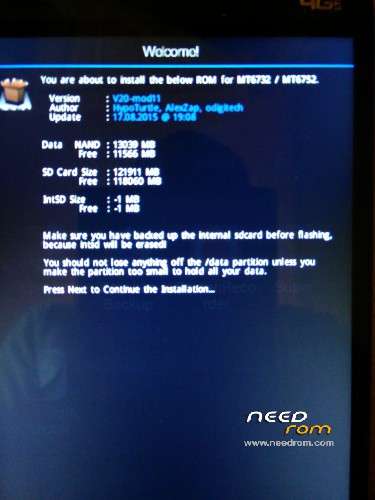
3. READ the welcome screen!
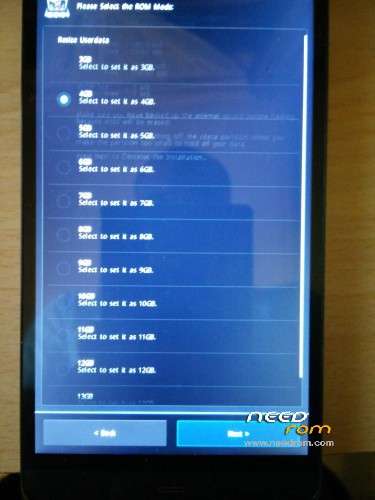
4. Press Next and choose the new size for the /data partition. You can choose anything from 3GB to 13GB.
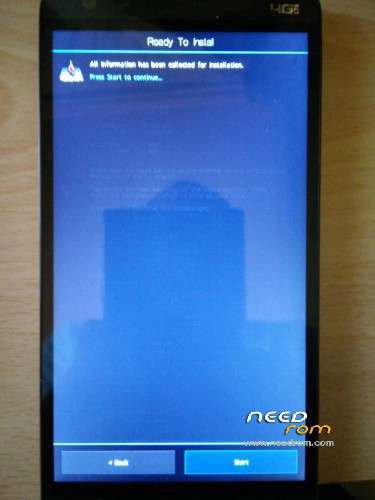
5. Press Next and press Start. Wait for the resize to complete (it shouldn't take much more than 30 seconds).
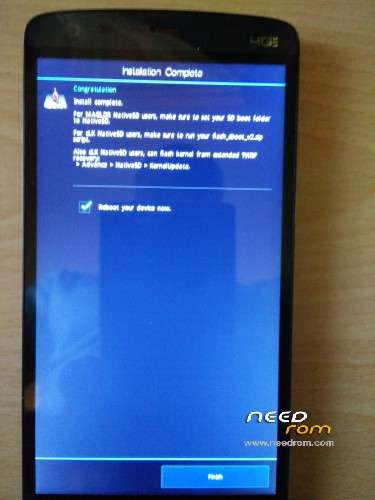
6. Reboot.
7. Enjoy your extra space!
Possible issues:
- "I reboot and get a Damaged SD card notification"
-> Click the notification and click Format.
- "My device does not boot!"
-> Reflash your device with your stock firmware using SP Flash. If you don't have a firmware… Well, you were warned.
- "Partition resize appears to be successful but my device bootloops"
-> This can happen when you shrink the /data partition too much. Run a factory reset in recovery and try booting again.
Credits:
@HypoTurtle and @AlexZap for the initial idea, creation and development
@odigitech (me) for the modifications that finally made this work (and for the splash screen)
@mrsim and @sergsinger for testing.
※Please make a backup of your device before installing or updating ROM
So I think I made big pile of sh..
So I think I made big pile of sh.. I think I have lost some pictures and videos… I tried to find them but it seems they are gone when I resize the partition. I made a copy of my data using the Z1 back up but there are missing some files. CRAP!
So, I discovered the problem.
The original app of the Z1 to make backups don't save videos, and because of that when I made the resize of partition i lost only the videos and nothing else.
I advise to use another app to make the backup of the data you don't want to loose.
Great job. It’s work fine. Tanks.
But I have a question:
Is there any way to swap permanently internal storage and extetnal sdcard .
I now this was possible in older andtoid versions by modifying vold.Fstab
but I don’t know how to do that in my Kingzone z1 4.4.4.
Tanks
Please help.
Hell Mrsim , I have Mtk6752 ulefone be touch 2 and lollipop installed on it , When I try to resize the partition , It does not give me any error it says
choose a lesser partitio size ..I tried all ll the size given but it does not work with any of them . any help ?