
- Title: KitKat 4.4.2 980/990
- Listed: September, 2014
- Last modified: 10/09/2014 5:40 pm
- Version: 1.0.7
You must be logged for ROM download.
174061 total views, 19 today
394 Total favorites
 Member Info
DESCRIPTION
Hi all 
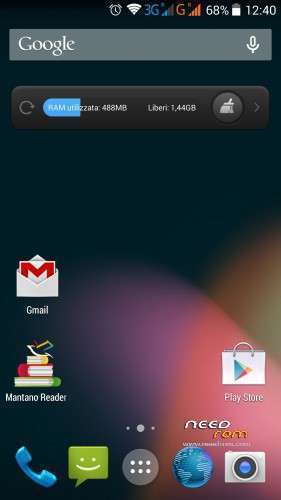
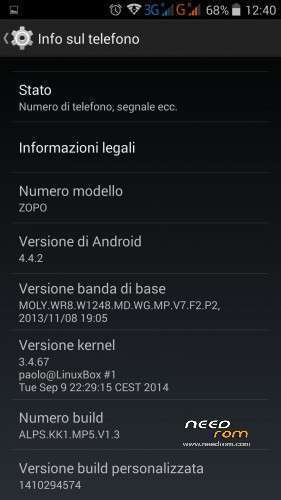
This is the first REAL kitkat rom for zopo 980/990, is entirely (kernel and android) compiled by me from mediatek source
everythings works, only some minor bug are present…but it's only the first public release
changelog:
09/10 – Ver 1.0.7
- Wifi Tweak (little improved speed and stability)
- Flash sync tweak
- Front camera up to 8MPX in Third-party app (only 3MPX in stock camera app)
- Radio FM app now works without headphone
- AROMA: mod for remove reboot option in powermenu
- AROMA: mod for install a new boot logo by aquilacd70
- AROMA: mod for switch back to use Superuser instead of Kinguser
02/10 Ver 1.0.6_new
- changed some commands in flash script, if you are unable to flash the 1.0.6 try with this new version
01/10 – Ver 1.0.6
- root : switched from superuser app to kinguser app
- vendor lib: updated the precompiled vendor lib
- wifi: different firmware files
- wifi: tweak some power parameters
- display: now in aroma you can select the display resolution (FullHD or HD). the HD resolution is nice for boost graphical speed in games
- kernel : fix for working softkey in HD resolution
some info about resolution HD and FULLHD
in the version 1.0.6 i have created a script for set the display resolution (and DPI) in HD or FULLHD.
HD resolution help a lots in games.
to change the resolution during the flash just activate (or deactivate) the option in aroma, enable if you want to use the HD resolution, disable if you want to use the FullHD.
every time you want to change the resolution just flash the rom with the option you want (you need flash because it is necessary to change the kernel depending on the resolution chosen)
There are 2 little problems:
- the first boot after changing the resolution (only the first time) there may be icons with wrong size (too big or too small) in the status bar and launcher, just reboot for fix
- at HD resolution the boot animation is correct, but a few seconds before completing the boot becomes huge, it's just a visual bug
27/09 – Ver 1.0.5
- Tweaks Compass driver and settings
- Tweaks Autobrightness settings
- Increased microphone volume in call
- Increased speaker volume in call
- ZOPO990/C7: alternative kernel with different proximity sensor driver (for those not working with the base kernel)
- Added Bulgarian language
- Added Greek language
- Added Finnish language
23/09 – Ver 1.0.4_new
- Fix color grey in dialog windows
22/09 – Ver 1.0.4
- Fix camera flash sync (maybe it is not perfect yet but it is better than before)
- Added reboot and reboot recovery in power menu (thanks to dimid)
- Added torch app (thanks to dimid)
- new charging led color rules: 0-99->red, 100->green
- AROMA: add a new baseband (2014) if someone wants to try it
- Added Japanese language
20/09 – Ver 1.0.3
- Fix cell low signal strength
- Kernel : different compass driver
- Added Swedish language
- Added Polish language
- Added Slovak language
- Added Slovenian language
15/09 – Ver 1.0.2
- kernel : fix automatic backlight level value steps
- rom: tweak some automatic backlight settings
- rom: fix backlight smooth transition
- rom: fix write permission on external sdcard for some app
- rom: added Google TTS and chrome bookmark sync
- rom browser: set default download directory to "Download"
- ZOPO980/C2: alternative kernel with different proximity sensor driver (for those not working with the base kernel)
11/09 – Ver 1.0.1
- ZOPO980/C2 and C3 – fix accellerometer and screen alignment/rotation
- Add function Sweep2Wake and DoubleTap2Wake in the kernel
- Add script "sets2w" for enable/disable s2w/dt2w function
- Add mod NO S2W in AROMA for those who want to disable s2w/dt2w function
- Removed the big icon 3G and G in statusbar
- Fix 13MPX in stock camera
- Default notification led set to blue
- Different baseband
- Fix low intensity vibration
10/09 – Ver 1.0.0
- first public release
know bug:
- camera stock show only 8MPX, with other app (camera360, google camera etc) u can select 13MPX
- the compass works but is not accurate as on JB
- the vibration is low compared to JB
- ART not work (for now…)
- maybe other…let me know
for enable/disable the function sweep2wake, doubletap2wake and pocket detect i have created a script.
just install a terminal emulator and write:
su
sets2w
and set to 0 what u want to disable
pocket detect use the proximity sensor for disable s2w/dt2w when phone is in pocket (or when the sensor is covered by something)
need this recovery to flash this rom, also need a full wipe (if u update from previous version u can wipe only cache and dalvik)
In aroma installer u can select if flash for zopo 980, 990 or C3
for 980 and 990 there is a 2 variant, A and B (differ only in the rotation of the screen)
try first with the A version, if screen in landscape mode is upside down reflash with the B version
there is also an alternative version with different proximity driver, if proximity sensor does not work try with this
original discussion (in italian): http://www.androidiani.com/forum/zopo-modding/426142-zopo-980-990-c2-c3-c7-rom-kitkat-4-4-2-a.html
※Please make a backup of your device before installing or updating ROM
I press menu appears three buttons: wallpapers, widgets and settings. I push Settings and opening the google now. Why not appears Settings ??
+1. everythings work very well, except gps (sygic) it begin well but after connection just few minutes and the device goes out.
@
How can I solve this problem?
kernel 980a = screen rotate properly but not work microphone.
kernel 980b = working microphone but screen rotate reverse
Thnx for the ROM !!! But Screen Rotation = Reverse ! I have C2/980 2gb/32gb
What to do for fixing that ?
Solution working for me : first i had installed version 980b but i installed 980a to fix the problem. So, do a new wipe in TWRP first and then install the 1.0.7. and choose version 980a. DONE!
Also Proximity sensor problem is fixed with version a for me.
Also, No battery drain at all – much better then my previous ROM(2013…..).
BUT : 1. encountered a minor bug = when screen on "automatic" brightness , it has some difficulty to find the right brightness in darker surroundings- it flickers up and down in brightness - anyone has this problem too ??
2. Also, I found out that much of my previous notification sounds for phone calls don't "loop" properly anymore. Normally they loop without interuption but now most of them have a "loopbug" when repeating. You can test it in audio settings/call sound. Could anyone make that test too. Thanks!
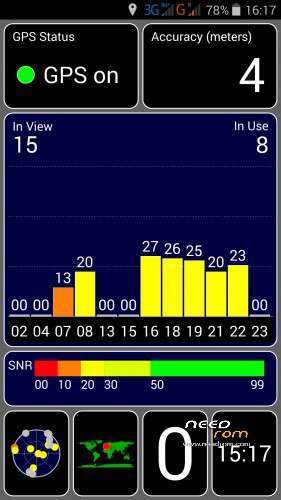
GPS is excellent – FIX after 5 to 30 sec ! Not bad @ all !
Hi rayster1966.
1. This is a known issue.
2. I dont really understand the issue. Can you explain more, please?
@theKramer – thnx for the respons!
1. The flicker on Automatic brightness is no that important anymore. I put it on an acceptable brightness and that's OK I even think that this is for some users, when they keep it on "auto" , some cause for battery drain (??). So, to users with battery drain, perhaps try setting the brightness on a FIX level and monitor your battery further.
2. How to explain…before this ROM for example . i had a contact which was set on a certain ringtone (f.e Midieval Jaunt). I can remember that with my previous rom, the looping was unnoticable. Now on the other hand, this ringtone – and there are others too – is looping too early so that the looping is not smooth enough. Perhaps i can sent the ringtone here and you can try it (i only could sent the ogg file in a .JPG, so first change the extension into OGG first - put it on SD in Ringtones and do the test)
Could not upload it but here is the test ringtone : http://www.filedropper.com/mid.....eviljaunt
No battery drain at all… ..surprising. Can you tell me which Rom version and zopo version you have
Like said above -C2/ZP980 2gb/32gb 4core
Also from above " Solution working for me : first i had installed version 980b but i installed 980a to fix the problem. So, do a new wipe in TWRP first and then install the 1.0.7. and choose version 980a (even not with the proximity sensor fix). DONE! Also Proximity sensor problem is fixed with version 980a for me."
NOTE : yesterday i worked almost 3 hrs and battery only went from 100% to 76% @ 50% brightness (not automatic) – in the morning 66%
NOTE2 : ANTUTU now 18188 ! Previous 15000 with a ROM from 20130610
ZOPO C2 platinum 2gb 32gb MTK6589T 4-core
I got over 2 days on one charge. I dont play any games though and would be a light user.
I did a fresh install recently of 1.07 and that was when I noticed the improved battery usage.
Before I used to only get 1 day out of the phone, but I used to flash each newer version over the older version, but a wipe and install from scracth to 1.07 seems to have really improved the battery usage profile.
@theKramer – like you say too – i advice other users to do a full whipe in TWRP first BUT FIRST TAKE A BACKUP OF YOUR OLD ROM ( you can also do this in TWRP – i did that before and went back to an earlier rom fluently – so backup first before whipe !).
In that case you get a CLEAN install which might give some improvements to previous ROMS. I certainly have much improvement with this ROM 1.0.7 (ZP980a) even in battery usage. I am running now from Monday 22.00 till now @ 11%. Not too bad and better than before. I am allways on the road and make about 50 calls a day – always 3G ON – always wifi ON (Not when display is off-ther is a button in settings for that). I only had this battery drop (like i had a couple of days before) from 30 to 13%. Now it's decreasing @ like normal again. SO : just a frop from 30 to 13% but running 1.5 days with more than average use. So, for me acceptable. Link of battery log with GSAM Battery Monitor app : http://www.filedropper.com/ima.....ge1197969316
It's the % against rate of change – very usefull app.
Hi, please, help me.
The photos I take at night are not clear because the flash led it is very weak.
How I can improve the Led Flash of the camera, main to take photos at night?
МОЛЯ НЯКОЙ ДА МИ КАЖЕ КАК ДА ИНСТАЛИРАМ kernel : KK_zopoquad_source.tar.gz
PLEASE someone tell me how to install the kernel: KK_zopoquad_source.tar.gz
Hi Raystef1966
How does your battery preform after 40% does it fall down drastically. I am also having zp980 32gb version and installed 1.07a version rom. After 40% the battery falls below 15% within 10 to 20minutes
Hi, i did check my batt.grafics and noticed a not that usual drop @30 to 20% within 15min.Went to sleep and over night it dropped further to14%.
So in general a slight drop around 30-20%. For me that’s acceptable.
I will follow this up and keep you informed.
Do you encounter other bugs?
I have only the automatic brightness bug. Brightness goes up and down when darker surrounding.
Question: is your upper bar all in white? My carrier is in blue. Do you have that problem too?
Keep me informed too because i think this ROM is more than good .
hi guys i need to know something,
first ……..this roms works with zopo zp980 quadcore 1,5 ghz ,2 gb ram,32 gb???
second….. i have to install only the last version ???
third…….. how to install by flash sp mode or with recovery mode (can i use mobileuncle)
Read my upper info.
Yes it works. I suggest you install the latest TWRP 2.8.00 for Zp980.
Go i recovery with mobileuncle.Install that TWRP.zip you put in mount of SD.
Reboot. Go back in recovery with MUncle tot see if all is OK.
In TWRP install the 1.0.7 980a. Done!
Keep us informed tot polish this ROM further…
Keep an eye on battery when it’s less then 50%. It falls drastically. I also have the problem with auto brightness. Now I will test with manual brightness. That’s the only difference between your rom and mine. I have installed gravity box and set my carrier color to blue.
@rahulonsurvey – ok – i'm keeping a battey log now with "Battery Log" app. Perhaps you can do that too and post it here afterwards.
Perhaps the battery drain is caused by the lagging austomatic brightness…perhaps…
Other thing : when somebody calls me, the sound is much harder then before and i cannot adjust it to the lowest level i want. Do you have this issue also?
I don’t have any problems with call. I just now tried reducing the volume during the call and observed that I was not able to reduce it less than 8 or 10%. OK will also install battery log app
Yep, that's what i mean…phone sound level not lower than +-10%…so minor bug too. Sound is very clear but a bit too loud to be good i think.
Today, testing the bluetooth in my car for a whole day : good receiving and calls but after a while, i was not able to accept or stop a phone call with the buttons in my car and when i wanted to call or to end a call, it lasted ages in funcionality….don't no why, but previous version was better….
I am also gonna try "GSAM Battery Monitor" . I encountered a stop with logging with the " Battery Log" app…don't know why…