
- Title: Koobee P1S – Halo 7 Mod stock
- Listed: August, 2016
- Last modified: 08/23/2016 1:28 pm
- Version: Koobee P1S - Halo 7 Mod stock v2.16
You must be logged for ROM download.
21542 total views, 5 today
30 Total favorites
 Member Info
DESCRIPTION
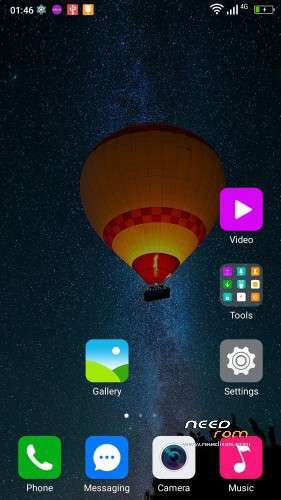
Pre-rooted Halo 7 Mod stock for Koobee P1S
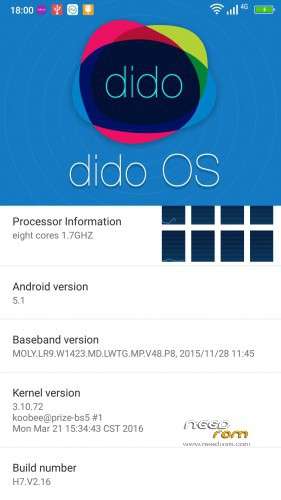
Based on stock firmware of Halo 7 Build number V2.16 (March 21 2016)
Features :
1) Firmware flashable by SP Flash Tool
2) DEBLOATED
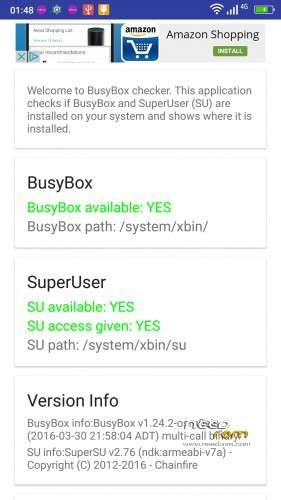
3) Added SuperSU version 2.76
4) Added Busybox version 1.24.2
PLEASE FOLLOW CAREFULLY THE NEXT STEPS :
1) Please install (flash) the Huber7052's TWRP at the next link :
http://www.mediafire.com/file/ttlih0f1qt6pq0y/Huber7052_TWRP.rar
2) Flash the Huber7052's recovery.img with SP Flash Tool (Download mode).
3) Make a backup of your NVRAM.
4) Keep the NVRAM somewhere (for example an external hard disk) like a little treasure.
5) Flash this rom (select the option "Firmware Upgrade" in SP Flash Tool).
6) Tap 7 times on "Build number", enable USB debugging & OEM unlocking (Developer options).
7) Tap on "SuperSU" and tap on "new user".
8 ) Flash once again the Huber7052's recovery.img
9) Download "2.16_utility.zip" at the next link :
http://www.mediafire.com/file/cxv2ktxbeivnmxy/2.16_utility.zip
10) DO NOT UNZIP IT, it is a flashable zip by TWRP.
It contains the next useful apps :
a) CM Browser
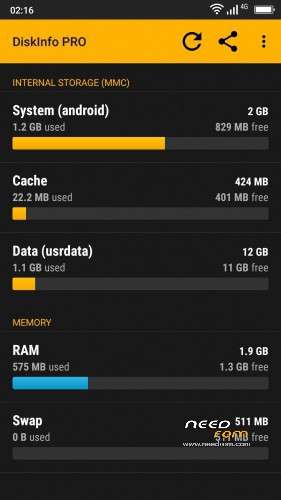
b) DiskInfo PRO
c) FX file manager & FX Root
d) AdAway
e) Chamelephon
11) Copy "2.16_utility.zip" & paste it into Phone storage.
12) Reboot into TWRP recovery.
13) Tap on Install, select "2.16_utility.zip" and Swipe.
14) Reboot the phone.
15) Tap on FX and follow the next steps :
a) tap on ACCEPT.
b) swipe from right to left 7 times.
c) untick START A 7-DAY TRIAL OF FX PLUS NOW and tap on the purple circle.
d) close app and open once again FX.
e) tap on System (Root) and tick "I understand the risk".
It takes times before SuperSU ask you to grant access to FX.
When you will grant superuser access … BE CAREFUL !
Now you are in the core of the system … do not delete any folder/file !
16) Download "open_gapps-arm-5.1-micro-20160817.zip" at the next link :
http://www.mediafire.com/file/9chmoocpcgv2318/open_gapps-arm-5.1-micro-20160817.zip
17) Copy "open_gapps-arm-5.1-micro-20160817.zip" and paste it into Phone storage.
18) Reboot into TWRP recovery.
19) Tap on Install, select "open_gapps-arm-5.1-micro-20160817.zip" and Swipe.
20) Reboot the phone.
21) Select UNI launcher.
22) DO NOT INSTALL ANY UPDATE.
23) Enjoy.
※Please make a backup of your device before installing or updating ROM
Good work. Thanks!
hello. where is the download link. i have the same problem as taniakitty
@sweetie10120
Is not a link problem. It's a problem of your PC/configuration.
The link is in first post
https://www.needrom.com/wp-con....._7_Mod_2.16.rar
how to slove that problem? i am still geting empty link. /_\…..
@sweetie10120
Change internet browser.
Check that you are registered on needrom and then in needrom.com on top left appear Welcome xxxxx (where xxxx is your username).
Please someone give new link for this ROM..
Please someone give new link for this ROM..
Reply
@Mad557
I didn't understand your request.
The ROM download link is in the top of the post and is working.
Just updated using this tutorial, @Mad557 may be you have to disable adblock (ublock) to see the link.
By the way, I lost my IMEIs , do I have to restore nvram than?
any updates for the ROM please.
any updates for the ROM please.YES