
- Title: latest vibe ui with multilanguage, 4k support and fast charge
- Listed: April, 2016
- Last modified: 04/09/2016 2:50 am
- Version: 6.0.2
You must be logged for ROM download.
20863 total views, 1 today
6 Total favorites
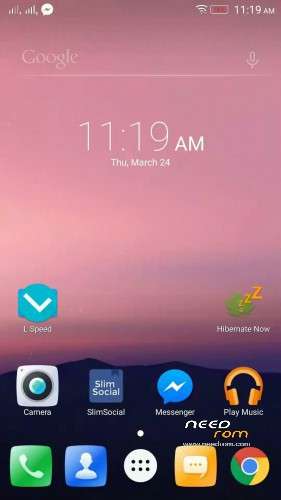
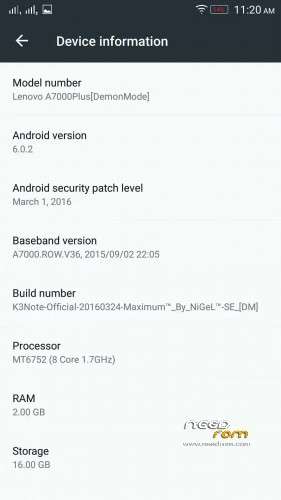
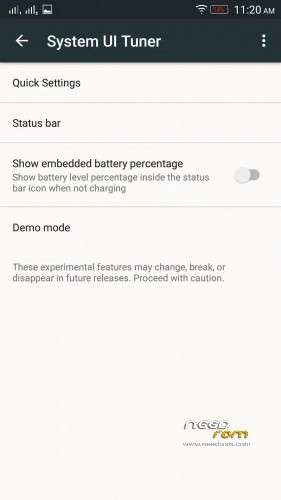

 Member Info
DESCRIPTION
[LENOVO K3Note/K-50/K5a40/A7000Plus, Official Marshmallow [DM] by Maximum™- SE] by NiGeL™(Akashi)
DISCLAIMER: Rooting your phone and using custom ROMS have risks, and if instructions aren't followed you can BRICK YOUR DEVICE. We are NOT responsible if your phone breaks, if world war occurs, or if your dog dies!!!!
Rom Features:
- Based on S422_V2 from SC Official marshmallow
- OatDex to Ultra Debloat
- Removed unnecessary Apps and debris
- Pre-Rooted (Thanks Chainfire fir rooting Marshmallow)
- Pre-Xposed Support
- Light Mode
- Zipalined
- Vacuuming Every Boot
- SElinux_DemonMode
- Fast Charging 2.0 (via SuperSaverMode While charging)
- Clear Motion
- Slow Motion Support
- 4k support
- Ram Optimized
- Battery Optimized
- System Tuner
- TOTAL BUGLESS ROM ( YOUR MUST KNOW HOW MARSHMALLOW IS)
Pre-Installed app for Daily use:
- L Speed Tweak App (Thanks Paget96)
- Latest Stable Greenify
- Xposed Installler App
- Root Explorer
- Slim for Facebook
**************************************************
HOW TO USE IT? (READ THIS!) (Basahin mo Baka mag tanong ka nanaman. Andali dali na nyan)
1. Download this zip file
2. Extract to INTERNAL MEMORY the TWRP folder (that is Backup)
3. Go to your TWRP recovery (TWRP 3.0.0.0 and Up recommended)
4. Go to Advance wipe Check Cache/System/Dalvik-Cache and slide to wipe
5. Back to TWRP and Click Wipe and slide to Wipe
6. Choose Restore and Choose this backup file and Restore and Reboot.
7. If you are k3 note user must flash that Patch modem.
8. Read this dont ever repeat my rules.
Other Tweaks:
After Setup your LSpeed Tweaks don't Reboot, must go Shutdown and turn on again your CP with Devil Mode.
Special Credits:
Nikko Angelo Q. Esteves
Maximum™ Dev. Team
Nameless Porting Team
Vibe UI Dev. Team
K3note Devs.
Paget96 for providing L Latest L-Speed
Service Center of Lenovo India
(I restore it and test its bugless so read my rules)
Babala wag umasa sa mga paasa
DON'T EVER REPEAT MY RULES ~ AKASHI
※Please make a backup of your device before installing or updating ROM
what is devil mode?? and where's place devil mode in your ROM? sorry my bad english.. thx
I'll give it a go, seems interesting….
vibe ui makes Vainglory background music echoe everytime. how to fix it. fifa16 also lag alot in vibe ui
Plzz upload in to a google drive ,I hate mega
How to flash modem bro
First restore twrp backup and then install this modem via twrp
what do you mean by "CP in devil mode?"
what is 4k support
4k means high and high quality video supported
Maxx Audio Or Dolby??
pls can u add more screenshots of camera with slo mo n other options… i highly doubt all of the ones in vibe x3 works on k3 …
Hi Sid, I downloaded and install. Everything working very nice. I got an OTA update immediately. I am worried if I install the update I may lose the
root previlage. Please advise.
what the final version after OTA update?
Hi what are the steps you did to successfully install this ROM?
I've been trying but can't. Please give a detailed explanation. Thanks