
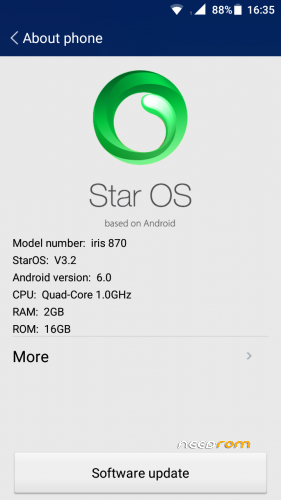
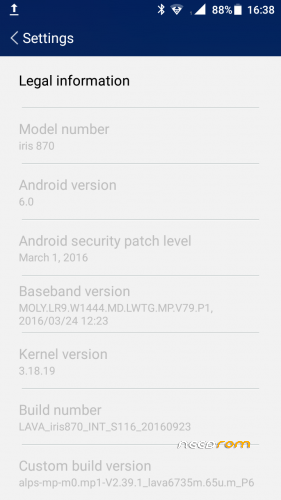
- Title: Lava iris 870 (MT6735M) without Password (Official Firmware )
- Listed: April, 2017
- Last modified: 04/17/2017 2:11 pm
- Version: Andriod 6.0(Build Number:Lava Iris870 INT S108 20160923
You must be logged for ROM download.
26309 total views, 2 today
12 Total favorites
 Member Info
DESCRIPTION
How to Update Lava 870 to Android v6.0
Step 1: Downlaod Stock Firmware & extract the Stock Rom on your PC.
Step 2: Download MTK Flash Tool and Extract file and install to PC
Step 3: Install MTK PC USB Drivers (skip this Guide If Your Computer Already has a Drivers).
Step 4: Start the SP Flash Tool Software uplaod Scatter File from the stock firmware Files folder in Scatter Loading option in Flash Tool +click Download Option
Step 5: Now switch off your phone and connect to pc through USB Cable and simply press volume button down . Wait until process complete its shows green symbol with OK . switch on phone .. Done ENJOY ,
small update also available after installation
ALL AT YOUR RISK. hope nothing will happned to phone .
※Please make a backup of your device before installing or updating ROM
thank
Lava iris 870 (MT6735M) without Password (Official Firmware ) i need to password.plis halp
Thanx mate
vai ….[LAVA iris 870] amar mobile r sound automatic cole gece then ami firmwere ta upgrade dilam with sp flash tools but mobile thik holo na …..aktu bolben vai kon sowfter ta dila thik hobe…..
plzzzzzz
thank
thank you
tanks u…
plz password is ???????
there is password
passowrd plz