
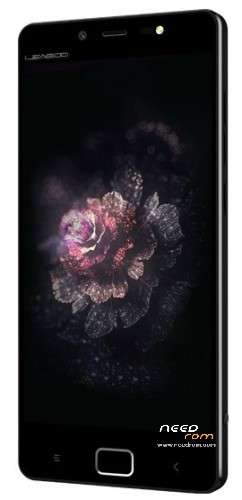
- Title: LEAGOO Elite 1
- Listed: November, 2015
- Last modified: 03/10/2016 3:45 am
- Version: Android 5.1
You must be logged for ROM download.
32935 total views, 3 today
21 Total favorites
 Member Info
DESCRIPTION
LEAGOO Elite 1 – Official Stock ROM (ROM comes from Leagoo).
- Android 5.1
- Build: V1.1.1._s1019 or s1211
- Includes Gapps / Play Store
- Not rooted
Must be flashed with latest version of SP Flash Tool. You flash it 100% at your own risk!
Lock screen wallpaper is not anymore stretched
Smart lock option no longer disabled when using fingerprint security.
The task switcher more stable
New preference option: "Smart Stay!
PS. TWRP or Touch Recovery can also be found here:
http://forum.xda-developers.com/showpost.php?p=63692847&postcount=85
These files are downloaded Wireless OTA files:
- update1_OS1.1.1_S1106.zip
- update2_OS1.1.1_S160225.zip
Do NOT install these with TWRP or something else. Install them via the phone.
Go to phone settings, then about phone, then wireless update. Press the 3 dots up
in the right corner, and choose Local Updates, and choose the update file and let it update.
※Please make a backup of your device before installing or updating ROM
How do I reflash the firmware on the device if flashtool does not work? can it be done from the SD card?
It depends on what you want to do. But if you ask it I gess that you didn't install a custom recovery.
- You can boot in factory recovery mod and apply an OTA upgrade, but it won't work if the System partition has been modified or if the upgrade does not apply to your version.
- You can also ask for a factory reset but I think it only erase Data partition, it won't recover a corrupted System partition.
I'm willing to help, if you're stuck you can PM me and I'll give you a hand to setup SP Flash Tool.
hi friend..my phone workın but.. my phone screen was black.. not wake up screen help me plz :'(
Salve vorrei sapere come si toglie la batteria al leagoo elite 1 x poter effettuare l'operazione di aggiornamento firmware con sp flash tool?
Sorry I can't speak Italian (but Google Translate can help)
Of course you can't remove the battery, it's designed to work with phone powered off and It took me a while to realize it
1) Disconnect the phone from the PC
2) Shutdown the phone
3) Launch SP Flash Tool with default setting
4) Browse and select a scatter file named "MT6753_Android_scatter.txt" (~9kB), you'll find one in each full ROM.
If SPFT find in the same folder some files described in there scatter file, the corresponding fields will be filled automatically
5) Unselect the files you don't want to flash or change their path. (For instance you could flash full ROM X5601_OTD_ELITE_5365U_V1.3.1_S1019 but change the recovery and select the one included in a TWRP2 folder
6) Don't change mode, the default "Download" is OK
7) Press the Download icone (the USB cable is still disconnected)
8 ) Now connect you phone OFF and wait. After some delay, if the VCom drivers are installed it will be detected by the PC, you'll ear 2 USB notification: Connect and Disconnect, then the description of your phone will appear in SPFT and the download will proceed.
Hope it helps
PS: It works OK with Windows 8.1 once you managed to install all the drivers
please help leagoo elite1 BROM EROARE: S_STORAGE_NOT_MATCH (3182)
You didn't get the correct scatter file. Look above at my reply to ivankov82
X5601_OTD_ELITE_5365U_V1.3.6_S1106 <<
1.This unlocks all ROMs ROM boot.img…
2.ROM flash tool then select the spin put boot.img s1106
Hi,
Please, could someone upload again stock ROM "X5601_OTD_ELITE_5365U_V1.4.3_S1211(fullROMforSPFT).rar"? It has been removed from Google Drive.
It's the version that was bundled with my brand new Elite 1. But I messed up with a wrong scatter file and bricked the mobile… I could'nt light it up. The only single sign of being alive was the recognition by the PC when connected Off line thru USB.
I finally managed to install full ROM S1019 using SFTP, but it's a downgrade for my brand new Elite 1 that was provided with your S1211 build. A chance I didn't loose the IMEI and other calibration data (hopefully).
I tested a factory reset and even installation of OTA S160419 (100.89MB) but it doesn't affect the build version of the system and for instance, I lost the Power Off swipe screen.
I'm aware there is a newer Malaysian version but it's maybe not designed for the European market (base band modem, 4G…).
Thanks in advance for your help,
Xavier
WARNING:
I could find this "1211 firmware" on the corresponding thread of 4PDA. But it's NOT stock version, the System.img was compromised and an OTA can't apply on it.
Hello, did anyone have a problem with battery to? My Leagoo stay on battery only 4-5 hour even when I don't touch it! HELP!
@fionka: wakelock detector may help to show you the leek. If you don't touch your phone, it should stay most of the time in "deep sleep" state, so you have to detect which app or service keep your phone awake. WLD ask for root privilege, but it seems to be a way to workaround the install.
My Elite 1 is rooted and run under version s160419. I uninstalled unneeded apps, even out of the system and it's now very much under the control of LBE Security Master with most permissions disabled regarding privacy, autorun and so on. And even in "offline" mode, and without SIM card, it did stay 99% awake (but still run several days on battery). The most frequent wake locks were due to pmicAuxadc interrupts (wich seems to be a Mediatek routine). I changed my settings and found that the culprit was "smart powersaving". So I unchecked it in the battery settings and enabled flip cover detection (I have the official Flip cover and as the wake up is triggered thru a hardware interrupt it consumes no CPU power for flip opening detection). I'm currently charging at 100% to mesure how much time it can stay on in that state, I gess it can reach 4 days.
This is my story, but depending of what you did with your mobile, it should be certainly different. What appears in the "Battery" settings? Double tap on the graphic to access the second screen that show activity with the timeline.
Found this latest rom at leagoo/my site
http://leagooftp.com.my/Elite%.....7.6_S160506.rar
Installed it but did not like the power button options. which I found are the best in 1019 rom. Anybody has any views on the best tom for elite1?
hello i've the leagoo_Elite 1_OS1.1.1_S160602 version posted on xda, is this the most updated verison so far?
are malaysian roms more update than that? i've read 1.43 ecc , are they compatible with european baseband?
i'm asking this because as xlv600 i noticed the phone stays awake most of the time with no deep sleep 0s, i think there is something worng in the rom and i'm wondering if in the malaysian version they succeeded in fixing it , tried with wakelock detector with no luck…
@xlv600 what system processes and app have you uninstalled? does your phone go in deep sleep now?
Hey Matt, look at my answer to fionka. Wakelocks that prevent the phone to enter deep sleep are due to "Standby intelligent power saving" , (Not that smart I'm afraid. I had to toggle language from french to english in the Settings.Language&Input to get the correct spelling, in french it was: "Mise en veille à économie d'énergie intelligente"). So, disable that first item in Battery settings and it should be right.
I flashed too XDA's release s160602 (june 2016). It's OK for me,
Once I've setup Google Settings and unchecked every security items, I could install TWRP in place of the stock recovery using SP flash tool, I don't boot loops as it did when Google security was active. But I have to rely on KingRoot to gain root access, as TWRP's SuperUser option leads to freezing boot animation.
Regarding the apps and processes you uninstall, it depends a lot of your purpose and what you want to do with your phone. You can remove everything you don't need but it's not so simple as the configuration entries of the services you remove remains in the Settings app, you'll get a "force close" popup if you select them inadvertently but it seems to be the onely drawback. Myself, I never register to google, nor sync with the cloud, only with my PC, have a static wallpaper and use Firefox and K9-mail. So I could remove GooglePlayStore, com.android.backup, Gmail, … the list is not closed, I'm still testing.
It's very important for me to have the ability to make backups with TWRP (and document them) so that if I remove a service that proves to be mandatory and freeze the phone, then I revert to previous step with no need to tweak everything again.
yes i've aldready disabled the not-so-intelligent power saving thanks to you ! so i've partially resolved battery drain :D
i've noticed btw that phone stays awake all the time… have you resolved that? take a look at "Attivo"(awake)