
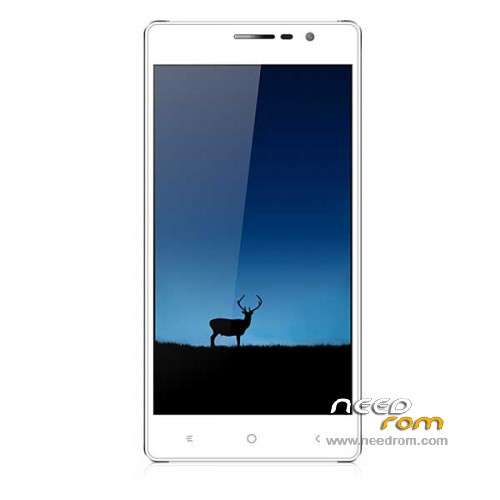
- Title: LEAGOO Elite 2
- Listed: April, 2015
- Last modified: 10/03/2015 1:02 am
- Version: ROM Android 4.4.2
You must be logged for ROM download.
24517 total views, N/A today
12 Total favorites
 Member Info
DESCRIPTION
ROM Mobile LEAGOO Elite 2 - ROM Android 4.4.2
ONLY MT6592
ATTENTION ROM 1 is not compatible with ROM 2
ROM 2 – Update Official ROM LEAGOO Elite 2 Version: LEAGOO_Elite_2_18_V005_20150702 – KOT49H – hexing92_cwet_kk – ALPS.KK1.MP1.V2.11
8075-01E_OTD_Elite_2_18_HD_V005_20150702_1750
——————————————————————————————————————————————————————————————–
ROM 1 – Update Official ROM LEAGOO Elite 2 Version: LEAGOO_Elite_2_V021_20150629 – KOT49H – hexing92_cwet_kk – ALPS.KK1.MP1.V2.11
8075-01D_OTD_Elite_2_HD_V021_20150629_1810
——————————————————————————————————————————————————————————————–
ROM 1 – Update Official ROM LEAGOO Elite 2 Version: MY_Elite_2_HD_V018_20150416 – KOT49H – hexing92_cwet_kk – ALPS.KK1.MP1.V2.11
——————————————————————————————————————————————————————————————–
ROM 1 – Update Official ROM LEAGOO Elite 2 Version: MY_Elite_2_HD_V006_20150413 – KOT49H – hexing92_cwet_kk – ALPS.KK1.MP1.V2.11
——————————————————————————————————————————————————————————————–
ROM 1 – Update Official ROM LEAGOO Elite 2 Version: MY_Elite_2_HD_V004_20150409 – KOT49H – hexing92_cwet_kk – ALPS.KK1.MP1.V2.11
——————————————————————————————————————————————————————————————–
ROM 1 – Official ROM LEAGOO Elite 2 Version: MY_LEAGOO_Elite_2_V003_20150402 – KOT49H – hexing92_cwet_kk – ALPS.KK1.MP1.V2.11
Gapps include – No rooted
Language support: Multilang
Install ROM:
- Unpack FlashTools, and Click on Flash_tool.exe
- Select a the MT6592_Android_scatter.txt in ROM
- Wait file to be added into Flash Tool
- choose Option->USB Model,click USB Model
–> Choose Option->DA DownLoad All->Speed->High Speed, click High Speed
- Turn off your phone, remove the battery and replace it after some seconds (and don't turn on the phone).
- "Press F9 (hit Download button)" OR " if upgrade ROM Firmware->Upgrade "
- and connect your phone into the computer via USB data cable.
- The process will start and a red progress bar will appear after color purple, yellow.
- And green circles display
- Finish !
- You can now safely disconnect your phone and turn it on.
※Please make a backup of your device before installing or updating ROM
Hi.. May i ask for stock rom Leagoo Lead 2s? Thank you in advance..:)
i want to flassh leagoo elite 2 plss help
Daelim γιατι θες να αλλαξεις rom??
I use this rom ROM 1 – LEAGOO Elite 2 – Update V021, and work
You just follow the instruction.
No windows available here. So how do I do this using adb? Just a link to correct information would be nice.
kind regards,
Rene
pero el mio es MTK6592 es lo mismo¿?
hi what version firmware should I download ?
I saw you are posted 4's firmware v000 to v008,
Hopefully you can explain clearly,TQ
I tried to connect the phone to the PC with the power off, the phone don't install the drivers because start to charge and lose the connection to make the install of the drivers, someone can help me??
after update my phone not connected to internet. the wifi si connected but no internet access. please help!
don't upgrade your leagoo elite 2 via wifi or 2G/3G/4G network…the update is not stable…it will destroy your phone system…please remain to the old android version..i've done it…and my phone is dead now…
for those who have crashed their phone after update…try to look in this :
http://forum.xda-developers.co.....-tried-t3141224
mayb it will help…cheers..
for those who succeed..please respond here for other user to take noted…including me…haha..cheers
why is the ROM1 incompatible with ROM2 what's the difference
Can i have a password for rom2 file ???