
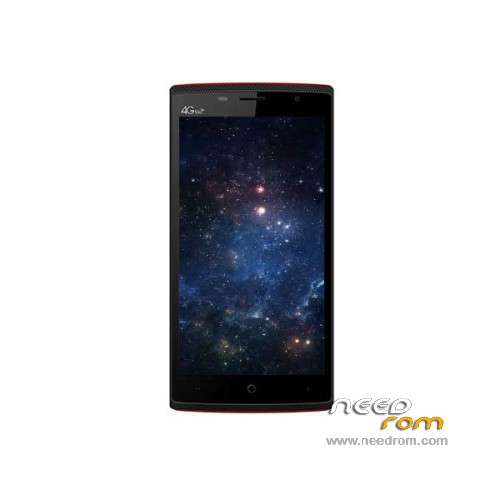
- Title: LEAGOO Elite 5
- Listed: March, 2016
- Last modified: 02/19/2017 10:22 pm
- Version: ROM Android 5.1
You must be logged for ROM download.
25481 total views, 2 today
21 Total favorites
 Member Info
DESCRIPTION
ROM Phone LEAGOO Elite 5 - ROM Android 5.1
ONLY MT6735M
ROM 3 – Update Official ROM LEAGOO Elite 5 Version: LEAGOO_OS_5.1_Elite5_R36_1010 – full_hct6735m_35gu_l-user 5.1 LMY47D – t89b-otd-s557-hd-33gu-128g16g
———————————————————————————————————————————————————————————-
ROM 4 – Official ROM LEAGOO Elite 5 Version: SILEAGOO_OS_5.1_Elite5_R10_0526 – full_hct6735m_35gu_l-user 5.1 LMY47D – t89b-otd-s557-si-hd-33gu-128g16g
———————————————————————————————————————————————————————————-
ROM 3 – Update Official ROM LEAGOO Elite 5 Version: LEAGOO_OS_5.1_Elite5_R32_0407 – full_hct6735m_35gu_l-user 5.1 LMY47D – t89b-otd-s557-hd-33gu-128g16g
———————————————————————————————————————————————————————————-
ROM 3 – Official ROM LEAGOO Elite 5 Version: LEAGOO_OS_5.1_Elite5_R31_0401 – full_hct6735m_35gu_l-user 5.1 LMY47D – t89b-otd-s557-hd-33gu-128g16g
———————————————————————————————————————————————————————————-
ROM 2 – Official ROM LEAGOO Elite 5 Version: LEAGOO_OS_5.1_Elite5_R03_0319 – full_hct6735m_35gu_l-user 5.1 LMY47D – t89b-otd-s557-hd-33gu-128g16g-Russia
Country : Russia
———————————————————————————————————————————————————————————-
ROM 1 – Update Official ROM LEAGOO Elite 5 Version: MYLEAGOO_OS_5.1_Elite5_R14_0316 – full_hct6735m_35gu_l-user 5.1 LMY47D – t89b-otd-s557-my-hd-33gu-128g16g
———————————————————————————————————————————————————————————-
ROM 1 – Official ROM LEAGOO Elite 5 Version: MYLEAGOO_OS_5.1_Elite5_R13_0310 – full_hct6735m_35gu_l-user 5.1 LMY47D – t89b-otd-s557-my-hd-33gu-128g16g
Gapps include – No rooted
Language support: Multilang
Install ROM:
Install with SP MDT:
1). Turn off the smartphone. Cable is not connected to the computer.
2). Remove the battery and insert it again
3). Connect your phone to a computer cable. The operating system detects a new device
4). Disconnect the cable from the computer.
5). Run SPMultiPortFlashDownloadProject.exe
6). Choose File> Open File Agent download and specify the file MTK_AllInOneDA.bin (it is in the folder SP_MDT).
7). Click Scatter File and select the MT6735M_Android_scatter.txt file (it's in the folder with the rom).
8). Click "Start all".
9). Connect your phone to a computer cable. The program should see and blink. If the phone is not detected, then unplug it from the computer,
remove and insert the battery (if the battery is removable) and reconnect it to the computer.
10). After (OK) click Stop and disable any phone.
11). Completed.
※Please make a backup of your device before installing or updating ROM
hello friends i updat my elite 5 with this rom 16-10-15 t89b-otd-s557-hd-33gu-128g16g_LEAGOO_OS_5.1_Elite5_R36_1010 but it seams that wifi and blothout it not work and message show on when i trun on my phone "prossesur not working" ?? please help
the best rom is a R24 , include mira vision, other dont work fine
Dear all, I’m a newbie to this forum. Hope, someone could contribute to solve the software problem currently occurring on my phone LEAGOO Elite 5 (bought mid 2017). Due to some problem with bloat ware, I wanted to flash the original stock ROM means of the SP Flashing Tool Version 5.1708.00 (package with firmware) which I retrieved from another web site.
The corresponding SP FT settings on tab <format> were “Auto Flash Format” and “Format whole flash except Bootloader”, and on tab <download> “Format all + Download”. All 11 lines showing on the corresponding table were ticked on. The following download procedure (with battery) means of the scatter file of the firmware package and subsequent flashing procedure was promising O.K. After disconnecting and booting, the phone showed a blackish screen (lit up in the background).
The <read back> procedure on the corresponding SP FT tab showed only the “MediaTek Preloader USB VCOM (Android) (COM6)”.
I’m currently lost.
As I don’t like to throw electronic stuff away I still hope that there is an "easy" solution to the software problem I have unfortunately created.
Hope this is the right place to post my request. Thanks