
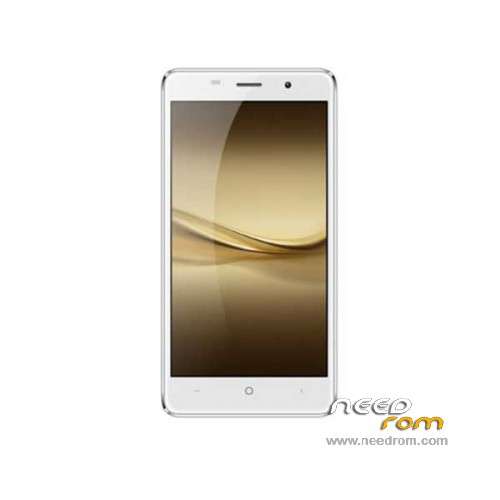
- Title: LEAGOO M5
- Listed: July, 2016
- Last modified: 07/13/2016 3:50 pm
- Version: ROM Android 6.0
You must be logged for ROM download.
17878 total views, 1 today
8 Total favorites
 Member Info
DESCRIPTION
ROM Phone LEAGOO M5 - ROM Android 6.0
ONLY MT6580
Official ROM LEAGOO M5 Version: LEAGOO M5_OS2.0_20160711 – full_wf562k_leagoo-user 6.0 MRA58K
WF562K.LEAGOO.M0.H.SSA.B125.0711.V0.03
Gapps include – No rooted
Language support: Multilang
Install ROM:
- Unpack FlashTools, and Click on Flash_tool.exe
- Select "scatter-Loading" and search MT6580_Android_scatter.txt in ROM
- Wait file to be added into Flash Tool
- Select "Download Only" or if upgrade "Firmware upgrade"
- Turn off your phone, remove the battery (if the battery is removable) and replace it after some seconds (and don't turn on the phone).
- Press “Download” button to start
- and connect your phone into the computer via USB data cable.
- The process will start and a red progress bar will appear after color purple, yellow.
- And green circles display
- Finish !
- You can now safely disconnect your phone and turn it on.
※Please make a backup of your device before installing or updating ROM
has anyone actually tried this? I have the phone with LEAGOO_M5_FreemeOS_20160728
what are the differences?
It seems your ROM is newer than the one listed here. We downgraded to this 20160711 ROM due to the multiple soft bricks on the August ROM.
I did everything as described but the problem persists.
Which problems do you have??
I have some issue with this phone. After facotry reset if i install some apps (but this happened with onlyone too) and reboot phone this loop infinitly on Leagoo Logo startup splash anybody can help me?
I had the same problem.
Then someone from XDA forum told me to press and hold vol- and on/off buttons simultaneously to get to the CHINESE recovery. Then use the vol+ to move down to the line ending with eMMC and then press the on/off button. That restored the system!!!.
Note the VOL- (as opposed to the usual VOL+).
Having restored the system, I dowloaded and installed my apps, only for the same thing to happen again (i.e. stuck on the Leagoo logo screen). I restored again and repeated the procedure and this time I got a message saying that my NOVO launcher had some incompatability problems with Android 6. So, having restored once more, I'm now going to try to use the b/i launcher and see what happens. The whole system seems very unstable..I don't know whether that's due to the hardware or the Freeme Rom supplied with the phone. I suspect the latter. If I can stabilise the system, I might try to root the phone and try another ROM. Let me kno how you go.
I'm going to flash Official ROM LEAGOO M5 Version: LEAGOO M5_OS2.0_20160711 – full_wf562k_leagoo-user 6.0 MRA58K. I hope this can fix the problem…Stay tuned!
Thank you both, i have the same problem – constant boot loop!
i'll try this rom!
Good thing to have this rom. Going back to stock is so easy. Thanks!
Hi masterpointer,
It's impossible to get CHINESE recovery in LEAGOO M5 MT6580A. I just tried it till my fingers bled. In facty Leaggo is a Malayan company.
hi there, first time poster – have a leagoo m5 phone and it has LEAGOO_M5_FreemeOS_20160728 installed and works fine, there is in the settings/about phone/system upgrade a new version available 20160728_TEST; when i try to download the 7.21mb file it hangs at 62% and can do nothing with it – anyone any ideas or any experience with this update???
thanks frits
I have problem
After factory reset i cant enter my phone without email which i dont know.
Can I bypass this anyhow? Please help
Hello pudding 22!
That problem of mine than for you hard reset I cannot go on the google after a registration. Did you find a solution?
thank you: Z
no solution yet.