
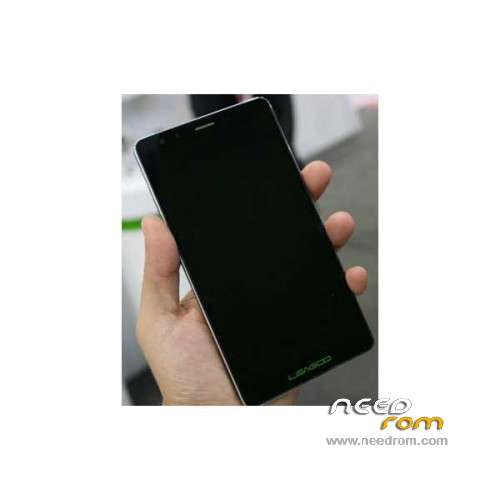
- Title: LEAGOO Shark 1
- Listed: January, 2016
- Last modified: 07/14/2016 11:42 pm
- Version: ROM Android 5.1
You must be logged for ROM download.
28503 total views, 2 today
23 Total favorites
 Member Info
DESCRIPTION
ROM Phone LEAGOO Shark 1 - ROM Android 5.1
ONLY MT6753
Update Official ROM LEAGOO Shark 1 Version: LEAGOO_Shark_1_OS1.2_160711 – full_hct6753_35gu_l1-user 5.1 LMY47D – t875h-otd-s600-33fgu-fhd-128g24g-bom10
————————————————————————————————————————————————————————-
Official ROM LEAGOO Shark 1 Version: LEAGOO_Shark_1_OS1.2_160509 – full_hct6753_35gu_l1-user 5.1 LMY47D – t875h-otd-s600-33fgu-fhd-128g24g-bom10
Gapps include – No rooted
Language support: Multilang
Install ROM:
Install with SP MDT:
1). Turn off the smartphone. Cable is not connected to the computer.
2). Remove the battery and insert it again
3). Connect your phone to a computer cable. The operating system detects a new device
4). Disconnect the cable from the computer.
5). Run SPMultiPortFlashDownloadProject.exe
6). Choose File> Open File Agent download and specify the file MTK_AllInOneDA.bin (it is in the folder SP_MDT).
7). Click Scatter File and select the MT6753_Android_scatter.txt file (it's in the folder with the rom).
8). Click "Start all".
9). Connect your phone to a computer cable. The program should see and blink. If the phone is not detected, then unplug it from the computer,
remove and insert the battery (if the battery is removable) and reconnect it to the computer.
10). After (OK) click Stop and disable any phone.
11). Completed.
※Please make a backup of your device before installing or updating ROM
first i was with LEAGOO Shark 1 – Update 04/14/2016 when i buyed the phone. A lot of bug with camera, camera gallery. I put last update LEAGOO Shark 1 – Update 04/27/2016 and it seems good. when i updapted i lost my IMEIs because i did format all+download. but it's easy to recover IMEIs with mtk phone.
so everything is ok now. No bug anymore. the battery is very good but still a little heavy.
How to fix Bug with autohide navigation bar….some app (like whatsup) always make this bar hide……wwrrrrrr Leagoo fix that shity Bug
How to configure flash SPMDT attached on this site to work? (The attached manuals are bed, the aplication dont flash nothing)
and how to configure the phone? (the battery is unremovable).
Hi, do you have a method to do the update without wipe all data ? Thanks
i found , when you select MT6753_Android_scatter.txt file, unselect preloader – userdata and cache, it's all. download like habitualy and it's ok.
To znamená, že se neprovedl wipe all a data zůstala zachována?
With TWRP or stock recovery?
i did the update with TWRP installed, when you do the update the recovery change so you have to do an another download to install twrp
bazo2, please if you write the correct instructions for flash ROM with TWRP?
Next update, I´ll try unchecking the recovery.
@lojzek i did not the update with TWRP but like the tutoriel in this topic.
OK, do you know how to exactli flash rom with SPMDT? For me SPMDT dont work. How to remove battery? How to open the phone?