
- Title: Lenovo A319 Best ROM (Stable OS)
- Listed: January, 2016
- Last modified: 01/31/2016 12:03 am
- Version: 4.4.2
You must be logged for ROM download.
45765 total views, 3 today
19 Total favorites
 Member Info
DESCRIPTION
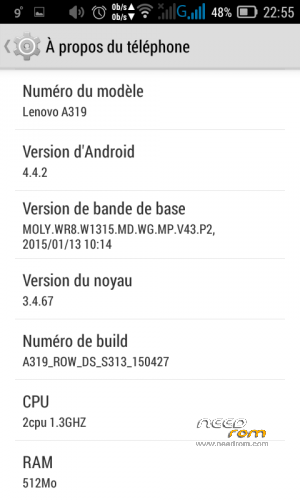
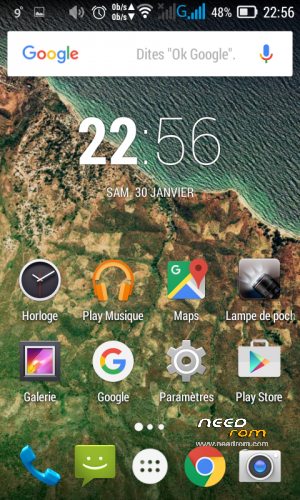
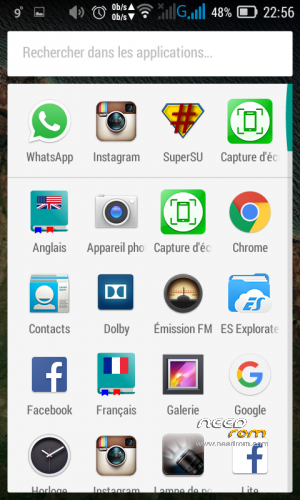
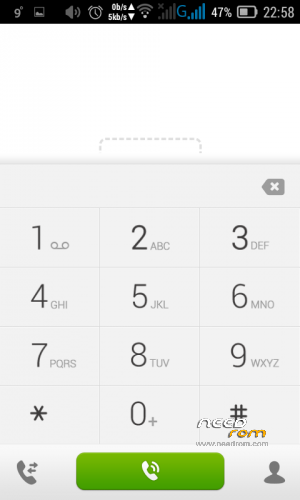
Hello today i want to share with you a Custon ROM that will help you to use your Lenovo A319 (Dual SIM) Ooredoo Algeria and enjoy all its features in the best conditions ever ^^ .
You can use this ROM for several reasons :
1.Hang in logo
2.Slow device
3.Getting a prerooted.
4.Dead Phone But detected in PC.
5.Rebooting
6.Bootloop
Follow these steps below :
First : Downloand the ROM
- Second : Download SP Flash Tool by Clicking HERE and choose your version Or Direct Download by Clicking HERE
- Third : Download Drivers by Clicking HERE
Before doing the Fourth step make sure the Drivers are installed Correctly otherwise it won't work
- Fourth : Follow these STEPS to flash the ROM
1- open flash tool
2- select the scatter file
3- you must select download format all+Download
4- shut down the phone or remove battery and reconnect it
5- plugging the usb cable you will see the download and format started and that's it.
If you didn't understand watch this Video by Clicking HERE
IMPORTANT : if you have an IMEI Problem (Invalid IMEI , Null ….)
There are three solutions , in all these solutions You MUST have ROOT
- This ROM is PreRooted so all these solutions would work, I used the 2nd one
1st Method : Getting your IMEI by using MTK Engineer Mode –> ClickHERE (If can't find CDS Information Use 2nd Method)
2nd Method : Getting your IMEI by using MTK Droid Tools –> ClickHERE (If didn't work use 3rd Method)
3rd Method : Getting Random IMEI by using this Method –> ClickHERE
If you need any help or got any question don't hesitate to contact me !
If this helped you Please Support us by giving us a Good Rate.
Please don't forget to donate we would really appreciate 
Thanks
※Please make a backup of your device before installing or updating ROM
thank you ………..
no problem
my phone is deadboot how can i use this :/
just follow the steps please , and if you have any problem just ask
please help me .. i already done the procedure of flashing the firmware but still dont work on my phone .. still stuck on the logo screen of lenovo , when i check it on hard reset ( recovery mode ) firmware successfully installed .. what should do next ??
this rom works 100% on Lenovo A319 Dual Sim , Which one do you have dual or single ?!
and it's supposed to start you just have to follow the steps ! (the first start take some time so just wait)
My phone still hang on logo, but recovery change to CWM, but i in CMW says E :Missing bitmap icon_instaling_overlay06(code -1)
E :Can't mount /cache/recovery/command
E: Faild closing ?dev/misc(I/O error)
What can i do Sir?, Please help Me…
If it hangs on logo , you gotta refollow the steps up there ,and flash the rom once again , and it will boot and work all normal
follow the steps on the main post !
thank you
This Rom is 100 Working . thanks bro .
but 1 problem don't reset your phone
No problem bro , when your phone is dead or hang on logo just refollow the steps and it should work
why i cant flash… error checksum.
Maybe you didn't install the drivers good , just follow the steps above one by one
im sorry but what should i do with the rar file ?
just follow the steps , first you gotta unzip it then use it to flash your device
(it contais the ROM)
thank you
no problem bro , don't forget to share with friends who might have same problem
need help
@minachoko What's wrong ? what is your problem ??