
- Title: Lenovo A319 Best ROM (Stable OS)
- Listed: January, 2016
- Last modified: 01/31/2016 12:03 am
- Version: 4.4.2
You must be logged for ROM download.
45766 total views, 4 today
19 Total favorites
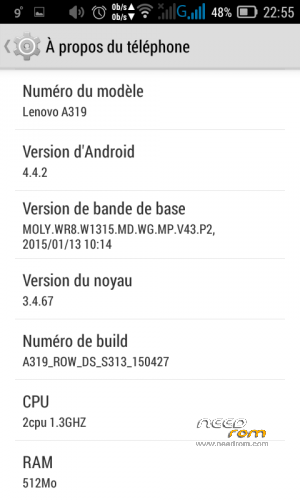
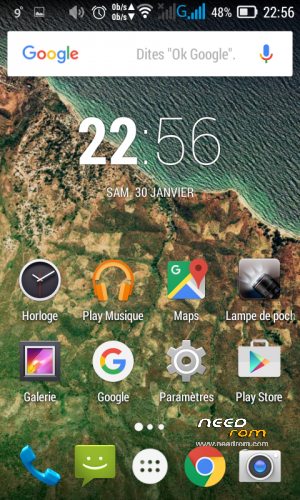
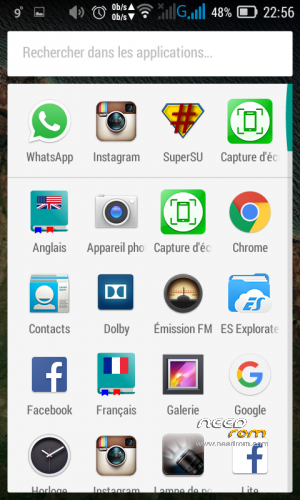
 Member Info
DESCRIPTION
Hello today i want to share with you a Custon ROM that will help you to use your Lenovo A319 (Dual SIM) Ooredoo Algeria and enjoy all its features in the best conditions ever ^^ .
You can use this ROM for several reasons :
1.Hang in logo
2.Slow device
3.Getting a prerooted.
4.Dead Phone But detected in PC.
5.Rebooting
6.Bootloop
Follow these steps below :
First : Downloand the ROM
- Second : Download SP Flash Tool by Clicking HERE and choose your version Or Direct Download by Clicking HERE
- Third : Download Drivers by Clicking HERE
Before doing the Fourth step make sure the Drivers are installed Correctly otherwise it won't work
- Fourth : Follow these STEPS to flash the ROM
1- open flash tool
2- select the scatter file
3- you must select download format all+Download
4- shut down the phone or remove battery and reconnect it
5- plugging the usb cable you will see the download and format started and that's it.
If you didn't understand watch this Video by Clicking HERE
IMPORTANT : if you have an IMEI Problem (Invalid IMEI , Null ….)
There are three solutions , in all these solutions You MUST have ROOT
- This ROM is PreRooted so all these solutions would work, I used the 2nd one
1st Method : Getting your IMEI by using MTK Engineer Mode –> ClickHERE (If can't find CDS Information Use 2nd Method)
2nd Method : Getting your IMEI by using MTK Droid Tools –> ClickHERE (If didn't work use 3rd Method)
3rd Method : Getting Random IMEI by using this Method –> ClickHERE
If you need any help or got any question don't hesitate to contact me !
If this helped you Please Support us by giving us a Good Rate.
Please don't forget to donate we would really appreciate 
Thanks
※Please make a backup of your device before installing or updating ROM
links are not working it says **YOU ARE NOT AUTHORIZED TO ACCESS THIS WEB PAGE AS PER THE DOT COMPLIANCE**
Plzz help
i think the problem is with your ip adress try accessing the link with VPN or proxy
this rom doesnt read my SIM card but my other phone read it
i tried to change slot but nothing work
i flashed IMEI-FIX.zip with TWRP but no changes appeared
what can i do ?
Sorry I Fixed It Thank You For This Amazing ROM It'S The Only One That Do Not Do BOOTLOOP And BUGS And AUTO-RESTART And Other Problems !
just use MTK Droid tools 2.5.3 and root your phone , then enter your IMEI or new IMEI so that it would work
it is listed there in the links up
sucessfully bring back to life my lenovo a319,, thanks alot..
sure no problem
your links are broken bro..
Links not working. Please update it