
- Title: LENOVO A660 Etotalk mod
- Listed: July, 2013
- Last modified: 07/10/2013 11:23 pm
- Version: ROM Android 4.0.4
You must be logged for ROM download.
70405 total views, 1 today
10 Total favorites
CUSTOM
 Member Info
DESCRIPTION
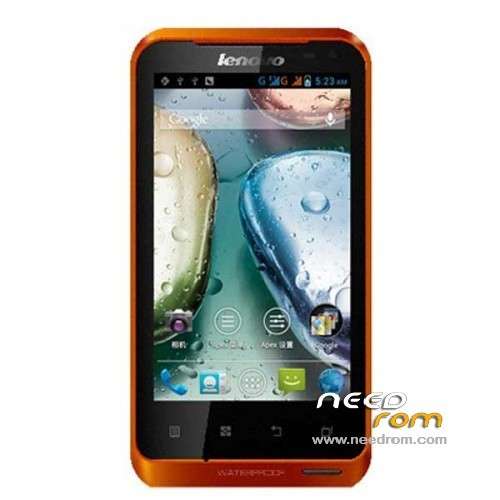
ROM Mobile LENOVO A660 – ROM Android 4.0.4
ROM Odex – Gapps include – Rooted
Language support: MultiLang
Install ROM:
Look File: A660-Flash-Recovery-instruction-.doc
※Please make a backup of your device before installing or updating ROM
Can not install…
hi, first off all you must instal preloader driver check this http://bm-smartphone-reviews.b.....g-tutorial.html
then please download doc install and read carefully, is working 100%
Make a backup of all data, dont forget
Hello,
flashtool says "download ok". After Restart there ist still only choice betweeen Chinese and English.
Do I have anything else to do?
I need a multilanguage rom.
I followed every step from the etotalk tutorial.
Thx
guys i need your help!!!!!
i think i bricked my phone "lenovo A660"because it is not responding to any command…first it was stuck on bootloop then i kinda formated it using the Flashtool ever since then it went black on me….plizzz someone help me
THANX IN ADVANCE
Hangs on lenovo screen….recorvery is ok but won't change anything
have you installed the rom
I use the Doc Install and work !!!
Now I'm use a good version of rom. Tks a lot.
so i have drivers i can install all is ok but just only big question…. if i install the original rom from this page all works perfectly…if i take a look at the files in the images folder there are a lots of files boot img, system img….and works perfectly but the original rom don't have google play…and so…
This rom has only one zip file that contains the files…and the scrapped…if i open flashtool and load scrapped file all its ok then check all the settings from your documentation and push the update button…connect cable…. battery… all works…all its ok finish with the large green circle.
After pushing the bower button lenovo comes to the display and hangs there forever…
Thanks and sorry for my bad english
are two options to install this rom.
1.with flash tool9see doc instalation)
2. from sd card:——->
Step 1: Download the custom ROM copied to an external SD card root directory
Step 2: the shutdown state. While holding down:
– Power button + volume button up, to enter the recovery mode.
– Wipe Data / Factory Reset -> delete all user data
– Wipe Cache Partition -> Wipe cache
Step 3: Return to recovery main interface Install zip from sdcard -> choose zip from sdcard -> Select your ROM
Step 4: Brush complete, restart the phone Patience required – first boot takes a while
You have not specificated one THING. After recorvery put the Rom file on the sd card and then INSTALL..
I tried to install the rom with flashtools not from the phone….Thanks its working….
good work!
perfect rom
im using =D
There is a problem with SDCARD labeling:
In the file browser internal sdcard is named External Memory Card and the external is the USB Storage
In the Settings/Storage menu, external storage is Phone Storage and internal Storage is the external SD Card. I can only unmount the SD Card which is the internal memory…
Regards,
jbmaciel.
try with http://mediafire.com/?wd8au297.....r6w9qzd
I don't need the Flastool…The problem I was talking is with android etotalk version you provide, which I installed using the recovery interface.
I use this rom,for my is working 100%,smooth and fast response
You can upload some screenshots,to understand better your problem
thank you
Please, have a look at http://youtu.be/Tgycx00-AYc and see if you understand what I mean.
Thank you,
jbmaciel.