
- Title: LENOVO A660 Etotalk mod
- Listed: July, 2013
- Last modified: 07/10/2013 11:23 pm
- Version: ROM Android 4.0.4
You must be logged for ROM download.
70931 total views, 3 today
10 Total favorites
CUSTOM
 Member Info
DESCRIPTION
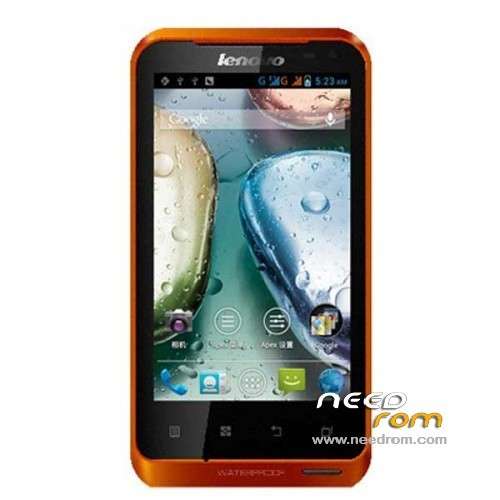
ROM Mobile LENOVO A660 – ROM Android 4.0.4
ROM Odex – Gapps include – Rooted
Language support: MultiLang
Install ROM:
Look File: A660-Flash-Recovery-instruction-.doc
※Please make a backup of your device before installing or updating ROM
Hi, first of all i'm sorry fom my english, but i hope you could understand me.
I have a lenovo A660 rooted by chinese retailer, but i do not like the rom installed because the screen rotation does not work; if i would like to install your rom, i have to root again or i have only install your recovery and your rom, with mobileuncle tool? please help me, i'm new in android world.
P.S. I think that the problem "screen rotation" is a software problem, because i tried to use the application bubble level and it work good.
Thanks very much!!!!
yes, rooted phone,multilanguage,google play
Nice rom, all works great. Thanks a lot.
this rom sais INVALID IMEI
please check my instructions, is work 100%, 100%safe
thank you
Hello please help, I do all as per instruction in A660-Flash-Recovery-instruction-.doc, but no change in phone.
First I make a backup of my ROM and then I follow instructions as per "A660-Flash-Recovery-instruction-.doc", but no change it is same as previous. What to do, how can I get google play?
hi, please check this
wipe data/factory reset
wipe cache partition
Go to "mounts and storage" > "format /system" "format /boot"
Go to "install zip from sdcard" > "choose zip from sdcard" > select your ROM .zip file that you placed in step #6. Flash it
or this
Instructions:
- Put zip on SD card
- Reboot into recovery
- Apply the ZIP.
Ok!! Finally i've installed the rom…is a good rom, but there are some application in english or chinese(like calendar). About my problem with screen rotation i didn't solve it.
Could you help me?? I don't know if it is an hardware or software problem…i tried the application "bubble level" and it work good.
Thank you very much
HELLO …..
I have a problem…..
i use the method from sd card….
-wipe data/factory reset ok
wipe cache partition/ wipe cache ok
apply update from sdcard
– install / sd card…
E:signature verification failed
Signature verification failed
Installation aborted.
Tnx Dimitris…
recovery menu is like this one?
hi, try this
You use "Install zip from SD card". In that menu is "Toggle signature verification". Once toggled off, you can then "Choose zip from SD card".
Tnx for the reply….
there is no such option…..
i only have…
Android system recovery <3e>
Android system recovery utility
reboot system now
apply update from sdcard
apply update from cache
wipe data/factory reset
wipe cache partition
backup user data
restore user data
fron choice "apply update from sdcard" …
the only choice is choose a package to install…
there is no menu " toggle signature verification"….
tnx again Dimitris….
I first tried the instructions as per "A660-Flash-Recovery-instruction-.doc", but no change to the phone; then I booted into recovery mode (as per post by nicodim23 on 09/13/2013 @ 4:35 pm) and that went flawless. thanks for making this ROM available. (but you may want to update the instruction document)
try this tutorial,(how to flash a custom rom)
#please read carefully the instructions,
is working 100%
#tested on my phone#
thank you
noticed 1 thing: when the phone is connected to a PC, I can no longer access the SD card from the PC (on a winXP PC, have not tested w7)
Hi,
I've a phone (lenovo A660) with multilang ROM in it. When I want to move apps to phone storage, it reboots.
it also reboots while installing some games from google play store (Subway surfers etc.).
I think it is the same problem as moving to phone storage.
I could install some applications from play store.
What causes this problem?