
- Title: Lenovo A770K
- Listed: January, 2013
- Last modified: 01/28/2013 4:45 pm
- Version: ROM Android 4.0.4 MIUI
You must be logged for ROM download.
14737 total views, 1 today


 Member Info
DESCRIPTION
ROM Mobile Lenovo A750 – ROM Android 4.0.4 MIUI
Model name: A770K
Android version: 4.0.4
2013.01.25 Miui v4
Features ROM:
Battery service replacement back millet …
Voice recognition program …
Add Face Unlock procedure …
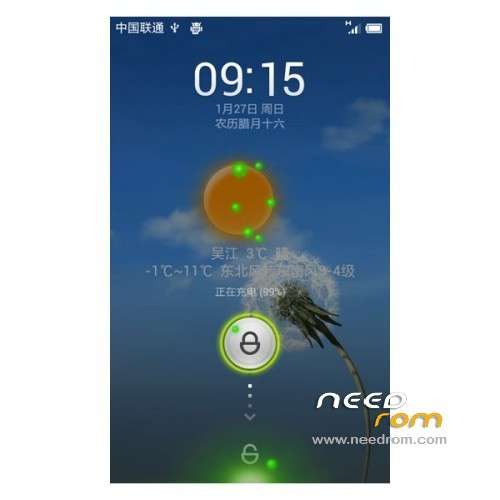
Minor adjustments to the weather lock screen …
Rejoined the low battery reduced frequency to 970Hz …
Reduce CPU sampling rate …
The phone SMS data network
WIFI (better signal than other rom)
WIFI network sharing
GPS (positioning ultrafast, positioning his 12 seconds)
Bluetooth (work, the transmission speed is slow)
NFC
Front / rear camera flash the audio headset light sensor distance sensor gyroscope gravity sensor acceleration sensor electronic compass / external memory card Vibrators
Workers do not do the project:
Bluetooth headset (not test, should not)
BUG:
Bluetooth cramps comes with the camera can not the video camera can not activate night mode
Install ROM:
The Brush: Go to the completion of the "Install from SD card, select the built-in or external SD card, select the Brush Pack, point to determine, waiting Brush. . .
WIPE: This version of WIPE "erase and reformat points" district, only need to perform "on the line" erase the cache / restore the factory settings. . .
U disk mode: connected to the computer, enter the "mount" open "USB storage" on it.
Important Reminder:
Basically when the ICS Recovery WIPE can not clear the SD card. Android_secure folder, this folder is the software moved to the SD card folder. . .
Normal WIPE To clear this folder (not cleared will have a strange problem), but now the Recovery seems to have no clear, so like a friend to move the program to the SD card to manually delete this folder. . .
Solution: connect the USB cable to enter the mount, the open USB storage, open the built-in SD card with a computer disk, find android_secure folder and delete it. The then normal WIPE Brush. . . (Or brush machine before entering the Program Manager, uninstall all the SD card program).
※Please make a backup of your device before installing or updating ROM