
- Title: Lenovo A820
- Listed: October, 2013
- Last modified: 12/06/2013 2:43 pm
- Version: ROM Android 4.1.2
You must be logged for ROM download.
56443 total views, 7 today
2 Total favorites

 Member Info
DESCRIPTION
Android: 4.1.2
Kernel: A820_S150 (Kernel&Radio)
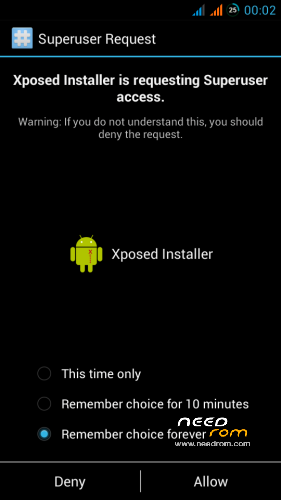
Root: YES
Based on: HoloDark 1.4 (smart-ass_fox)
HoloDark 1.4 (vMS 1.7)
 )
)
HoloDark 1.4 (vMS 1.9)
HoloDark 1.4 (vMS 2.1)

Known bugs:
- The camera works, take pictures, record videos, but can not take panoramic photos (btw what I know all in all the 16:9 photo are only 6Mpx 
 )
)
- If the battery level is below 10%, then the automatic backlight does not work and other strange things happen sometimes
Problems?
If you have a problem then the first reboot the phone, it helps to fix most of the basic problems. Second download file again and reflash ROM, sometimes happens that something bad download, transfer or other. Third write in the comments your comments. It would be nice if you exactly describe the problem: what, where, when, who, what, are you sure you have the Lenovo A820
Installation via Recovery (TWRP/CWM)
Everything you do at your own risk. But I think it will be fine 
※Please make a backup of your device before installing or updating ROM
Thanks mastersanta. Really there is not reason to update the rom (after the root fix of course). The rom is perfect. There are not bugs..The best rom for our Device.
@mastersanta: I did a fresh install as usual (factory reset+cache+davik cache removal). I used Kernel S150 CWM 6.0.4 by Cappa72.
This rom is amazing and I think is the best rom for our device.I tested a lot of roms and it' works perfectly.No lags and very smooth.thanks:))
What should be installed? v17, v19? both?
I managed to fix root in "v19" with mtkdroidtools. Only connect the phone by usb with usb debugging, open mtkdroidtools and click in "fix root".
Hope it helps.
Guys what CWM/TWRP are you using to install 1.9 version? I can't get it to work. It freezes during start up – screen saying "Updating android device" or something similiar.
I am using TWRP 2.5.0.0
@fernandojhr – have you been able to run scripts to fix partition sizes on this ROM and TWRP 2.5.0.0? If yes, how did you do it exactly? Thanks in advance.
I've been running this ROM with modified parititons sizes, if that helps (modified them long ago).
by the way, if someone wants to use Panoramics, For me they work, using a 4.3 camera which i installed in other rom months ago (titanium backed).
If i dont recall wrong, it was this one (or similar):
http://www.androidgadgematic.c.....camera-apk.html
Do not uninstall default camera, as 4.3 one wont record videos for me, is not the best thing, but mixing both you have all the features
and also, for me, calendar SYNC was not working correctly (both 1.7 and 1.9 clean installs).
Installed/put em on system,this three APKs http://dl.dropbox.com/u/324828.....18/Calendar.zip and it works now (but its the old calendar, not google one).
@Black_ice_Spain how did you modified parititons sizes?
I used some tool which does it automatically (altho i lost data, so backup first )
)
http://www.movilesdualsim.com/.....16gb-rom.31769/
This one, translate or whatever, u just need to get the download link xD
Last rom is not rooted.