
- Title: LENOVO A830
- Listed: June, 2013
- Last modified: 06/22/2013 2:11 am
- Version: ROM Android 4.2.2
You must be logged for ROM download.
53025 total views, 6 today
116 Total favorites


 Member Info
DESCRIPTION
ROM LENOVO A830 – ROM Android 4.2.2
Model Name:Lenovo A830
Android Version:4.2
ROM Author:jack44
ROM version number:A830_SX_V4.22_jack44
Based on the official version:S115
Features ROM:
1, the full functionality ROOT
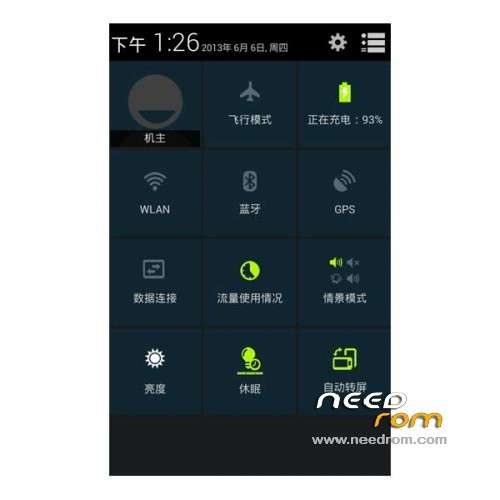
2, Samsung S4 UI framework beautification
3, repair Samsung S4 HD wallpaper support QHD
4, the GPS signal fix the problem
5, the integrated framework of Samsung SMS
6, by adding multi-country voice, contains Traditional
7, the integrated PIP function similar to Samsung
8, replace all types of add-on program for the Samsung computers, tape recorders, music, etc.
9, can be based on large memory package, the end of the first wire brush large memory upgrade this package to package.
10, add power modules to optimize power
11, speed GPS positioning
12, fast boot repair
13, gapps include
Language support: Multilang
ROM Install :
CWM
Step 1: Download the custom ROM copied to an external SD card root directory
Step 2: the shutdown state. While holding down:
– Power button + volume button up, to enter the recovery mode.
– Wipe Data / Factory Reset -> delete all user data
– Wipe Cache Partition -> Wipe cache
Step 3: Return to recovery main interface Install zip from sdcard -> choose zip from sdcard -> Select your ROM
Step 4: Brush complete, restart the phone Patience required – first boot takes a while
※Please make a backup of your device before installing or updating ROM
@kassana
Thank you for your explination. I have a problem in loading the scatter file. It refuses with the message:
error: initializing scatter file failed.Please check the name of the scatter file which you load is legal
Does anyone have this problem?
So I can not load CWM. Is there another way to flash the CWM to the device?
Had the same problems. Try Flashtool_v3.1304.0.119. Kassana already gave us the link earlier.
put flash tools main folder in the root c drive. And put scatter file and recovery. IMG file in the flash tools folder. And try again.
@kassana Still have driver problems.using win8. Did not suceed with my laptop with win7. Flashtools stops and will not flash….
Can someone upload the driver for this phone
Hi @kassana,
Thanks for all your help. Your CWM translation helped me out a lot. Finally got this ROM installed.
One final problem though: When I select "Power Off" it actually puts my phone in "Fast Boot" like a sleep/hybernate mode, and doesn't actually shut down the phone. This mode drains battery, and the battery doesn't charge as quick as when I have the phone off. I cannot find where to disable "Fast Boot" in this rom. Looked under settings/battery (where it shoud be) and the option isn't anywhere to be found.
Any ideas?
Strange. I haven't got that on mine. No idea sorry. Maybe do a wipe cache/factory reset from cwm again??
Thank you for your work SoCr@Te.
I have flashed this english recovery from this A820-Rom: https://www.needrom.com/mobile.....0-12/ It works fine for me.
I have removed the chinese apps with titanium-backup and install the app Deutsche Tastatur.
Is the app responsible with the "R" for root. When I deleted the app, the A830 was no longer rooted !? Otherwise, so far everything works great.
Good ROM but can't find how to stop vibration on call answer- it's annoying. Also think the stock camera is better because you can make pictures with volume buttons.
Using Mtk Tools I accidentally erased IMEI numbers. Now I want to restore them, but can only see one IMEI number on the back of the phone. Should there be 2 different ones? Can someone confirm this using Mtk Tools? If there are 2, where can I find the second one?
@sardi
I have the same problem. Already spend hours with Google, tried every single solution from post you mentioned – stil no luck.
Is there any chance that you can describe in more details how did you restored your IMEI numbers?
mobileuncle tools not works in this rom
Not a good rom, chinese apps still on it, cant uninstall appz as not listed in app manager, chinese on keyboard, forced baidu chinese input
use Titanium backup for removing unwanted apps and install hackers keyboard.
Anyone knows if this rom works on A820?
Thanks
Good morning, my recovery mode is in Chines what I do to switch to English?