
- Title: Lenovo a880
- Listed: April, 2014
- Last modified: 04/04/2014 8:03 pm
- Version: 4.2.2 s020
You must be logged for ROM download.
23650 total views, 2 today
3 Total favorites

 Member Info
DESCRIPTION
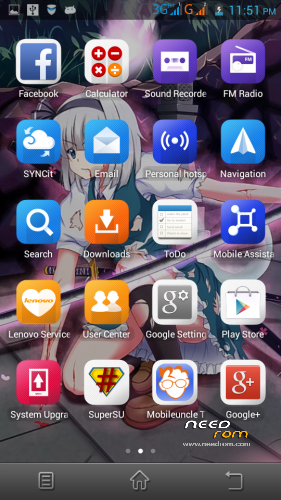
Rom a880 s020
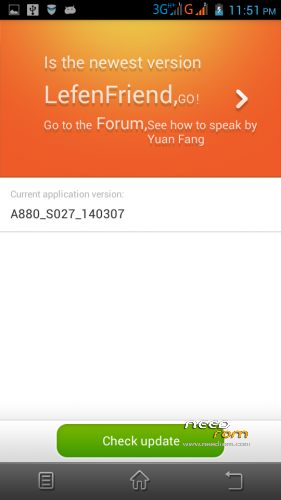
ota update function
with gapps
root { need to root again with vroot after ota update}
How to install:-
1. download rom extract… copy to sdcard/clockworkmod/backup
2. reboot to cwm recovery format system.. wipe catch then choose restore
3. flash supportme.zip dan reboot
for ota update :-
1. download stock recovery extract… copy extrack file to sdcard
2.open mobile uncle tool update recovery choose stock recovery.img that u download before then press yes when it promt reboot to recovery choose no
3. then u can use ota update in setting
{ must use cwm for install rom and must be in stock recovery for ota update}
※Please make a backup of your device before installing or updating ROM
thank you.
u are welcome
this rom bug can not change rigntone notification app line all ready before update to s027
U cannot change notification ringtone?
yes sir i think about maybe rom i have been install rom miui i can change ringtone work
What about after ota update..? Do u still have problem after ota?
no this bug of rom s013 – 020 but 027 i never install do you use rom 027 ok ?
I use rom s027 coz this rom can ota update.
No buq for rom s027
multilanguage or only ch/en?
En/cn
What nonsense are you talking about NOT BEING ABLE to change ringtone? Eversince I am on S013 ,S018, S020 (nonsense Chinese ROM) and the best MANNUR S020 which I am on right now there was NO BUG in NOt BEING ABLE TO CHANGE RING TONE (I have a set for family and another for everybody else , different notifications tones for GMail, yahooMail (which doesnt allow changing notification tones) Outlook and forums.
what BUGS are you talking about??
How to update OTA when you click "update now" it automatically reboot to recovery stock/CWM/TWRP it doesnt matter it AUTOMATICALLY immediately reboot into recovery to do update. You said NO to reboot into into ANY Recovery how is it going to do OTA update?? I have the zip file for OTA update can you yopu explain to me how I can do update from stock recovery with the zip file???? Does it have also the update with zip option inside stock recovery?? I dont know this becoz I never boot into STOCK Recovery before I only reboot into TWRP recovery.
If u have ota update zip. Copy it to sd card. Open mobile uncle tool update recovery choose stock recovery when promt to reboot recovey choose yes. In stock recovery choose install zip from sdcard then choose ur update file ur have. IN STOCK RECOVERY VOLUME + = OK. VOLUME- = MOVE
I said no coz after ota it auto boot into recovery
function fo flash supportme.zip dan reboot for what?
If u want to thank me Just flash supportme.zip
all my lenovo A880 navigation key is missing, how i can get back?
Don’t happen to other user. What rom u use before
As far as I know to do OTA update you must be in th e last version (running properly/OK) before the OTA uodate version that means you should be on S020 before you can do all this .