
- Title: LeWa OS V5
- Listed: August, 2014
- Last modified: 08/16/2014 3:00 pm
- Version: JellyBean 4.2.2
You must be logged for ROM download.
39044 total views, 11 today
5 Total favorites

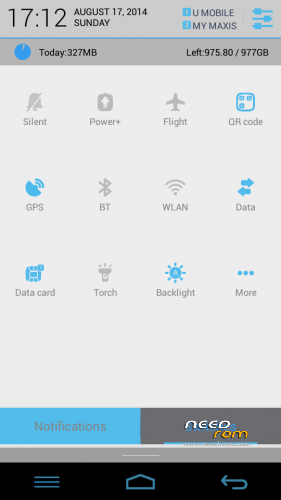
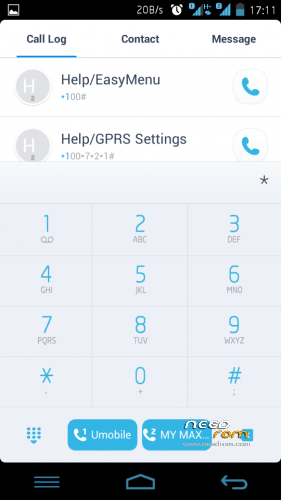
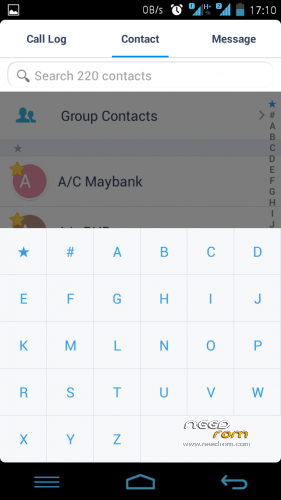
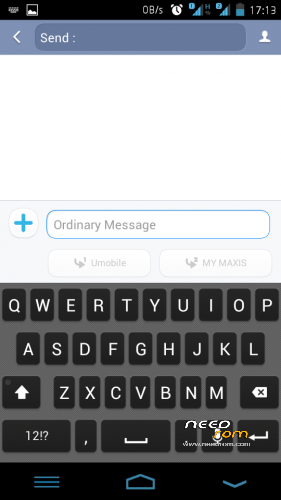


 Member Info
DESCRIPTION
Elegant, Responsive and Intelligible
This ROM is FAST and SMOOTH
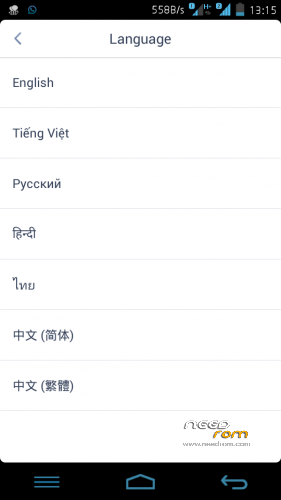
Language – Multilanguage EN RU CN TH
REQUIREMENT
-Rooted devices
WHAT IS WORK
- Everything!
- Move Apps to SD
LIKE MY WORK? Click button DONATE…
Donation are most welcome 
Join Facebook Lenovo ROM MADTeam Malaysia for more ROM
Make Nandroid Backup 1st!!
1. UPDATE RECOVERY
2. FACTORY RESET / WIPE CACHE
3. INSTALL ROM
4. INSTALL GAPPS
5. REBOOT
ENJOY……………………
Update log v1.1
- Messaging & Contact Fix
- Calendar add event Fix
- Keyboard & change language FC Fix
- Some SystemUi change
- Battery off charging animation fix
Download Lewa OS5 update v1.1
Nandroid backup as always!!!
Flash zip (No need factory reset/wipe cache)
※Please make a backup of your device before installing or updating ROM
Bro zuell
1. How to flashback to stockrom?
2. What is problem if not do backup?
*im newbies about phone. Thanks
Akmal
1.Backup current rom trough CWM recovery later can restore
2.There is nothing issue just you cannot restore the old rom.
Dear zuell. Can you please create some optional update with standard LEWA interface. I will be very grateful to you!
Polish language include ?
Sorry Hardkorowy
No Polish language support
how to install?
Zuell, can i ask something? this rom compared with xperia rom which one better? and which rom the best in battery saving..
Peace yo
10 votes for LeWa
10 votes for Xperia
Batt saving equal for both ROM
Thx for replies zuell, how about xperia and tron v3?
please update this rom with Indonesian Language. this rom really rock. How to input the Indonesian Language in this rom like in Experia rom?
I have installed this rom, it is almost perfect! It it’s better than miui v5, stock roms, Baidu cloud os.
It does have a little imperfection which is easy to fix by replacing the Dialer, contact manager and massaging apps, thanks Zuel for the great job!
Hello!
I use Clean Master and its notification board. When I try to turn on WiFi from it, I always got a request from systems "permission manager". How can I tune or disable this "permission manager"?
yeah i love your work zuel thank you so much android lolilpop ? zuel haha