
- Title: Lenovo K3 Note S433 Stock ROm
- Listed: October, 2016
- Last modified: 10/29/2016 8:00 pm
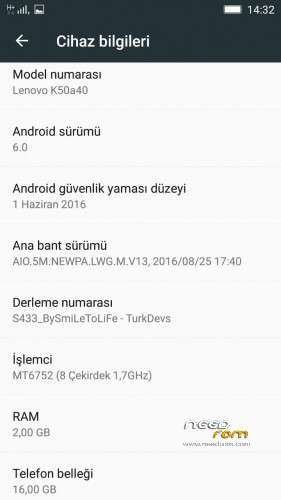
- Version: 6.0
You must be logged for ROM download.
31896 total views, 1 today
47 Total favorites
CUSTOM




 Member Info
DESCRIPTION
Hi friends,
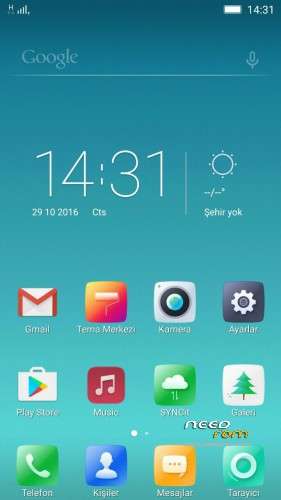
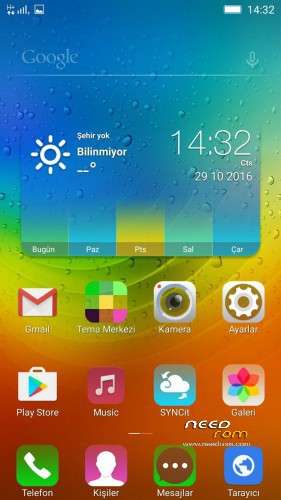
I am SmiLeToLiFe from TurkDevs Forum. The rom is S433 Stock Rom for Lenovo K3 Note. I made some modifications on it. I wanna share with you.
- You can use TWRP to flash it
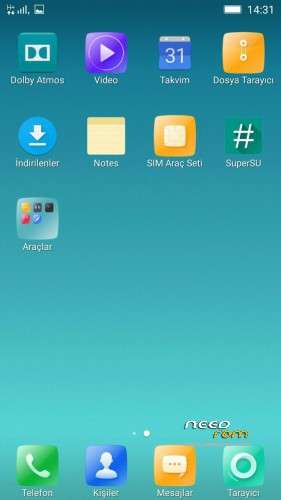
- Rooted with the Latest Supersu!
- Kernel is rooted. Added to ADBD to Kernel.
- Removed all unnecessary apps.
- Added New apps. ( Notes, Browser , Music )
- All apps are updated.
- Very smooth and fast.
Bug: NO!!
Developer: SmiLeToLiFe
Forum: TurkDevs Forum
Main Thread: http://forum.turkdevs.com/konu-lenovo-s433-stock-rom.html?pid=125149#pid125149
※Please make a backup of your device before installing or updating ROM
Hope this one is better than other vibe ui mods.
I’ll give a try soon.
Hayırlı olsun
How is it different from other s433?
It's support volte
Hangs on boot, stuck on the "Lenovo" screen, despite clearing caches twice & so on.
have you reflashe after clearing cache? It worked for me that way!
Flash > Wipe > Reflash
It still hangs on the boot logo.
thank you (teşekkürler arkadaşım sizleri görmekten mutluluk duyduk)
Good Work Bro +1
File transfer does not work.Drive only Lenovo Suite.
Mtp is vorking on my pc. Check your driver. Reinstall your driver.
Thanks! Solution:
Device manager—Select device(yellow triangle)—Update drivers—Search on computer—Choose from a list on PC—MTP USB or MTP device-install-enjoy!
Is it rooted ?
of course. it's rooted.
Yes only issue i m having is unable to connect to pc via mtp to transfer ..rest very stable and best part is can directly flash via twrp ,
Mtp is vorking on my pc. Check your driver.
Right click on my computer click manage find device manager
You will find a yellow icon where driver is not properly installed
Mostly on portable device
Right click on that and click update driver
Choose browse my computer
C:\windows\INF
then click on let me pic portable device and choose MTP USB Device
Click next that’s it your problem will be resolved
Is this Volte enabled rom ? Can we call without jio4g voice ? Volte enabled ?