
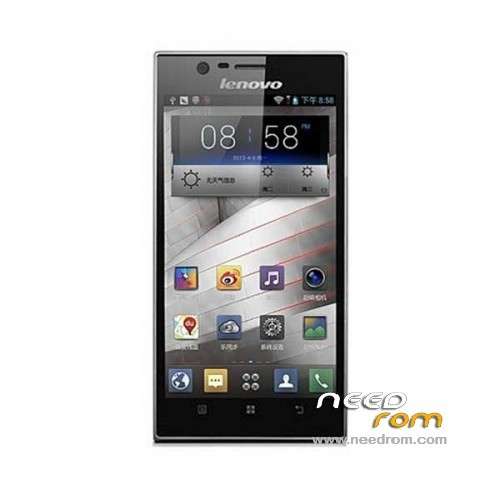
- Title: LENOVO K900
- Listed: June, 2013
- Last modified: 09/11/2013 5:30 pm
- Version: ROM Android 4.2.1
You must be logged for ROM download.
114481 total views, N/A today
4 Total favorites
 Member Info
DESCRIPTION
ROM Mobile LENOVO K900 – ROM Android 4.2.1
Update Official Lenovo K900 Version: K900_1_S_2_019_0113_130903_DVT3_CPU
—————————————————————————————————————————————–
Official Lenovo K900 Version: K900_1_S_2_009_0131_130727_DVT3_CPU
Changelog:
1, the game world – find the game easier from now!
2, Sogou input method 4.2
3, sdac + update version
4, Lenovo Mobile housekeeper (mirror, pc terminal, mobile terminal) – Lenovo produced, tailored heavyweight management software!
[Experience] measured
1 increase fluency desktop, silky smooth;
2 more beautiful weather widget, arbitrary;
3 Figure optimized microblogging expression no longer Caton;
4 Lenovo Mobile housekeeper, to more easily manage the phone;
5 a number of details of the optimization;
Language support : EN/CN
Rom install :
Need a memory card, create folder sdfuse and copy to install on this ROM (SZB tailed).
a) normal phone boot into Android OS, use a USB cable to connect PC, the pop-up screen, select USB mass storage devices, and turn on USB storage device;
b) New sdfuse folder, compiled droidboot.img, recovery.img, boot.bin, radio_firmware_6360.bin, system.img.gz copied to the phone sdfuse directory;
Note: Make sure before upgrading phone there is a certain amount of power
2. T card upgrade process
Long press VOLUP + POWER_KEY enter droidboot, a menu appears and select the fourth SDUPDATE, the bottom of the screen you can see the progress and status upgrade
See "SDCARD UPDATE SUCCESS!!!" Indicates a successful upgrade
※Please make a backup of your device before installing or updating ROM
i do all of this steps and finaly phone says: SDCARD UPDATE SUCCESS
but after i press the reboot buttun,the phone turns off and i can't turn it on!
when i press the power buttun,3 light are lightning for 1 sec after that again phone turn's off!!!
please help me and say what should i do now?
Hi guys, where can I find the stock ROM from this device?
ok