
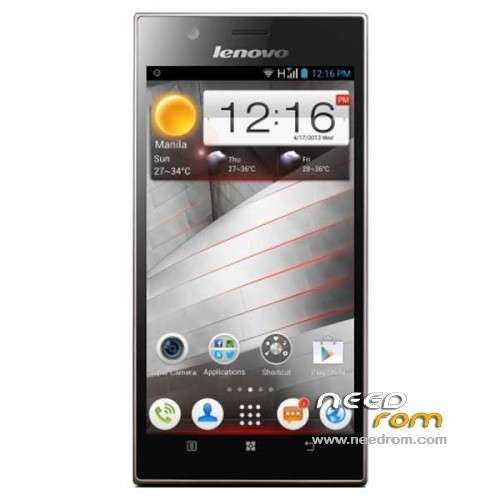
- Title: LENOVO K900
- Listed: July, 2013
- Last modified: 07/25/2013 5:24 pm
- Version: ROM Android 4.2.1
You must be logged for ROM download.
39921 total views, N/A today
3 Total favorites
 Member Info
DESCRIPTION
ROM Mobile LENOVO K900 – ROM Android 4.2.1
Features ROM:
1, based on the official Lenovo K900 firmware K900_ROW_1_S_2_009_0101_130708
2. Streamline some of its own software, Overseas originally took less, I'm just not used to streamline out. Personal hotspot is available
3. Official compatible X86's Google suite, this 0708 upgrade joined the Google suite "Face Unlock" (FACE LOCK), others, such as Google play, Google maps Hangouts, Google Music Google+, etc. all of which I have upgraded to the latest version .
4. Perfect ROOT, use SuperSU management authority, although it says you can buy the paid version, but you can set up inside the bottom of the options open to open directly paid version functions.
5 perfect google play support
6 comes smarthosts wall, needless to say it, the walls using Google services essential Youtube except
7. Still using the Nova Launcher, you can replace yourself back with RE Desktop, you can also install other.
8. The font will be replaced by 3M 11M elegant black font, see the text is framed to avoid the situation.
Gapps include – Rooted
Language support : EN/CN/AR/ES/FR/RU/TH/UK/VI
Rom install :
Need a memory card, create folder sdfuse and copy to install on this ROM (SZB tailed).
a) normal phone boot into Android OS, use a USB cable to connect PC, the pop-up screen, select USB mass storage devices, and turn on USB storage device;
b) New sdfuse folder, compiled droidboot.img, recovery.img, boot.bin, radio_firmware_6360.bin, system.img.gz copied to the phone sdfuse directory;
Note: Make sure before upgrading phone there is a certain amount of power
2. T card upgrade process
Long press VOLUP + POWER_KEY enter droidboot, a menu appears and select the fourth SDUPDATE, the bottom of the screen you can see the progress and status upgrade
See "SDCARD UPDATE SUCCESS!!!" Indicates a successful upgrade
※Please make a backup of your device before installing or updating ROM
good… thanks really works
i need Thai
hello can convert these files to work with MFT ?? I have my lenovo logo stuck on the start and there is nothing more I would like flashearle this rom thanks !!
i am new comers i need hel to my lenovo k900 need a room