
- Title: P780 4.4.2 Official ROM
- Listed: August, 2014
- Last modified: 08/06/2014 4:09 pm
- Version: Android 4.4.2 KitKat
You must be logged for ROM download.
70562 total views, 4 today
19 Total favorites
 Member Info
DESCRIPTION
Lenovo P780 ROM version P780_ROW_S220_140722, untouched
This is a signifiant upgrade to Lenovo P780 ROW, it is a full upgrade package and will erase all user data. The OS is upgraded to version 4.4.2 KitKat.
Applying this update will also remove custom recovery and replace it with factory version. After applying this update, all user apps will be removed. The first restart will take longer as usual, so be patient on the first boot. The 'boot' and 'recovery' images are overwritten by the update, if you use root and/or custom recovery, you will have to reinstall the custom recovery with SPFlash Tool.
Before upgrading, back up your data (SMS, Call logs, Apps) with Lenovo Backup & Restore, you will be able to restore it later with Settings / Backup/Restore feature. The installer will remove the internal virtual SD card, making a single internal storage partition for both data, cache and user apps.
The baseband contained within this ROM is for ROW version of Lenovo P780, 2nd SIM will not work if you use it on non-ROW devices.
What's new
- A new 'Lenovo Security' app is provided, this includes antivirus, privacy guard, data usage (and firewall), SMS/call anti-SPAM, speed-up, private space and anti-theft features
- new versions for most system apps (dialer, sms, calendar, email, power manager, etc), google play store, flashlight widget and app
- more privacy
- a memory cleanup button has been added below the task list
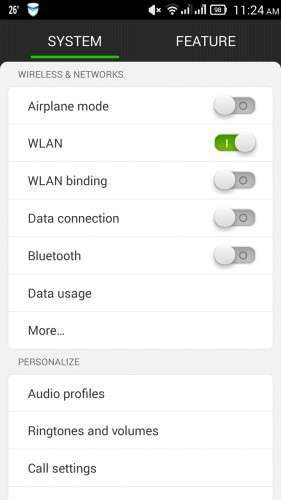
- SMS and home screen app can now be switched from the settins app
- 'Smart Scene' feature allows automated audio profile switch, either at a specified time or at a specified wireless network presence
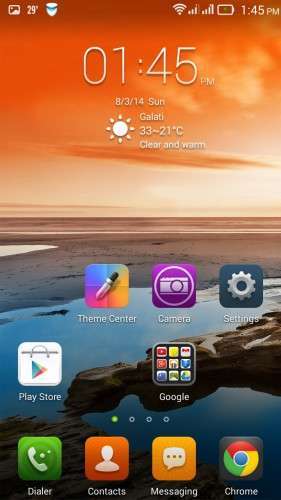
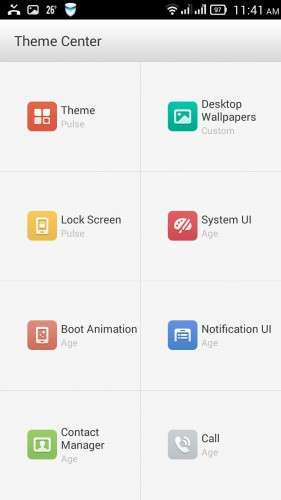
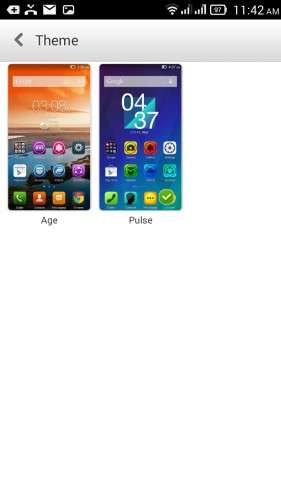
- More theme-able (lock screen, system UI, boot animation, notification UI, contact manager and in-call app can now have different themes (even though only 2 themes are provided).
- reboot option added to shutdown menu
- all audio volumes are available/adjustable when pressing volume-up/volume-down
- flip-to-mute incoming call alert, auto-redial option
- LED alert now flashes, instead of staying continuously lit (but still doesn't provide notification from other apps, such as facebook)
- the display colours can be tuned for saturation and hue (white balance)
- a 'wireless display' function has been added
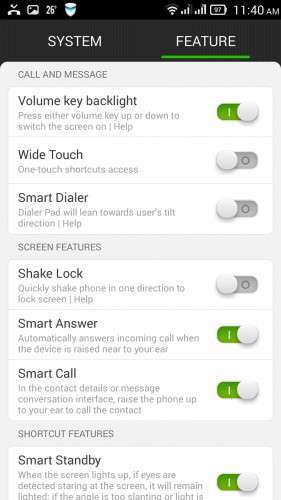
- 'Smart Display' feature, preventing the screen to enter standby if the user is looking at the screen.
- Available languages: Bahasa (Indonesia & Melayou), English, Spanish, French, Vietnam, Russian, Chinese, Ukrainian, etc. Other languages can be set with morelocale 2 app, but the system settings app will use english in that case.
How to install the ROM
If you use the stock ROM, then you can go to settings / version info / update and download the update.
If your existing ROM is a modified ROM, then you need a custom recovery able to install zip from SD Card. Download the zip, copy it to the phone card, reboot the phone by pressing 'power + vol-up + vol-down' to enter recovery interface, apply zip update.
What zip to download ?
I noticed some users have trouble installing the original ROM onto some devices. I just added a 2nd zip, which should not throw error 7 when attempting to install it. The only difference from this zip and the first one is the device check bypass. Therefore, the installer on the second zip will not attempt to identify what device are you using, it may run on ANY device. The other files are the same as on the original zip, the same factory recovery, same apps, same kernel and so on.
The update will work properly if your existing ROM is a factory ROM. The zip format package assumes the device has a specific storage layout, and therefore it does not reflash scatter and PMT, but it reflashes EBR1 and EBR2 storage partition tables. If your device uses a custom ROM with a modified storage layout, the update may fail and you to get a blank screen. If that happens, flash a factory ROM (s119-s124 works just fine) with SPFlash, then apply this zip update. You can use the pre-rooted SPFlash package for a faster installation.
Disclaimer
Manipulating ROM without proper knowledge may lead to undesired results, such as an unusable device. You agree that the resoponsibility if you lose data, or time repairing the device, belongs entirely to you.
※Please make a backup of your device before installing or updating ROM
can you provide links for both twrp and Supersu zip??
@enterco
Thanks for your replay
The clockworkmod superuser zip can be taken from their own site.
I will add here the TWRP recovery.
I already install this morning. The problem is battery is draining . Now battery status 32 % in only 8 hours
Battery stats are cleared after the update, give it a couple of days to settle.
Thanks man… rooted it
Salut, how can I instal the custom recovery? With SP Tools?
Yes, spflash tools. Older scatter files for p780 are fine, as long as you flash only the recovery.
Rename TWRP to something starting with ‘recovery’ and place it along the scatter, then flash it.
If the recovery can’t be accessed by keys, then download and executable (adb.exe) to pc, connect the phone, enable USB debugging, install USB drivers for p780 on pc, accept the host signature on the phone, and finally issue an ‘adb reboot recovery’. If that process seems too complicated, I’ll try to build a precooked version of the ROM
Hello,
How can we install TWRP recovery and use SuperUser.zip?
I need root access to restore IMEI values.
I updated this ROM on a custom ROM.
Please see the answer at the previous message
You could fix it faster this way:
Get an official pre-rooted row_s119-s124 ROM for the device, in spflash format, install it, but don’t power on the phone.
Have this ROM on the sdcard, along with clockworkmod superuser zip, mobile uncle tools apk and recovery image.
Try to start by pressing power +power up + power down. If you’re lucky, you enter now recovery. If that happens, flash first the ROM, then the superuser.
If you are not lucky, you will have to wait for the old ROM to complete setup, then install mobile uncle tools.
With mobile uncle tools app (with root perm granted), go to menu ‘recovery update’, select the first file, it should be named exactly as you put it on the SD card, then install it. Don’t quit mobile uncle, now go to ‘reboot recovery’.
Now your phone should start in recovery, now you can install both zips at once: the s220 ROM plus the superuser zip. Answer ‘no’ when asked about ‘fix root’ by the recovery.
And, voila, you will have root.
It’s very important to flash both the ROM and superuser at once, without rebooting between them!
unable to install ROM when TWRP recovery is flashed. Getting below error.
E:Error executing updater binary in zip '/sdcard/….'
Error flashing zip '/sdcard/…….zip'
Updating partition details…
Which zip is getting the error?
enterco! I was flash rom s124 androi 4.2. then i upgrade this rom but camera is very bad. please help me!
Please apply the next Ota update (s221) and see if the issue is fixed.
The camera app does not work well on very low light, exhibits focus problems. On standard daylight I did not notice any troublesome issues.
i have you upgraded to S221 Ota, but camera is still terrible. please help me!
Hy my phone is p780 s116 row , and i update it and sim 2 not work !! What can i do ??? Pls Help !!!!
I have reinstalled s119 , s 123, s124 OTA for the 4 GB version and same problem SIM2 not working ! HELPPP
I am very sure that my phone is ROW
I can’t test on true ROW device, mine is for China. I can tell that SIM2 definitely does not work on my networks with the ROW baseband. On your device, the text on battery is written with the Latin alphabet, or in Chinese?
I had problems with the Sim 2 on older versions too (s119-s124)
i have the same problem too! HELP ME!!
Oaks, to me it looks like the Chinese version. See my other ROM, there is one exactly for this device.