
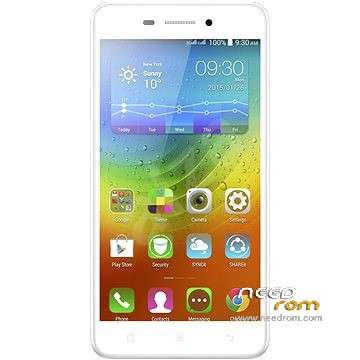
- Title: Lenovo S60-a 4.4.4 Stock
- Listed: September, 2015
- Last modified: 09/01/2015 2:06 pm
- Version: 4.4.4 S60-a S121 150402 ROW
You must be logged for ROM download.
37481 total views, N/A today
14 Total favorites
 Member Info
DESCRIPTION
Stock 4.4.4 ROM for Lenovo S60-a

BEFORE UPGRADE S60-a 4.4.4 or S60-w:
Do the root with kingroot. After root do the backup all partitions with Partitions Backup & Restore and keep it in safe place:
https://play.google.com/store/apps/details?id=ma.wanam.partitions
Version Info:
S60-a_S121_150402_ROW
S60-a_USR_S121_1504021023_Q1001417_BMAIN_ROW
languages: Russian, Ukrainian, English, Arabic, Spanish, French, Chinese, Vietnamese, Indonesian, Malaysian, Thai
Warning:
This ROM will wipe all userdata! Except external SD Card.
If phone after flash won't boot up and only long vibrating long hold: VOL- and POWER BUTTON (30-120seconds). Phone should restart.It happens when you will flash from other versions loader (for example 5.0.2 -> 4.4.4 or 4.4.4 -> 5.0.2). Why? Because old loaders is running and you have flashed the new one so you have to restart the phone but u can't remove the battery and u have to lon pres PWR Button.
Info for Lenovo S60-w chineese version:
I've tested this ROM on S60-w. I have flashed on my S60-w phone stock 4.4.4 for S60-w then i flashed this 4.4.4 rom from S60-a. It worked on S60-w and phone boot up normally.
You should first backup QCN (imei etc.)! How to:
- Download and install QPST 2.7.422 with QFIL and Qualcomm USB Drivers.
- Turn off the phone. Hold Vol- button and plug-in USB Cable. (VOL- and Power Button runs something like recovery menu)
-
There should be devices in device manager: Ports COM called:
Lenovo HS-USB Diagnostics (COMXX)
and
Lenovo HS-USB NMEA (COMXX)
If there is no devices u have to install it manually in device manager. - Run QFIL, check is there a correct diagnostic port COM. On the top click: Tools > QCN Backup Restore
-
Choose path with write permission, click Backup QCN

How to flash:
- Download and install QPST 2.7.422 with QFIL and Qualcomm USB Drivers.
- Turn off the phone. Hold Vol+ button and plug-in USB Cable. Phone will vibrate one time, screen wil be black. This is DownloadMode.
-
There should be device called in device management:
Qualcomm HS-USB QDLoader 9008 (COMXX)
In any other case u have to install drivers manually. -
Run QFIL.
Click Browse… in Programmer Path and choose prog_emmc_firehose_8916.mbn
Load XML in Download Section:
First select RawProgram File: rawprogram0.xml
then Select Patch File: patch0.xml -
Check all inputs is correct and click Download under Load XML button and wait about 5 to 10 minutes:

※Please make a backup of your device before installing or updating ROM
I want to turkey version in lenovo s60 firmware. Please help me.
Big Thanks for TS.. Very Help
THANKS , I TRIED WITH SPANISH
Can i install his firmware on android lolipop 5.0.2 ( Lenovo S60-a)
Ok, but if it possible to flash this ROM via phone by recovery mode, update phone from sd card , and is there is any risk if I flash this rom via phone and I have lollipop 5.0.2 stock on my phone, please help me
Hello, I have qustion about this rom.My lenovo s60 is single sim version.Can i modify for single sim becouse this rom is for dual sim phone.
Thank you +++++
I have problem i can’t install Qualcomm USB Drivers. Any one have this problem or how to solve it please
Done!!!!
from where i cn download qualcomm usb drivers for 321bit
Perfect Guide !!
Thumbs up dude!