
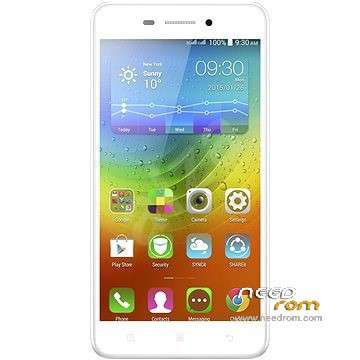
- Title: Lenovo S60-a 4.4.4 Stock
- Listed: September, 2015
- Last modified: 09/01/2015 2:06 pm
- Version: 4.4.4 S60-a S121 150402 ROW
You must be logged for ROM download.
38712 total views, 2 today
14 Total favorites
 Member Info

DESCRIPTION
Stock 4.4.4 ROM for Lenovo S60-a

BEFORE UPGRADE S60-a 4.4.4 or S60-w:
Do the root with kingroot. After root do the backup all partitions with Partitions Backup & Restore and keep it in safe place:
https://play.google.com/store/apps/details?id=ma.wanam.partitions
Version Info:
S60-a_S121_150402_ROW
S60-a_USR_S121_1504021023_Q1001417_BMAIN_ROW
languages: Russian, Ukrainian, English, Arabic, Spanish, French, Chinese, Vietnamese, Indonesian, Malaysian, Thai
Warning:
This ROM will wipe all userdata! Except external SD Card.
If phone after flash won't boot up and only long vibrating long hold: VOL- and POWER BUTTON (30-120seconds). Phone should restart.It happens when you will flash from other versions loader (for example 5.0.2 -> 4.4.4 or 4.4.4 -> 5.0.2). Why? Because old loaders is running and you have flashed the new one so you have to restart the phone but u can't remove the battery and u have to lon pres PWR Button.
Info for Lenovo S60-w chineese version:
I've tested this ROM on S60-w. I have flashed on my S60-w phone stock 4.4.4 for S60-w then i flashed this 4.4.4 rom from S60-a. It worked on S60-w and phone boot up normally.
You should first backup QCN (imei etc.)! How to:
- Download and install QPST 2.7.422 with QFIL and Qualcomm USB Drivers.
- Turn off the phone. Hold Vol- button and plug-in USB Cable. (VOL- and Power Button runs something like recovery menu)
-
There should be devices in device manager: Ports COM called:
Lenovo HS-USB Diagnostics (COMXX)
and
Lenovo HS-USB NMEA (COMXX)
If there is no devices u have to install it manually in device manager. - Run QFIL, check is there a correct diagnostic port COM. On the top click: Tools > QCN Backup Restore
-
Choose path with write permission, click Backup QCN

How to flash:
- Download and install QPST 2.7.422 with QFIL and Qualcomm USB Drivers.
- Turn off the phone. Hold Vol+ button and plug-in USB Cable. Phone will vibrate one time, screen wil be black. This is DownloadMode.
-
There should be device called in device management:
Qualcomm HS-USB QDLoader 9008 (COMXX)
In any other case u have to install drivers manually. -
Run QFIL.
Click Browse… in Programmer Path and choose prog_emmc_firehose_8916.mbn
Load XML in Download Section:
First select RawProgram File: rawprogram0.xml
then Select Patch File: patch0.xml -
Check all inputs is correct and click Download under Load XML button and wait about 5 to 10 minutes:

※Please make a backup of your device before installing or updating ROM
After I installed again all my apps, I rebooted and phone stucks in lenovo logo……..
I have the same problem.
thank
Please update some ui styles i am boored to use old one for lenovo s60-a
thanks you)very much
thanks its worked frimwaer downgrade is done
thanks
sir help me
my contact no 9350001011
nice
my problem not solve plz help me
my mobile no 9350001011
plz contact and help me