
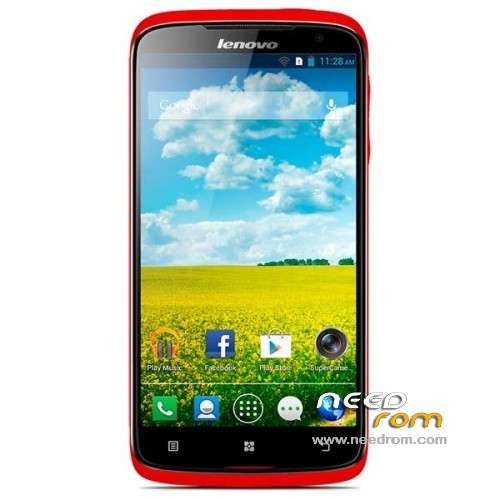
- Title: LENOVO S820
- Listed: July, 2013
- Last modified: 07/20/2013 3:44 pm
- Version: ROM Android 4.2.1
You must be logged for ROM download.
137996 total views, 1 today
22 Total favorites
 Member Info
DESCRIPTION
ROM LENOVO S820 – ROM Android 4.2.1
add same version but rooted ( install in cwm )
Update Official ROM Lenovo S820 Version: Lenovo S820_S141_130813 ( Just language EN/CN )
——————————————————————————————————————————————————
Update Official ROM Lenovo S820 Version: Lenovo S820_S137_130711 ( Just language EN/CN )
——————————————————————————————————————————————————
Official ROM Lenovo S820 Version: Lenovo S820_ROW_S108_130603
Include Gapps – No rooted
Language support: EN/CN/AR/ES/FR/RU/TH/UK/VI
ROM Install :
- Unpack FlashTools, and Click on Flash_tool.exe
- Select a the MT6589_Android_scatter_emmc.txt in ROM
- Wait file to be added into Flash Tool
- choose Option->USB Model,click USB Model
–> Choose Option->DA DownLoad All->Speed->High Speed, click High Speed
- Turn off your phone, remove the battery.
- "Press F9 (hit Download button)" OR " if upgrade ROM Firmware->Upgrade "
- and connect your phone into the computer via USB data cable.
- The process will start and a red progress bar will appear after color purple, yellow.
- And green circles display
- Finish !
- You can now safely disconnect your phone and turn it on.
※Please make a backup of your device before installing or updating ROM
The flashtools , said error 8038, PMT is ready and Layout has been changed!
Try Firmware/Upgrade instead Download, as it says in the error messege you see.
That procedure worked for me though I haven't tried this particular firmware and used official S820_ROW_S108_130603 downloaded from russian lenovo forum also I used recomended by lenovo version of the FlashTools: 3.1304
For those who's going to burn firmware with FlashTools: make sure you have installed usb driver and fimware upgrade driver as per this instrunction(russian)
hi, in new version are no more google apps… how can I add it?
Can u plz share how to select MT6589_Android _Scatter_emmc.txt in rom
I could not find it.
can help me? i have trouble to flashing the firs version of rom. when i click download i have comment: some img not donloaded. please help me …
well done! with try hard.
Hi,
I noted the new version of S820_S520, i check the update by OTA and it is run, but not upgrade to new firmware yet. Possible to do it by OTA without any problem,
Thanks for your advice,
Any CN 8GB version firmware? seems this firmware not compatible with 8B version..
where is scatter file ?? i couldnt found it.
This update is Multilanguage??Does it have Portuguese??
Hi this rom supports the Turkish language?
The first link to download de ROW with multilanguage needs password to unzip it…
Does anyone know the pass please?
Solved… The problem was PC permissions, but I didn't find the scatter file..
plz write more clear how to instal !!
'- Select a the MT6589_Android_scatter_emmc.txt in ROM >' in folder rom ?? for what? i think select by Flash tools – > second option from up
When phone must be plug on to computer????
with phone withought battery its not posibble to instal it
To install ROM using SP flash tool .. please ensure that the COM port driver/ preload driver is installed… load the scatter text… dont connect the phone yet and hit download.. when searching mode is appeared plug in the phone via usb with battery, sd card and sim unattached to the phone.. (sorry for bad english… hoped it helped)