
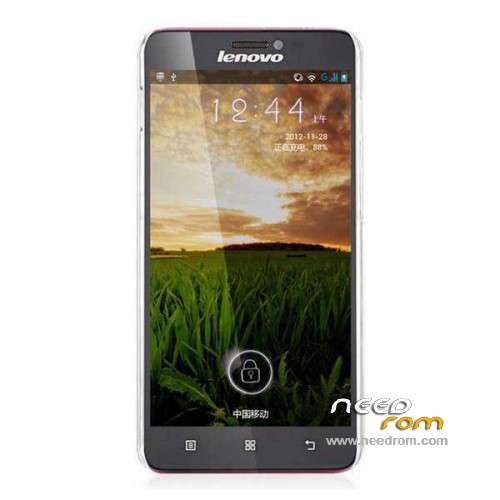
- Title: LENOVO S850 ROW
- Listed: September, 2014
- Last modified: 09/08/2014 3:10 am
- Version: ROM Android 4.4.2
You must be logged for ROM download.
37037 total views, 1 today
11 Total favorites
 Member Info

DESCRIPTION
ROM Phone LENOVO S850 – ROM Android 4.4.2
Official ROM Lenovo S850 version : S850_ROW_S119_140627
Gapps include – No Rooted
Language support: AR/BG/EL/ES/FR/HR/HU/RO/RU/SK/SL/SR/TH/UK/VI/CN
ROM Install :
- Unpack FlashTools, and Click on Flash_tool.exe
- Select a the MT6582_Android_scatter.txt in ROM
- Wait file to be added into Flash Tool
- choose Option->USB Model,click USB Model
–> Choose Option->DA DownLoad All->Speed->High Speed, click High Speed
- Turn off your phone, remove the battery.
- "Press F9 (hit Download button)" OR " if upgrade ROM Firmware->Upgrade "
- and connect your phone into the computer via USB data cable.
- The process will start and a red progress bar will appear after color purple, yellow.
- And green circles display
- Finish !
- You can now safely disconnect your phone and turn it on.
※Please make a backup of your device before installing or updating ROM
Is there Swedish language with this ROM?
the battery in not removable!
lol..IT WAS BUILT IN BATTERY
Hi,
I am looking rom with the Polish language.
Some phones notify the Polish language, on Youtube was the presentation of a Russian buyer.
Can someone help me?
Thank you Socrate for posting the ROW firmware because it saved my life today, after I managed to get it impossible to boot.
Dear All,
Two weeks ago I bought a Lenovo S850 device. All works well, it has multilingual firmware, when I tried the officially available Lenovo Smart Assistant v1.03 to upgrade my phone (http://support.lenovo.com/hu/h.....nloads/ds101291)
This program detected a new firmware: VIBE_UI_v2.0_1447_7.5.1_ST_S850
After the firmware update I realized that only English / Chineese language are supported, moreover several programs are available only in chineese language, and some programs are missed (e.g. google.play).
My question:
1.) How can I replace/remove the builtin battery which is recommended by the above description?
I tried to remove back cover, but it seems to be hard or impossible.
2.) Different Flash_Tools versions tried, but I always a warning message during MTek USB Preloader driver installed (… drivers are not certified… error code (10)).
I tried installing USB preloader on different OSs (XP, Win7, Win 8.1), but the problem is the same. As I know the battery remove will solve this when connecting usb after switch-off the phoen, won' it?
If this preloader driver not works, FlashTool cannot detect the phone (no device description displayed in the program status bar). Without it, I cannor upgrade multilingual ROW FW for my device.
Any help or suggestions would be very appreciated.
Best regards.
Zsolt
Dear All,
I have finally managed to solve my ROM upgrading problem for S850 with a (ROW_S211_140923 4.4.2). This FW is a little bit newer than S119.
Here is my short feedback about the upgrading procedure:
http://forums.lenovo.com/t5/K-.....ams/m-p/1809243
Best Regards
Zsolt
Hello, Does anyone know if it has full Greek language?
Thanks
why i use this rom and my simcard not detect.please help
can anyone give me riw version S210
cannot touch