
- Title: Lenovo S860 (Stock by Bass Rockers)
- Listed: June, 2014
- Last modified: 06/19/2014 3:44 pm
- Version: 4.4.2
You must be logged for ROM download.
45671 total views, 2 today
40 Total favorites
 Member Info
DESCRIPTION
!!! WARNING !!!
THIS ROM AND RECOVERY IS ONLY FOR CHINESE VERSION OF PHONE WITH 1GB RAM !!!
NOT WORK WITH EUROPEAN VERSION WITH 2GB RAM !!!
Hi again
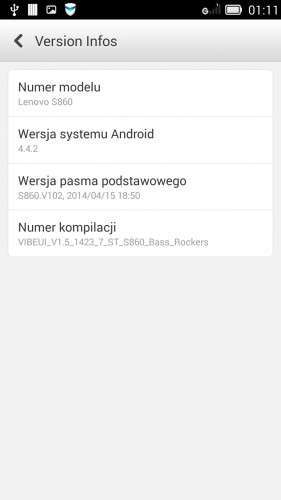
Today i make a Multilanguage rom for Lenovo S860 based on brand new DEV preview of 4.4.2 KitKat (S860_S904_VIBEUI_V1.5_1423_7_ST)
Ok what inside :
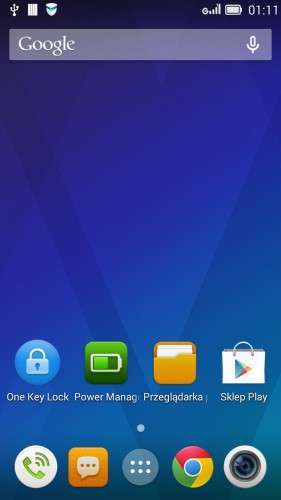
- remove all chinese stuff
- Chrome (replace Chinese version of Lenovo Browser)
- KitKat 4.4.2 gApps incl. Google Play Store
- Google Keyboards (default) – remove Baidu Input
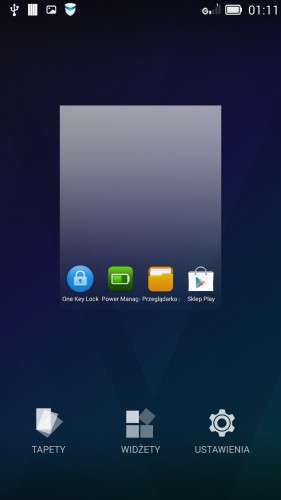
- Google Now Launcher (Newest – default)
- 73 languages
Install TWRP Recovery using MTK Mobileuncle tools
Rom NOT ROOTED after flash Install UPDATE-SuperSU-v2.00.zip by Chainfire or use VROOT 1.7.7
Enjoy ;D
How to Install :
- First you must have root to install TWRP Recovery.
- For make root use Framaroot if you Have 4.2.2 JB or VROOT if you have 4.2.2 JB or 4.4.2 KitKat
Root using Framaroot
- place Framaroot into Phone Internal Memory
- Install app and run
- choose BARAHIR
- reboot and you have Root
Root using VROOT
- download and install VROOT install package
- run app
- connect phone to PC and choose USB Debugging
- wait to recognize phone (if you not have ADB Drivers install THIS app on PC)
- when Phone is connect in the app click ROOT
- install all app sending to the phone
- wait for auto reboot
- after reboot you have root
Installing TWRP Recovery
- Download TWRP Recovery rar package to you PC and unpack
- copy scatter.txt and recovery.img files to your phone internal memory
- download MTK MobileUncle apk and put into your phone internal memory
- install MTK MobileUncle on phone and run
- chose RECOVERY UPDATE
- chose recovery.img on the list and confirm OK to install
- wait a moment and here you go. You have TWRP Recovery for Lenovo S860
Install rom using TWRP Recovery
- Download rom to you PC
- Copy rom into your Phone Internal Memory (not unzip !!! copy ZIP file to you phone)
- turn off phone
- hold VOL+ & VOL- & POWER buttons until your see a TWRP Splash screen
- go to WIPE
- swipe to the right and wait to end process
- press back button twice and back to the main menu
- go to the INSTALL
- scroll down and choose rom ZIP file
- swipe to the right and wait for end process
- done you have installed rom on your Lenovo S860
If you want install SuperUser by chainfire download UPDATE-SuperSU-v2.00, place to your Phone internal memory and flash like a rom or make root using VROOT after flash new rom.
※Please make a backup of your device before installing or updating ROM
Hi, Where i need to copy the room? When i chose install i don't find the zip.
Thanks Bass Rockers, it worked…you Rock!!!…
How to out from fastboot mode?
My cell phone in a condition bootloop , and i connect to pc not able to detect … please give way out..
can somebody post the TWRP Recovery for Lenovo S860 CN 1Gb Ram file ? it is not available now …
https://www.youtube.com/watch?.....v=0S2Xd9Xg3No
all the links are not working and its very fraustrating. please help me out.
After rooting and copy zip ROM to SDcard…
The recovery cannot see the zip archives from sdcard, so it cannot install!
Goooooooooooooooood rom!
Thanks bassrockers!
I made a donation for your work !
what`s the different thing in hardware between 1gb n 2 gb…