[Lenovo directories]
New VIP unread messages automatically top, no longer miss important contact information
Added attribution intelligent packet: Easy to understand Friends distribution, where to have friends
New Show attribution Weather: Contact Details dropdown get other location of the weather, always pay attention to the most important person in life
New information into the call: call can be edited again, sending information more humane
New secondary positioning tray drawer: Shortcut to find someone locate, contact, not afraid more
Introducing new fast pass a key switch eggplant: Import / export contacts get a key
New dial-up interface integration favorite contacts: the purest phone experience, integrated intelligent analysis commonly used in the contact list, so find someone quickly and then quickly dial
Add New group New ungrouped contacts tab: Each time a new group should be checked in all the contacts, like needle in a haystack, now just relaxed a program, not grouped contacts at a glance
Added support for linked contacts: Contact details support link contacts, rapid integration connections
[Desktop] music
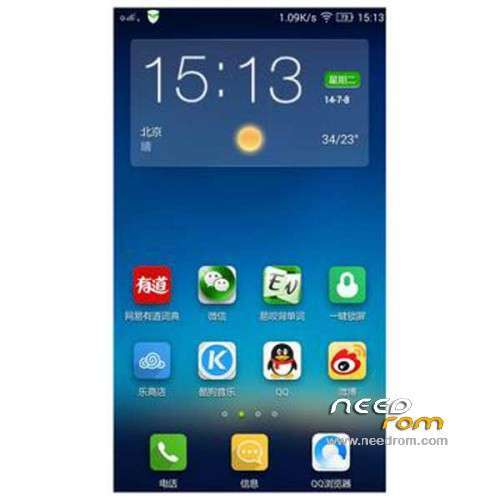
New era across the "new vision": New Huan Jing theme, transparent thin, full of youthful vigor of visual expression, a manifestation of a more daring individualism, the trend of color, creating Lenovo's own visual system
Added with the "radar" to help you "find the icon": put icons which can not find? We have to find the icon in the history of the most efficient features! Just slide one finger on the desktop can be exhaled, the new T9 input timely retrieval, locate the icon after clicking speed
The integration of new ideas to unlock: Unlock King Huan unique creative way, and desktop seamless, each other, build a unified visual DNA Le desktop, users express positive emotions, with a vibrant way throughout the entire visual system
The elegant new "wallpaper Xpress": change wallpaper is an attitude, like-for-like mood; slide along the edge of the phone, so change wallpaper as elegant as freely open book
Added "very light minimalist" theme center: minimalist interactive architecture, light and visual presentation, themes and wallpaper on the principle of timely response yet elegant and festive affairs
New vibrant vitality weather widget: Creative colorful widget and color change of day produce numerous possible combinations and color mood, rapid and elegant widget transitions, transparent and function combine visual language
Added "alive" dynamic icons: Smart delicate clock, gorgeous flip of the calendar, changing weather and other dynamic icon
New efficient batch move: Press the desktop icon or the space into a stable state editor, then click on the icon turn into the bottom of the polymerization zone, this time into the polymerization zone icon you can click anywhere on the screen within the region
[Music]
Add new Lenovo account, and open up an account with Baidu
Added a new feature to achieve online songs, song single collection, offline playback
Added new GUI effects, gorgeous smooth sidebar, sliding menus, playback interface the Leads and other dynamic efficiency
[Notification Center]
Added new visual and dynamic efficiency design
New enhanced version of the application status bar integration, black and white background adaptive colorful APP
Add a Bluetooth device connection status that was prompted
New view notifications, calendar events and other notifications showing support
Added optimize application notification disabled, preferred operating experience
New UI / GUI performance is more consistent application notification message
Added new multi-tasking operating experience a new multi-tasking operating experience
Optimizing the layout and operation experience quick switch, independent brightness adjustment more convenient
[Weather] Lenovo
Weather widget will change with the new theme and switch between different styles
Added concise weather APP
Added notification bar integration
New World Cup theme support
New main application removal 3X2
Optimization city list add urban interface
[E-mail]
New virtual mailbox name added to the mailing list
Add new mail interface to read mail tips of position
[Calendar]
New festival throttle, holiday arrangements
New schedule reminders, birthday wishes
Added Gregorian Calendar, Daily Taboo
[File housekeeper]
Added a new visual style
New files conventional directory browsing: Built cards, external card, OTG and categories: New file, install the package, pictures, documents, music, video, compressed, operating records to support wireless connections computers, file management freedom
New Remote Management: Wireless connected to the computer, the file management freedom
[Search for]
Added new UI interface
New fast search engine switch
[Power] music
New applications and optimization of power consumption data expansion
Added consume application detection, anomaly monitoring processing
Added to import power engine functions (visual / computing / image saving engine)
New UI simplifies the left menu bar, the new GUI style
Emergency power optimization optimization
[Theme Center]
Added to enhance stability and performance
Add a new lock screen theme on the line
Add more exciting theme album on line
New Online ringtone
[Boot Wizard]
Added new page style gui
Added wlan set
New Lenovo ID, cloud service reference feature
Added a key replacement of old and new phone

 Member Info
Hello, i have got a problem with installing ROM. When try to instal it says: E:Error executing binary in zip '/sdcard/Lenovo S860 VibeUI – v1434…. Error flashing zip '/sdcard/
Lenovo S860 VibeUI - v1434I have got 4.4.2 ROM and 1GB RAM
What did i wrong?
v14134 have battery not correct
The rom will only update from stock lenovo recovery, don't use TWRP it'll not work for this rom.
All tools you'll need you can download them from the links provided below
to update your phone follow these steps
1- Poweroff your phone and Connect it to your PC to install required drivers the Windows will ask for, you can find the drivers in the download section below.
2- Flash Lenovo stock recovery using SP flash tool, after pressing Download button in the SP Flash Tool you just connect your phone using the USB cable to your PC to start the flash process, watch the How to Video to know how to flash the stock recovery file to your phone. The video file in the dowload section below.
2- Rename the rom file to update.zip and put on the root folder on your phone .
3- Go into recovery by pressing Power button + Volume Button up + Volume Button Down and choose your language then choose "Install update package" the system will ask if you want to continue enter Yes , or you can use the System Update application on your phone and press the menu button and choose ToolKit and "choose Install the specified update pack" it'll take you to the file browser and from there choose the update.zip file.
Download Section :
Stock Recovery
http://www5.zippyshare.com/v/1.....83166/file.html
SP Flash Tool
http://www26.zippyshare.com/v/.....49958/file.html
USB VCOM Drivers
http://www5.zippyshare.com/v/3.....79418/file.html
How to Video
http://www5.zippyshare.com/v/9.....39409/file.html
Sorry forgot to upload the Scatter file here it is
http://www67.zippyshare.com/v/.....16530/file.html
After reboot to TWRP :
E:Unable to mount /preload
su binary no update normal,cvm or twrp, how to fix?
Use Superuser instead of SuperSU it's more better and works fine with no problems.
how to add google apps for this roms
notification led not run, why?
my current ROM is https://www.needrom.com/downlo.....multilang-root/
in my phone in system update the system recognizes this last update that you have here, but when i download and accept to install it at 41% it always gives error. it will not install the latest ROM no matter what. A friend of mine tried to install it via PC but had same problem.
Any ideas on how i should proceed?
NEED ROOT
DO NOT ATTEMPT COMMENCE IF YOU DON T KNOWN HOW IS ROOT DUMPS