
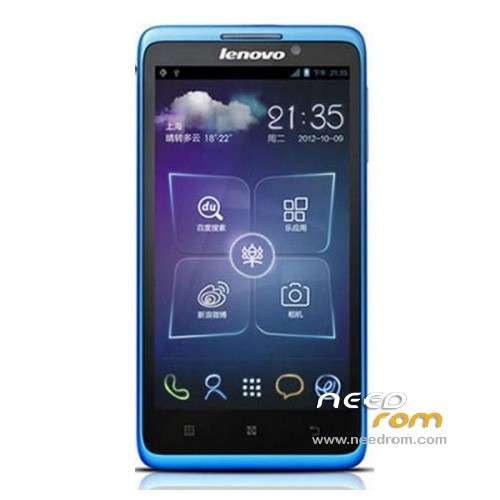
- Title: LENOVO S890
- Listed: February, 2013
- Last modified: 05/17/2014 2:31 am
- Version: ROM Android 4.1.1
You must be logged for ROM download.
56561 total views, 4 today
11 Total favorites
 Member Info
DESCRIPTION
ROM LENOVO S890 – ROM Android 4.1.1
Update official Lenovo S890 version: Lenovo S890_S511_130619
Gapps include – No Rooted
Language support: Mult liang
———————————————————————————————————————————————-
ROM official Lenovo S890 S507
Gapps include – No Rooted
Language support: Mult liang
Rom install :
- Unpack FlashTools, and Click on Flash_tool.exe
- Select a the MT6577_Android_scatter_emmc.txt in ROM
- Wait file to be added into Flash Tool
- choose Option->USB Model,click USB Model
–> Choose Option->DA DownLoad All->Speed->High Speed, click High Speed
- Turn off your phone, remove the battery.
- "Press F9 (hit Download button)" OR " if upgrade ROM Firmware->Upgrade "
- and connect your phone into the computer via USB data cable.
- The process will start and a red progress bar will appear after color purple, yellow.
- And green circles display
- Finish !
- You can now safely disconnect your phone and turn it on.
※Please make a backup of your device before installing or updating ROM
Pareng marvynnkimpay, patulong naman. Ayaw kase gumana ng saken pag kinokonek ko na ung phone ko sa pc via usb cable…
Hi! Please help! I was able to sucessfully downloaded this ROM ( but when I open my phone it says.. TOOL DL IMAGE FAIL/ UBOOT IS BLOCKING BY DL INFO ) I have tried flashing it twice but the result is still the same.
check the DA DL option before pressing F9
LENOVO S890 – Update S511 installed nicely and seems to be working fine.
Note: The original update LENOVO S890 S507 boots up in Chinese and only has Chinese and English (general) and you have to navigate to English. Even if you set the locale to English as the default apps are in Chinese, it will haunt you most frequently. GAPPs are not installed. So refer to the latest update !
where update.zip????
I will not start S890 Android 4.1 Lenovo when I was left for a long period of time.
can not perform operations on a factory reset from the phone.
So Reboot in recovery mode with ADB reboot recovery commands using the command prompt(PC)→
Image of the Android robot with a red exclamation point appears.
It remains to be stopped at the logo of Lenovo restart after Whichever you choose the wipe data / factory reset and reboot system now.
Although it is likely to heal if you can mount the update.zip to the SD card,
I do not know where is the file.
try to update /sdcard/update.zip
Finding update package…
Cant mount /sdcard/update.zip
try to update /sdcard2/update.zip
Finding update package…
Opening update package…
Verifying update package…
signature verification failed
s890 s111
http://www.mediafire.com/downl....._FLASH_TWRP.zip
Help black sreen
LENOVO S890 – Update S511 works fine. It has multiple languages as well. But whatever you do, DO NOT UPDATE the Apex launcher. If you do, it will not update and mess up the Apex already installed and you will not be able to reach the apps and will have to reflash it.
s507 has nice idealauncher, but most apps remain on chinese when language changed on english, and no googleplay included
s511 excelent rom with few bugs, missing idealaucher, but has google play….sadly this are the two roms that l can put on the phone since it is impossible at least for me to put a decent recovery on it…
where update.zip????
i have phone hang logo…after flash with this rom..still same hang logo..my be hardware failure…