
- Title: Lenovo Tab M10 Plus 3rd Gen TB128FU
- Listed: March, 2022
- Last modified: 11/11/2023 8:10 am
- Version: ROM Android 12
You must be logged for ROM download.
30397 total views, 3 today
7 Total favorites
 Member Info
DESCRIPTION
ROM Tablet Lenovo Tab M10 Plus 3rd Gen TB128FU – ROM Android 12
ONLY SM6225
ROM 2 – Update Official Lenovo Tab M10 Plus 3rd Gen TB128FU Version: TB128FU_CN_OPEN_USER_Q00012.0_S_ZUI_14.0.714_ST_230403
ROM 3 – Update Official Lenovo Tab M10 Plus 3rd Gen TB128FU Version: TB128FU_S100006_23072812645_Q00126_ROW
ROM 3 – Official Lenovo Tab M10 Plus 3rd Gen TB128FU Version: TB128FU_S100003_2306062049_Q00126_ROW
ROM 1 – Update Official Lenovo Tab M10 Plus 3rd Gen TB128FU Version: TB128FU_S000075_2303301742_Q00126_ROW
ROM 1 – Update Official Lenovo Tab M10 Plus 3rd Gen TB128FU Version: TB128FU_S000068_2302030843_Q00126_ROW
ROM 1 – Update Official Lenovo Tab M10 Plus 3rd Gen TB128FU Version: TB128FU_S000067_2212211906_Q00126_ROW
ROM 1 – Update Official Lenovo Tab M10 Plus 3rd Gen TB128FU Version: TB128FU_S000058_2208162203_Q00126_ROW
ROM 2 – Official Lenovo Tab M10 Plus 3rd Gen TB128FU Version: TB128FU_CN_OPEN_USER_Q00012.0_S_ZUI_13.5.365_ST_220526_qpst
Gapps not include – No Rooted
Language support : EN/CN
ROM 1 – Update Official Lenovo Tab M10 Plus 3rd Gen TB128FU Version: TB128FU_S000037_2204241350_Q00126_ROW
ROM 1 – Official Lenovo Tab M10 Plus 3rd Gen TB128FU Version: TB128FU_S000020_220309_ROW
Gapps include – No Rooted
Language support : Multilang
Install ROM :
QPST
1.Connect your tablet to PC and let the driver install
2.Install QPST
3.Open QPST Configuration -> Add new port -> Select the com port of your device -> exit
4.Go to Start -> All Programs -> QPST eMMC Software Download open the tool -> Check program boot loaders -> Browse for the device com port
5.Click Load XML def and browse for rawprogram0.xml in folder ROM
6.Click Load Patch def and browse for patch0.xml in folder ROM
7.Check the search path 2 and browse for the folder ROM
8.Now click download, wait for the download to finish (it never finish but it also detects for a new driver, and that’s important)
and it will search for the new hardware found, install the driver
※Please make a backup of your device before installing or updating ROM
It's International version? not china version?
Hi
international version
so I have a china version of TB128FU.
I flashed this ROM in my TB128FU,follow "Install ROM",It will be international version?
re
if the chinese version have the same hardware yep
china version of TB128FU write in TB128FU_S000047_2206121838_Q00126_ROW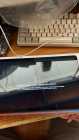
How to bypass the area check??
did he reply to you ?
is there PM here ?
can yoyu add me on instagram so we can speak ? rachid016
did you find out how to bypass the area check? I have a xiaoxin pad 2022 and when updating I got that message.
My tablet is showing this screen. How did you solve your problem?
what is SM6225 ?
i have tb128fu 4/64 with snapdragon 680 , is it the same?
In eMMc software I get SAHARA XML FILE NOT VALIDE
or file rawprogram0.xml rename rawprogram_unsparse0.xml
Hi
have you same error with last version qpst
yes and it says Sahara XML file path not valid
com4 phone in downloading mode
Device mode = Sahara on port 10000
server event monitor enabled
path for selected COM port = "_HCD(\?pci#ven_8086&dev_31a8&subsys_083e1028&rev_03#3&11583659&0&a8#{3abf6f2d-71c4-462a-8a92-1e6861e6af27})!dev:2"
Sahara XML file path not valid
launch Flash.cmd
I launched it but it ran for 0.5 seconds and nothing happened
I also tried QFIL but it failed to find rawprogram_unsparse0.
because in the file it is named rawprogram0
shoul I rename them all 0 to 5 or just the furst one ?
I changed all the names, now it says ; get partition files failed: MetaCli not found
re
for me your problem is driver or cable:
Install Qualcomm HS-USB QDLoader 9008
and you should not use any standalone USB cable as they
don’t support executing ADB and Fastboot, let alone supporting EDL Mode.
Moreover, make sure to plug in the cable to the USB 2.0 Port on your PC.
While the newer USB 3.0 Port are faster, but they more often than not ends up conflicting with the flashing and other related tasks.
I Installed Qualcomm HS-USB QDLoader 9008
and this time I got in EDL mode with ADB
still same error , but this time the tablet would not turn ON !
I turened it on by pressing power&Vol down
when I got in edl with adb, QFIL recognised it as com3
but QPST didt recognise it
I unlocked the bootloader, changed the pc , and I still couldn't install the ROM
please give us very detailed and specific instruction with images , step by step
thnx
install with QFIL
Download fail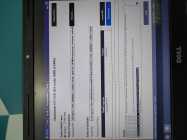
do you using qfil via qpst ( this version )
Yes
The technician told me he will flash it with a box , but if this file is wrong it will be bricked.
Is it safe?
Hi
this rom is official, now Needrom is not responsible if you brick your tablet, i don't understand why you install this rom via a box