
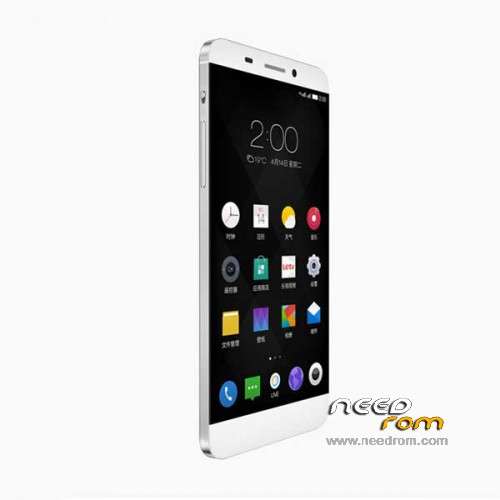
- Title: LeTV X600/S1
- Listed: June, 2015
- Last modified: 06/25/2015 8:40 pm
- Version: Android 5.0
You must be logged for ROM download.
48458 total views, 4 today
11 Total favorites
 Member Info
DESCRIPTION
LeTV 1/S1/X600 EUI-S1-5.0.003S stable release update 20150624
Package: S1_x600-CN-OP-ABXCNOP5000306151S-5.0.003S
Version type: stable release
Upload time: 2015.6.24
EUI updates:5.0.003S
Language only EN/CN
Not rooted, no gapps (to add this, read below on this page)
Functional highlights
- Optimize maximum battery capacity can be increased by 18%
- New Pocket hit-proof features to avoid misconnection, mistakenly hung in the Pocket and misunderstood lock problem
- Add new application icon displays unread messages in the upper-right corner of the function
- Added synchronized playback pictures can be pushed onto the TV function
- Added sort and adjustment of local music of letters according to time
This version has solved the problems
- Backup text messages through the 360 to stop running
- Dynamic wallpaper could not load problem
- Blacklist crashes
- Remote control does not set
- Voice photo feature failure
- Darkness cannot screen
- Backup text messages through the 360 to stop running
- China Merchants Bank APP not installed problem
- The receiver got a small voice
- The music stops running
Find detailed flash instructions on:
http://s7yler.blogspot.de/2015/06/letv-s1x600-mt6795-helio-x10-usb-type-c.html
1. Flash TWRP Recovery to the phone
2. Copy the zip/ROM you want to flash to the root of the phone storage (do not unzip the file!).
3. Go into TWRP Recovery – How to: Turn off phone, keep pressing power button + up volume key
4. Inside the TWRP Recovery select "Install" (the first box) -> "choose the ROM zip"-> "the use the slider to flash", restart System
5. I recommend to do a full factory reset afterwards also, and also wipe cache/rom
To ROOT flash (the same way) instead the "BETA-SuperSU-v2.49.zip" and for Play Store flash the "Letv-google.zip"
by s7yler
More techvideos on https://www.youtube.com/s7yler
More techinfo on http://s7yler.blogspot.com
If you flash this on a wrong phone you do it at your own risk!
I take no responsibilty for anything!
※Please make a backup of your device before installing or updating ROM
S7yler, is this multilanguage?
Is this ROM rooted? If not, how can we root it?
Go to my blog here http://s7yler.blogspot.de/2015.....usb-type-c.html
On the page you find a link to TWRP Recovery, Gapps & SuperSU. With that you can ROOT it.
Actually my phone already came with TWRP and root. But TWRP was in spanish, so i installed a TWRP theme, it's in english now!
ok
In this version several languages.
What do you think, if i update, i will loose the root, custom recovery and every settings?
Gogo, maybe yes, but you can install them again. See s7yler's page. I'm going to install this ROM. The one that came with my phone isn't upgradable!
Gogolak, i installed this one. I still have TWRP. Now of course, root and settings are gone. But root is easy to install.
Thank you San!
You're right! My setting did not lost too (only the root), I think because I swiped only the dalvik!
I have some little bugs, like, the proximity sensor don't work sometimes, but this rom better!
What you should probably do mate is to get the .zip and do a backup on every option on twrp. Then install the update and have root, TWRP, and pictures saved.
In their thrad, they talk about multitasking, is there a way to have 2 apps at the same time in the screen?
http://bbs.letv.com/thread-685.....474-1.html
Hi is this one also okay for 32gb variant ?
Help pls. recovery.bat doesnothing. I just pushing the enter but nothing happens.
When i connect the phone to the pc its start installing the drivers but the last one is always failing and it cant find and install that driver. Is this the problem?
Try finding that driver from other sites.
Hmm. I try to Google it but I think without chinese it will be hard
Well, seems like all guides are in chinese :/
On Windows 7 x64 (on 2 different devices, laptop and PC) the last driver cannot be installed (when you connect the Phone to the PC) .
It is something related to MTP (see the attached image).
So I cannot do anything with the TWRP recovery bat file
At least I am not the only one …
Well, sy7ler, says that if you have the scatter file, you can use the flash tools to flash TWRP. This ROM has a scatter file! OH i think there's a tutorial in bbs.letv.com, google TWRP site:bbs.letv.com