
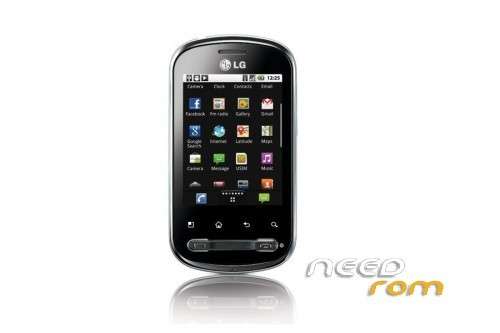
- Title: LG Optimus Me
- Listed: December, 2012
- Last modified: 12/14/2012 12:34 pm
- Version: ROM CM10.1 Android 4.2.1
You must be logged for ROM download.
20385 total views, N/A today
3 Total favorites
 Member Info
DESCRIPTION
ROM LG Optimus Me P350 – ROM CM10.1 Android 4.2.1
Install ROM :
1.Connect your Optimus Me P350 to PC using USB cable.
2.Copy downloaded zip file to the SD card of your phone. Important: Don’t extract any file.
3.Disconnect USB and then turn off your phone.
4.Boot into recovery by pressing and holding Volume Down, Home and Power buttons together. You will be soon in CWM recovery screen. In recovery, use Volume keys to highlight different option and Power button to select an option. Alternatively try this: Recovery Mode without Key Combination.
5.Perform a Nandroid backup of your existing ROM that you can restore later if this new ROM not work or you want to go back. To perform a backup, select Backup and Restore, then on the next screen, select Backup again. Go back to main recovery menu after backup is complete.
6.Then perform data wiping task. To do so, select wipe data/factory reset, then select Yes on next screen to confirm your action. Wait few minutes till the data wipe is completed.
7.Select install zip from sdcard, then select choose zip from sdcard. Now, locate the MiniCM10-4.0.2-20121207-UNOFFICIAL-ALPHA2-p350.zip file that you copied earlier in Step 2 and select it by pressing Power button. Confirm installation by selecting Yes – Install _____.zip on the next screen. The ROM installation will begin.
8.Once the ROM installation process end, repeat the step 7 but choose JB-FIX-FOR-ALPHA2.zip instead of ROM zip to fix few Jelly Bean issues.
9.When installation is completed, go back to the main recovery menu and select reboot system now to reboot the smartphone and boot up into customized Android 4.1.2 ROM. The first boot will take time, so be patient!
※Please make a backup of your device before installing or updating ROM
how to download google play store after installing this custom rom????
HERE
up on sd card, reboot in cwm and install the file.
How long should I wait for the first boot happen?
I did all the procedure and when restarting, it stays on the first screen
sir i dont have any clockworkmod my device stuck on android logo can u help me??