
- Title: LG Ultimate 5.0
- Listed: April, 2015
- Last modified: 04/27/2015 12:42 am
- Version: 5.0
You must be logged for ROM download.
17735 total views, 4 today
6 Total favorites
CUSTOM













 Member Info
DESCRIPTION
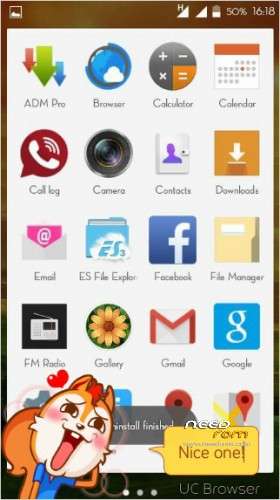
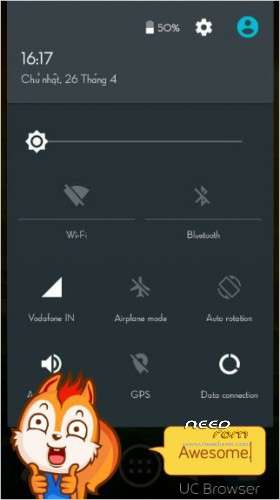
LG Ultimate 5.0
Micromax A177
#INSTALLATION
Go to CWM or TWRP
1. – wipe data factory reset -> Yes – delete all user data
2. – wipe cache partition -> Yes – Wipe Cache
3 – advanced -> Wipe Dalvik Cache -> Yes – wipe dalvik
cache
4. – mounts and storage -> Format / System / data / cache
5 . – install zip from sd -> – choose zip from sdcard -> -
Select Zip
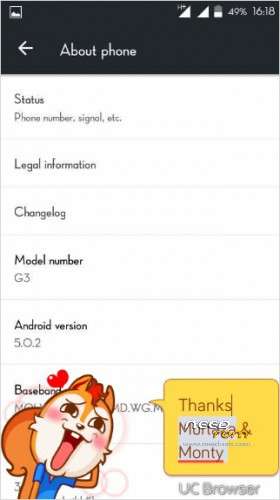
#Thanks to #Ankur & Monty & Murtaza ALSO ME
Any prblm
https://www.facebook.com/groups/mmxjuicedevs/?fref=nf
bugs fix
※Please make a backup of your device before installing or updating ROM
How to install
Go to CWM or TWRP
1. – wipe data factory reset -> Yes – delete all user data
2. – wipe cache partition -> Yes – Wipe Cache
3 – advanced -> Wipe Dalvik Cache -> Yes – wipe dalvik
cache
4. – mounts and storage -> Format / System / data / cache
5 . – install zip from sd -> – choose zip from sdcard -> -
Select Zip
Working good mmx 177
hey you replace the boot img for a177 in LG zip
can u tell the features of this rom…
bro uplod vi kari or tuje features batao or koi kam heke nehi mera
Nice rom thanks
We have to replace boot.IMG or not..???
always change your boot img
bro what to do with the patch..???
bro install ho gaya BT sirf apple ka logo aa raha hai…kya karu plz help…
177/77 ?
install patch.zip
does not work in my a177
chang boot.img
hello sir
in my a177 the rom get intalled by the flash but after restarting it takes looping with only apple wallpaper..
next what i do?..
u need chang boot.img