
- Title: LG Ultimate 5.0
- Listed: April, 2015
- Last modified: 04/27/2015 12:42 am
- Version: 5.0
You must be logged for ROM download.
17403 total views, 3 today
6 Total favorites
CUSTOM














 Member Info
DESCRIPTION
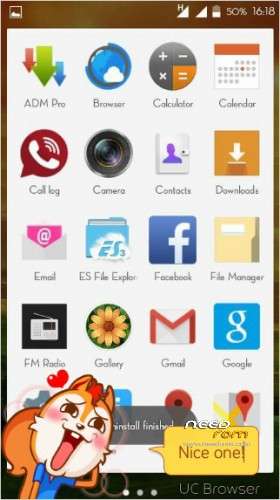
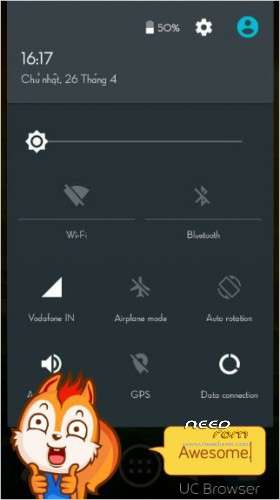
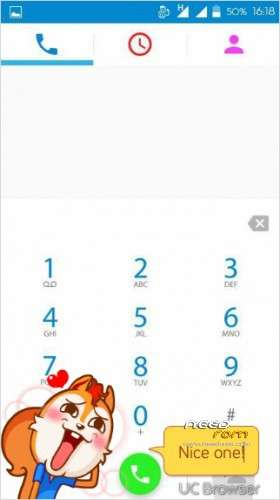
LG Ultimate 5.0
Micromax A177
#INSTALLATION
Go to CWM or TWRP
1. – wipe data factory reset -> Yes – delete all user data
2. – wipe cache partition -> Yes – Wipe Cache
3 – advanced -> Wipe Dalvik Cache -> Yes – wipe dalvik
cache
4. – mounts and storage -> Format / System / data / cache
5 . – install zip from sd -> – choose zip from sdcard -> -
Select Zip
#Thanks to #Ankur & Monty & Murtaza ALSO ME
Any prblm
https://www.facebook.com/groups/mmxjuicedevs/?fref=nf
bugs fix
※Please make a backup of your device before installing or updating ROM
hrithik singh jaise NOOB log mobile me rom flash karna to jante nahin hain, aur rom devlopers ko gadha bol rahe hain, abe gadhe to tum ho, ek baar rom port karoge ma behen ek ho jayegi….
abey pheli baat toh woh jo mera last comment hai woh maine nahi likha hai…….mere dost jiska phone tha usne likha hai…..aur dusri baat mujhe pata hai ki rom banane mai kya hota hai……..aur next ki tune inst. mai kyu nahi likha hai ki logo.bin delete karna hai phele…….maine download kiya aur flash kar diya………phele bolna chaiye na yaar
Pls Store this rom on location where it supports Resume, and download managers.
Thnks.
Guyz this rom z working fine bt has a no. f bugs…i would recomend not to go fr it…..!!!1
SO i successfully installed this rom through twrp but it only shows a apple logo and nothing else can anybody tell me what must have went wrong…?
How to change boot.img
Already jo boot.img hai usko hata ke karu new one ko replace karu kay. Help me.
How to change boot.img
not downloading
how to change boot image of a177
Nice rom good work