
- Title: Max Smart 5 ROM
- Listed: March, 2014
- Last modified: 03/08/2014 6:46 pm
- Version: ROM Android 4.2.2
You must be logged for ROM download.
25207 total views, 2 today



 Member Info
DESCRIPTION
Porting done in less than 20 minutes and I haven't tested anything, I'm already on another Rom, so I can't exclude the presence of bugs. Signaled to me, please, if you find any bugs.
Max Smart v5 Rom
This is the version to install from CWM recovery
valid for all models of Star N9500 MTK6589
The problem with Lcd and Camera drivers will never be a problem.
First in the world I solved the problem.
You only need to know before installing what is the combination of Lcd driver – Camera of your mobile phone. Know that during the setup wizard, the installer will ask you what is your driver combination.
Links to everything that is required for proper installation can be found in the following paragraphs.
Features of the Max Smart v5 Rom
This Rom is ported from the same ROM for ZTE phone of Carliv
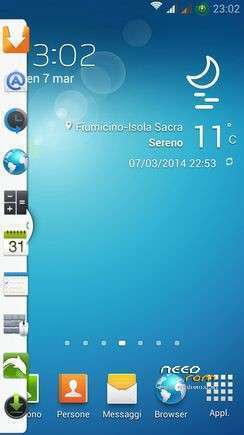
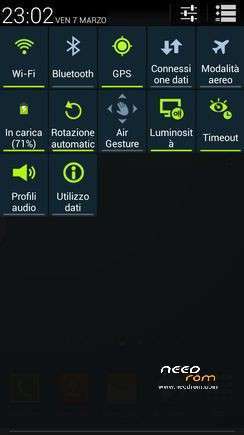
The ROM is very beautiful in S4 style
I adopted a new kernel, modified to make the ROM even more powerful. With this ROM you switch to Android version 4.2.2 real. Differences with 4.2.1? None
The ROM is multilingual.
Follows a list of the main features of the Max Smart v5 Rom:
* Root
* Deodex
* Kernel 4.2.2 (boot.img) new and modified with real support init.d
* Zipalign at every boot
* Sqlite optimization at every boot
* Very smooth, with no lag
* Absolutely full app in the system
* Extremely stable
* Gapps already installed
* Optimized to the maximum
* Boot Animation Original Samsung
* Logo initial original Samsung
* Build.prop optimized
* Gps.conf optimized
* Scripts and Tweaks listed in the following section
Scripts & Tweaks
After careful selection and long and patient work, in order to adapt to this device and delete all the conflicts I could insert different and will list only the main ones:
* Adrenaline Engine
* Loopy Smothness
* Geeky Engine
* Net-Fork
* Supremacy
* VelocityTweaks
* SlaidyBoost
* BeatsAudio
* CosmisTweak LightSpeed
Introduction to the installation of the Max Smart v5 Rom
Before installing the Rom you need to make a backup of your device in case something goes wrong. Do it with MTKDroidTools flashabile with FlashTool.
Those who have already installed the recovery Cwm they can make a second directly from recovery.
For the first, here is a guide to the procedure of backup, for the latest version of MTKDroidTools and drivers necessary for the proper use of the application Backup with MtkDroidTool
Just this already, but if you want here is the guide for the second procedure to install the modified recovery Cwm How to install Cwm recovery
Installing the Max Smart v5 Rom
Before installing the Rom is necessary that you know what version of drivers Lcd and Camera is on your device, because the installation with incompatible drivers would inevitably lead the phone to the brick. During the installation process, my Touch Installer you will propose different combinations of drivers Lcd and Camera. Simply indicate which is the your, and the installer will continue its task.
If you do not know what is the drivers combination of your device, you can check it through this easy steps:
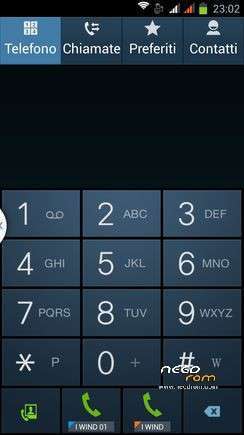
* Open the numeric keypad of the phone (as if you have to dial a phone number)
* Enter the combination * # * # 116 # * # *
* A window will open which among the many things listed, will also present the version of your Camera and Lcd drivers.
If this procedure does not work (does not work on all versions of this device) then you just enter in "Factory Mode":
* Turn off your phone
* Holding down the volume down button (be careful! Volume -), press the power
* As soon as the phone is starting, you can leave the power button whilst continuing to hold down the volume button -
* It will open a window with the words "factory mode" followed by one with various items
* You can leave the volume button
* Now the volume button will need for scroll through the menu items
* Go to "version" and enter by pressing the home button (middle bottom)
* Now between the various items that appear on the screen there will also be those of your Camera and LCD drivers (if you do not see scroll with the volume key that are below)
* Note the type of Lcd drivers and the type of Camera Subsense driver
Now we are ready to install the Max Smart v5 Rom
You may have already downloaded the zip file from the link above and copied the zip file in SD card.
Restart your device in Cwm recovery and make a backup of your device.
Then always from Cwm perform a full wipe:
-> Wipe data / factory reset
-> Wipe cache partition
-> Advanced -> Wipe Dalvik Cache
-> Advanced -> Wipe Battery Stats
-> Mounts and storage -> format system
-> Mounts and storage -> format EMMC
to make sure you have no problems!
You are ready to install the Rom from Cwm with the usual:
-> Install zip from sdcard.
Will start the installation process with the touch controls. Be guided by the Touch Installer and when will be asked what is yours drivers combination, simply indicate which is the your from those listed, and the installer will complete the installation.
At the end of this at the request of the installer confirm that you want to reboot into CWM recovery and from here again:
-> Wipe cache partition
-> Advanced -> Wipe Dalvik Cache
Reboot. Upon reboot follow the wizard to set up the language and the basic settings of the phone and then run a new reboot (there are some services that to start, needs a second reboot). And now enjoy!!
N.B. If after installation you notice that the signal of the sim is poor or absent it means that you have to put a different baseband. Simply install one of these patches, prepared by the user freedgt. They are. Zip file to install via cwm recovery. It is a procedure for a few seconds. It is not possible to know first what is the best for vs device, in the worst case you'll have to try them all, and take what will seem to respond better to the radio signal in your area, and your operator.
Here are the links:
- baseband del 19 aprile
- baseband del 14 maggio
- baseband del 17 maggio
- baseband del 21 giugno
- baseband di luglio usually for 8 gb device
Which author of this Rom decline any liability for whatever may happen to Vs device as a result of the flash itself.
If you are afraid, then don't install anything and you will sleep peacefully the night, otherwise you do it at your own risk!
In any case, just do a Nandroid backup before installing anything and every problem should be averted.
Resolution of any problems after the installation of the Rom
I invite everyone to make a backup.
Only if you have done the backup and you are able to restore the device then you can write me relatively few bugs in the rom or any other problem.
So ATTENTION! … You did not do a Nandroid backup? … You are not able to restore the device? … Well, do not write to me, because I will not answer to you!!
Conclusions
Enjoy my work. It's really the most beautiful. Enjoy!!
I have put, too, the link to the CRT recovery version 2.2, which I made for this device. It 's a good recovery full touch. The features in this link https://www.needrom.com/mobile/carliv-recovery-touch-2-2/
P.S. I'm Italian and sorry if I have not written in good English
※Please make a backup of your device before installing or updating ROM
Dont work the bluetooth audio.
Try with this BluetoothFix
Gesture Sensing is enabled ???
You find the "Gesture" in the menu because the phone from which I ported this Rom has the real gesture … we do not have that sensor and we can not have the real gesture
Ciao… Indicatore batt che si alterna automaticamente da cerchio a standard. Con la gravitity non è completamente compatibile in tutte le funzioni.. Il GPS non fixa bene. Un po legata nello scroll e il caricamento immagini. Compare spesso la scritta al centro relativa alla barra laterale delle apk. X il resto mi piace molto… La pref alla note3…Grazie Oli bella ROM
Se trovi rimedio ti ringrazio Oli ah ho notato che il Tw- touch dopo pochi secondi alla avvio cambia dal solito suono in un suono sordo tipo wooh x intenderci ahah..
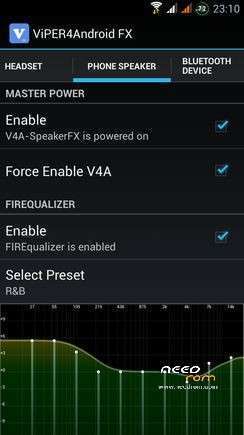
Ops audio tw risolto disattivando viper;)
I have a N9500 version 2G RAM . But when I flash it just got 1G Ram. What can I do so that it can get 2G of RAM. Thanks olidan
Hello
does not exist N9500 with 2 GB of Ram. It's a fake made by the Chinese manipulating system files.
camera is onli 6 mp, and all is perfect
Hello
I do not remember how many mp has the camera, check the camera settings.
I'm glad that you like the Rom
Ciao Oli… Scusa come si fa impostare la TW che (parla?) nn mi funziona più…grazie
Light sensor did not work when i was calling…. Please help me!!
Grazie 1000 per il tuo fantastico lavoro!!
is this rom better than note 3 rom ????