
- Title: unbrick meizu m2 note
- Listed: October, 2015
- Last modified: 10/16/2015 11:14 pm
- Version: Flyme OS 4.5.4I
You must be logged for ROM download.
51859 total views, 3 today
26 Total favorites
OFFICIAL
 Member Info
DESCRIPTION
※Please make a backup of your device before installing or updating ROM
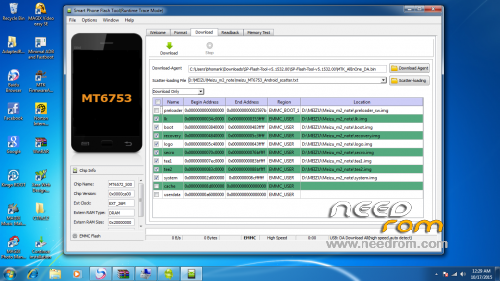
booot repair how to file
I can't connect my meizu m2 note with my computer,how to do with it??
I have working M2 Note and the bricked one. I tried to make Internalisation from 4.5.4.2A. Tried to change ID, no success, then flashing system.img from terminal. Got Illegal instruction on one and the second one got bricked, because it went into Screen Auto lock. Now working one shows its model as m2 note in settings instead of M571C.
How can I backup working one and unbrick second one with it? Your Scatter is showing "BROM ERRER : S_AUTH_HANDLE_IS_NOT_READY (5000)
This is a secure Base-band Chip! Please select the authentication file first."
And which method of Language Internalisation does work?
tengo misma problema
hello sir i had this model handset it's password locked even at recovery it's asking password how to reset it if can't reset how to flash how to find version of this and how to make backup..?
its fake solution. not work
rom isn't for flash tool,
https://www.youtube.com/watch?.....v=twgynLFAczc
ident dz : Can you explain in detail how to do it? Please
Dear ident dz!
Please download links.
thanks