
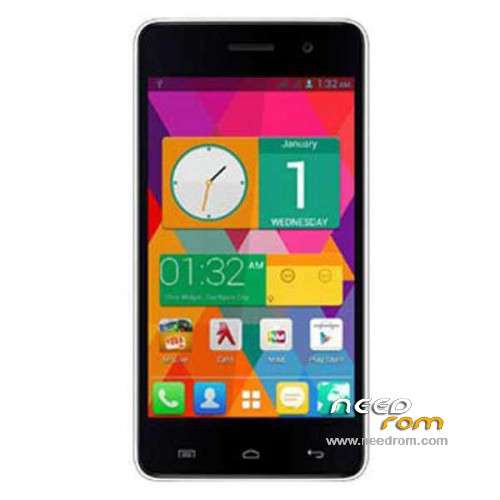
- Title: MICROMAX A106
- Listed: June, 2014
- Last modified: 09/11/2014 5:13 am
- Version: ROM Android 4.4.2
You must be logged for ROM download.
48502 total views, 3 today
41 Total favorites
 Member Info
DESCRIPTION
ROM Mobile MICROMAX A106 – ROM Android 4.4.2
ONLY MT6582
Add ROM Official MICROMAX A106 Version: ALPS.KK1.MP1.V2.10 – S4700BP_MP_MMX_IN_10 – KOT49H ( ONLY 1G Ram + 8G ROM )
———————————————————————————————————————————————————————
ROM Official MICROMAX A106 Version: ALPS.KK1.MP1.V2.10 – S4700BP_MP_MMX_IN_10 – KOT49H
Gapps include – No Rooted
Language support: Multilang
Install ROM:
- Unpack FlashTools, and Click on Flash_tool.exe
- Select a the MT6582_Android_scatter.txt in ROM
- Wait file to be added into Flash Tool
- choose Option->USB Model,click USB Model
–> Choose Option->DA DownLoad All->Speed->High Speed, click High Speed
- Turn off your phone, remove the battery and replace it after some seconds (and don't turn on the phone).
- "Press F9 (hit Download button)" OR " if upgrade ROM Firmware->Upgrade "
- and connect your phone into the computer via USB data cable.
- The process will start and a red progress bar will appear after color purple, yellow.
- And green circles display
- Finish !
- You can now safely disconnect your phone and turn it on.
※Please make a backup of your device before installing or updating ROM
bro help invalid imei…mobile uncle shows error this operation cannot be performed in user built what is this>>
When IMEI numbers have lost after hard reset (full flash) on Phone MTK65XX - It will appear “INVALID IMEI” on the screen of your Zopo smartphone.
Here is the solution:
Smartphone must be rooted
Copy the file MP0B_001_NEW inside Android Smartphone renaming MP0B_001 and overwrite the existing file in /data/nvram/md/NVRAM/NVD_IMEI/
Restart your zopo smartphone.
Install the file zopoimei_zopomobileshop.apk to change IMEI numbers.
Download:
https://www.wuala.com/Marshall.....ey=cvKajjiB6pIX
Documentation:
https://www.wuala.com/Marshall.....ey=cvKajjiB6pIX
When IMEI numbers have lost after hard reset (full flash) on Phone MTK65XX – It will appear “INVALID IMEI” on the screen of your micromax a 106 smartphone.
please help me
my email id – neeraj.upadhyaya@gmail.com
I have rooted my unite2 successfully. But while making WhatsApp as root application something went wrong. After that 1st I used auto format option in so tool v5.. Then tried to write my backup of original ROM it was successful but didn’t work. My mobile is dead now. Help me. I am having backup of ROM made with help of so flash tool..
It urgent someone reply me what to do now.
bro i tried to install xperia rom from cwm recovery at thattime it was not succesfull nowmy mobile is dead please help me now my mobile is not at all booting pleaseeeeeeeeeeeeeeeeeeeeeee help me
Hello mayank,
Is your problem solved ?? If yes then please tell me how. because i have same problem as you. my phone is dead after taking readback backuo is sp flash tool.
Sry its sp flash tool. And my mobile is not switching on now and on putting on charge red light is also not switching on. And when I was making WhatsApp as system app after restart mobile stucked at micromax logo but after formating with sp flashtool its not getting switched on also. Help me.
Sir , there are two rom in it . Which is original 621 MB or 519 MB ? Stock rom
All good ;-} thanks for the files
thanks 100% working
corrupt system.img…. plz help ..
100% working thanks
very helful fone lagbhag dead ho gaya tha bt this helped me