
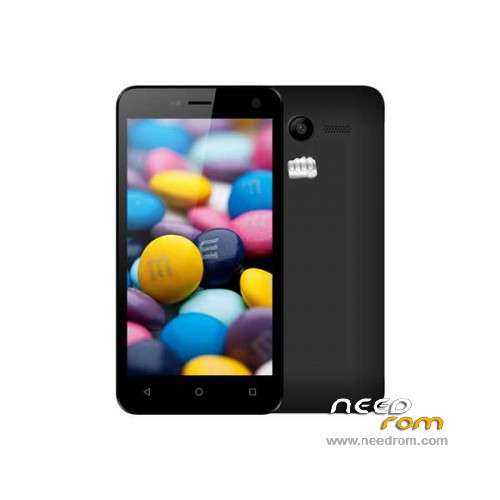
- Title: Micromax Q341
- Listed: March, 2016
- Last modified: 03/11/2024 7:43 am
- Version: ROM Android 5.1
You must be logged for ROM download.
15417 total views, N/A today
4 Total favorites
 Member Info
DESCRIPTION
ROM Phone Micromax Q341 – ROM Android 5.1
ONLY SC7731
Update Official Rom Micromax Q341 version: MMX_Q341_RU_SW_V1.1.2_HW_V1.1.0_07062016 – sp7731gea_hdplus_dt-user 5.1 LMY47D
——————————————————————————————————————————————————————————————-
Update Official Rom Micromax Q341 version: MMX_Q341_RU_SW_V1.1.2_HW_V1.1.0_23052016 – sp7731gea_hdplus_dt-user 5.1 LMY47D
——————————————————————————————————————————————————————————————-
Official Rom Micromax Q341 version: MMX_Q341_RU_SW_V1.0.8_HW_V1.1.0_29042016- sp7731gea_hdplus_dt-user 5.1 LMY47D
Country: Russia
Gapps include – No Rooted
Language support: Multilang
Install ROM :
FactoryDownload/UpgradeDownload
1 Unpack ROM and extract MMX_Q341_RU_SW_V1.0.0_HW_V1.1.0_10032016.pac
2 Run UpgradeDownload or FactoryDownload, connect your android device to the computer
3 Click on "Load packet" and add the .pac
4 Click on "Start"
5 During the flashing your mobile will restart automatically
6 Finish
※Please make a backup of your device before installing or updating ROM
Someone help me: I have a micrmax a106 phone.which software got corrupted.but I have downloaded stock rom of this phone.when I place it in sp flash tool.then I connect my phone to PC.
Problem is here- the PC show device is not recognized but I have install all type of drivers which will be needed like and da USB vcom.
Everyone know without connected it can not be install.its show charging.i already turned on USB debugging mode.
I install many custom roms but there was no any problems to connection.