
- Title: MIGO G9100
- Listed: April, 2013
- Last modified: 04/19/2013 12:24 am
- Version: ROM Android 4.1.1
You must be logged for ROM download.
15134 total views, N/A today
 Member Info
DESCRIPTION
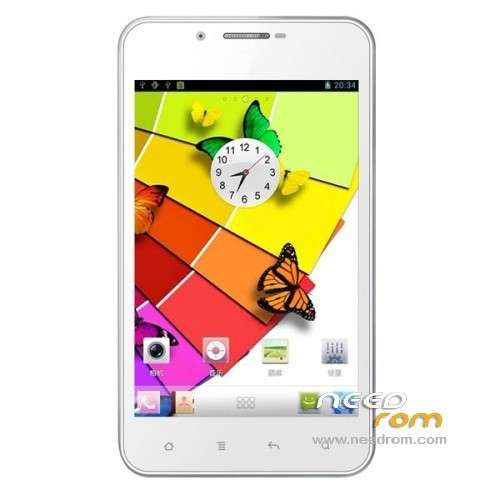
ROM MIGO G9100 – ROM Android 4.1.1
Features ROM:
-Based on the official 0407 the latest release of pure production
-Removal the native desktop using the latest version of transplantation Samsung S4 Desktop by Chen Chen
-preset the latest version of superuser1.17
-optimize system settings
-streamline all useless software and documentation
-integrated Baidu input method optimized version, do not update
-installation software-selectable path the fuselage memory / memory card
-optimize the external card
-Ultimate Edition do so also built part of the software to facilitate the use, do not like, please manually delete
-APK software performs memory optimization
-Amendment original ROM set default values ??to adjust the default value
-APK software execution ODEX, extremely easy to decompile beautification, but looks like not many people engage in …
-default mount high imitation of the Samsung weather clock, different from the previous version, is the latest high imitation
Language support: Multilang
ROM Install :
To unpack FlashTool run Flash_tool.exe
Select a the MT6577_Android_scatter_emmc.txt in Recovery with Flashtools
Click Flash_tool.exe interface Firmware-> Upgrade
Phone after taking the battery in put something
Connect the data cable
Brush finished with green circles appears
or
CWM
Step 1: Download the custom card brush ROM copied to an external SD card root directory
Step 2: the shutdown state. While holding down:
Power button + volume button + volume key to enter the recovery mode of Brush, Clear user data and cache, and then enter the card brush
Options Brush can.
Step 3: Brush complete, restart the phone
※Please make a backup of your device before installing or updating ROM
Thank you very. I hope u can make android 4.2 for Migo 9100