
- Title: MIUI v5
- Listed: July, 2014
- Last modified: 08/28/2014 9:37 pm
- Version: 4.8.15
You must be logged for ROM download.
29830 total views, N/A today
1 Total favorites
 Member Info
DESCRIPTION
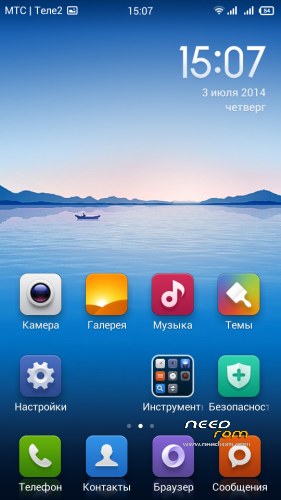
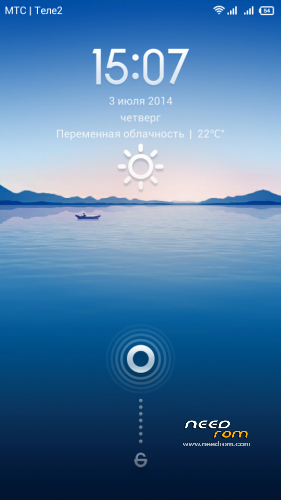
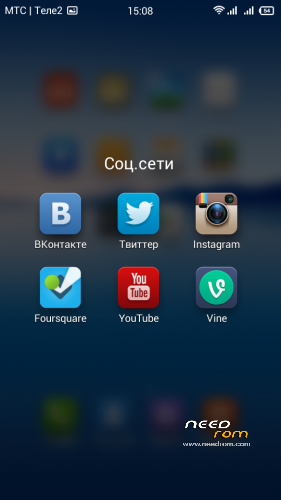
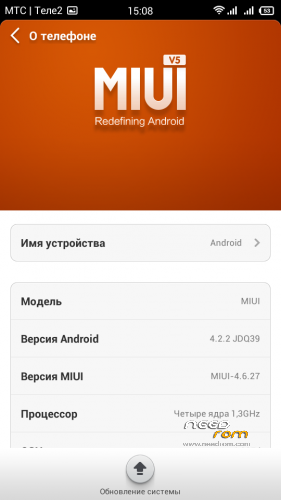
Latest MIUI ROM for Zopo ZP700
- Based on latest jellybean stock firmware
- Supports "C" version
- OTA updates
- Google play as default market (MiMarket deleted)
- Also preinstalled Google Services
- Wi-Fi and GPS works fine (better then last jellybean stock firmware)
- Supports theme installation from SD-Card
- Rooted (Check Security>Permissions to activate it)
- USB-OTG and Wireless Keyboard/Mice support
Languages: English, Chineese, Russian, Ukrainian, Czech, Slovak, French, Spanish, Polish, Vietnamese, Brazilian Portuguese, Magyar, Arabic, Bulgarian, Croatian, Greek, Hungarian, Indonesian, Italian, Portuguese
CHANGELOG:
Sorry, I can't update MIUI sources as fast as other developers, but i try to make this ROM more stable and useful for daily using. If you like my work, you can support me by donation or share needrom link to other sites. Thank you so much!
Installation: Use CWM or TWRP recovery to install this rom. Don't forget to Wipe Data and Cache first.
※Please make a backup of your device before installing or updating ROM
Bad German translation – do u need help? approch me.. contact@comedia.re
Thank you
The Cleaner is forced to close everytime i open it.
Try to wipe data and reflash the rom.
Didn't help.. works in 4.8.15 anyway

Thanks
But i noticed another problem. The rounded corners don't show anymore.. Changing in the settings didn't help.
Hello,
After applying the MIUI update the display resolution is messed up. It seems like the pixels are not drawn properly.
Has anyone an idea how to get a normal screen resolution again?
Best regards,
scaw
Did you update MIUI using ota or you downloaded the full rom file?
Hello allnyd,
I downloaded the full rom file and flashed it to my phone using cwm (the zip archive on my sd card). Yesterday I flashed back to the original zopo zp700 stock rom, the resolution there was fine. Then I flashed another OS (I think it was color OS), display resolution was bad again. So it is not a problem with your ROM, which is absolutely fine, but with my phone. At the very beginning of my flashing tests, I had your MIUI rom working with normal resolution. The issue why I reinstalled because the imei number was lost and I did not make a bakup.That was when I flashed back to another ROM (not stock I believe), to recover my imei. Then the imei returned but the resolution issue was there.
Im pretty sure to be able to get the good screen resolution back when flashing to Stock os, but the moment Im flashing another ROM, the screen resolution is bad again.
Do you have any idea how to fix this?
Best regards
Hello allnyd,
I fixed the problem. I flashed back to stock ROM, then I installed a different recovery file named "carliv touch recovery" Then I had no problems whatsoever installing your ROM!
Thanks for your awesome work and your answer
I wanted to advice you the same – I'm using Calvin Touch Recovery and it works good with me. Thank you for bug reports, you help this ROM become better
I seem to be experiencing fast battery drain when the phone is active… When idle (screen is off) left overnight everything is fine. But the moment I use the phone, every 30 – 40 seconds my battery gets drained by 1%. Can you link me to the recovery that you suggest we use. Thanks in advance…
I also have some issues with fast battery drainage, even though 3g internet is switched on only like an hour a day.
Pampooh if you mean Carliv touch recovery, this was the filed I used: ZP700 (20140410-164859) Carliv Touch Recovery v2.4.7 google this and you should be able to find the file.
Another thing which is annoying me a bit: When i try to dwonload something via mobile internet in play store im only allowed it to download by WLAN. He asks me if im sure if i want to download via mobile internet but after i klick yes, it just shows "waiting for WLAN"
Apart from these 2 things the ROM is ultra fast and well. GPS works like a breeze now, fix in under 10 seconds and precision about 3 meters. It correctly tracked a bike track of 4km and showed exactly the same as my bike tachometer.
Allnyd, do you think the battery drain issue will be mitigated in one of the coming MIUI versions?
Best regards,
Thanks scaw for the tip on how to find the recovery… I reflashed the MIUI zip once again, then cleared cache and dalvik before rebooting the device, I downloaded the app "Easy Battery Calibration",and though I'm still observing it now it seems to have normalized my battery usage. (I still need to observe it for a couple of days though).
About the WLAN bug, I too get the prompt to download only via WIFI, but when I choose to download via Mobile Internet it lets me do so… So I've yet to experience not being able to download via Mobile Internet. Thanks again scaw.
I wish it could be fixed with new MIUI versions. And I also have the same bug on play store on all MIUI firmwares. And I don't know how to fix it. I'll update MIUI version soon, just w8.
Hello Pampooh. Glad you got it all working well.
I´ll try to reflash MIUI again. I think i forgot to wipe the Dalvik cache. Could this be an issue? I tried it with easy battery calibration, too, but it does not seem to have helped. Estimated battery life time is about 13 hours, and thats optimistic.
Probably my WLAN download problem also disappears when I reflash.
WLAN download problem is unfixeble, sorry ;(
Just an update:
I installed a 3g switching app, that switches every 20 minutes from off to 1 minute on.
This made my battery hold for approx. 20h. Not so happy about this result but I think its acceptable for the use of this otherwise great firmware. Another bug I noticed is that push email service doesnt accept if i set frequency of email updates to "never". It just keeps on pushing all the messages through instantly. I figure this draws a lot of battery, too. Disabled that app now to see what happens.
The OTA update function does not work for me with carliv touch recovery. "Installation aborted"
Best regards