
- Title: MIUI 7
- Listed: April, 2016
- Last modified: 04/05/2016 2:10 pm
- Version: 4.4.2
You must be logged for ROM download.
13246 total views, 4 today
 Member Info
DESCRIPTION
Update 23.05.16 MIUIv7v4.4.2_ZTE_Nubia_Z7_Max_6.5.20
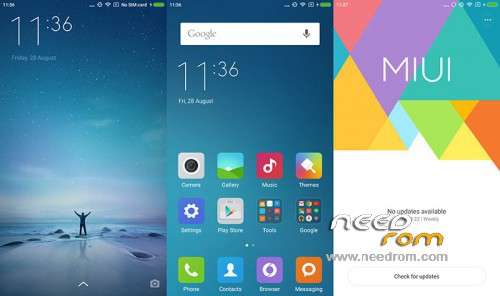
Ported ROM MIUI 7 for ZTE Nubia Z7 Max
Installation, quick manual
Brief instructions on how to install MIUI for Nubia Z7 max.
1.Loaded the phone into Recovery-TWRP, the phone is off hold Vol+ and PWR. Making a Backup for rollback if you do not like the firmware or something goes wrong. Go to "Backups", put a tick from the top to the bottom to the modem and make a swipe to perform.
2. Go to "Cleanup" and do the cleanup.
For a new installation of MIUI you need to do a clean-all sections except ( internal and external memory card.)
To update the version of MIUI you can just Clean Dalvik and Cache.
3. Go to "Install", select the firmware file and put it. After that reboot phone and enjoy MIUI.
※Please make a backup of your device before installing or updating ROM
Why this ROM does not show sd card partition but only internal storage?
im argentine some rom free network? please help!
support of my country! please! aprecied! thanks