
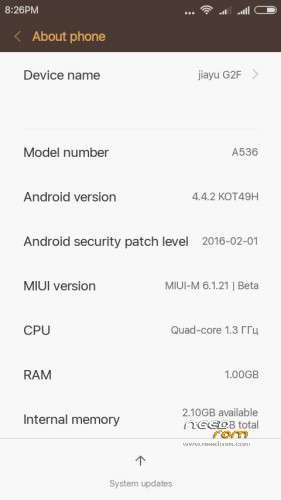
- Title: MIUI 7 v.6.1.21 for jiayu G2F
- Listed: March, 2016
- Last modified: 03/02/2016 6:15 am
- Version: Miui 7 Kit Kat 4.4.2
You must be logged for ROM download.
16072 total views, 2 today
3 Total favorites

 Member Info
DESCRIPTION
You may have already downloaded the zip file from the link above and copied the zip file in SD card. Restart your device in Cwm, TWRP, PhilZ Touch Recovery and make a backup of your device.
INSTALLATION
1. Download the. Zip file and dump the firmware to the memory card.
2. Loaded in Recovery
3. Making wipes:
1) Wipe Data Factory Reset
2) Wipe cache
3) Wipe dalvik art cache
4) Select Install / Instal zip from SD
5) Choose. Zip firmware file and wait for the end of the process.
Choose SD-card on file with the firmware, set, reboot
-reboot system now.
6) Boot the system is ready.
Multilanguage…
Notes: First boot long time please wait…
※Please make a backup of your device before installing or updating ROM
Thanks for the rom,
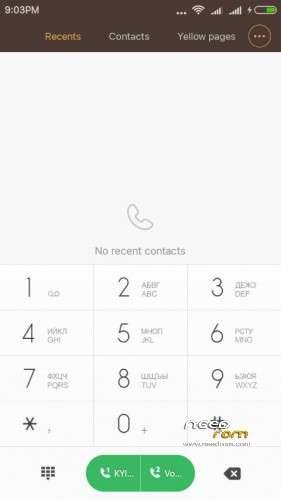
i've one problem with call history: i couldn't see contact names even if i have imported correctly to google and mi account
any one else have my problem? how can i fix it?
Hi, i had same problem,
I edited contact same as it is and stored again,
Problem solved. Now you can see contact name as well as photo.
Thanks.
Hi bppjenil, i've tried to do as you suggest but it doesn't work.
I went into for example one contact and edited it and saved again, but nothing happen. I continue in recent calls to see only numbers.
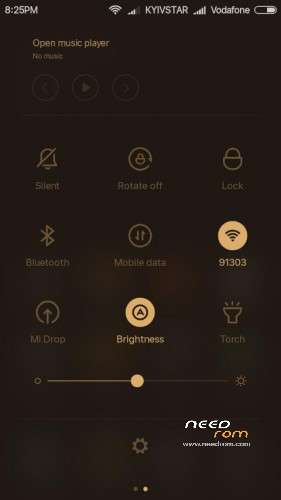
One other problem to be fixed is that WIFI starts, it connects to the network but after one or two mins it disconnects. I have also tried to install wifi fixer from play store and now the wifi connects and disconnects in a second, terrible bug indeed!!!
Thanks
Ps i have the 4gb version, maybe there is some bugs on this version that the 8gb doesn't have
Hi,
Edit contact name with one more or one less letter and save it in google directory. See.
For wifi install Widget Wifi by GreenLog and go to security_permission_autostart and select wifi, put it on autostart.
Pull out wifi widget to screen.
I hope these will help you.
HI, iv'e tried but no solution for these problems. Maybe the wifi problem is common to all 4gb version..but with the previous stock jb 4.2.2 wifi was excellent. Does someone has my same problem?
thanks
Hello, it is for TD or WCDMA version?
WCDMA
@pruymak Is there any way to get gyroscope working? So the screen would go active when you move it away from ear. Now I need to push power button and then tap the screen to end call.
Has anyone fixed the WiFi problem?
I have to turn off and on many times during the day.
After several days of use the app Whetstone crashses constantly. The message explaining that the app crashed appears constantly making the phone useless. After dismissing a crash message you can tap once the screen before another message appears –if you are fast enough…– which, as I said, makes it impossible to use the phone.
I also didn't manage to root the phone with this ROM.
Any suggestion?
Best,
Sorry, I don't know what I did the first time… It roots fine. The problem with the Whetstone presists, though
Hi,
Go to Developer option by quick selection one buy one option. And put off second last option. I had same problem , now sorted.