
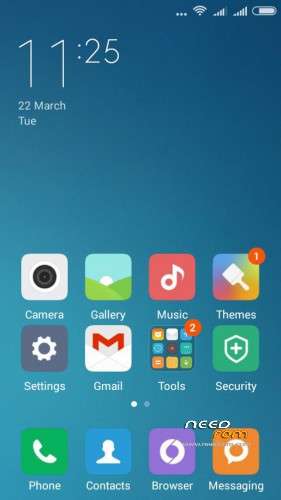
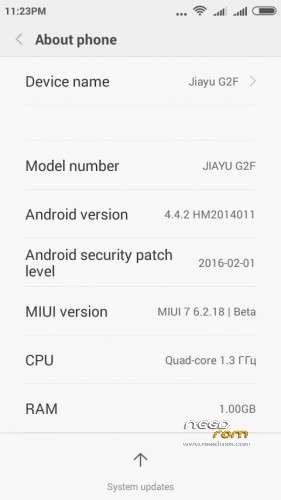
- Title: MIUI 7 v.6.2.18.Jiayu G2F
- Listed: March, 2016
- Last modified: 03/23/2016 9:11 pm
- Version: Miui 7 Kit Kat 4.4.2
You must be logged for ROM download.
16681 total views, 3 today
3 Total favorites
CUSTOM









 Member Info
DESCRIPTION
Installation Guide Full ROM Installation (strictly follow):
1. Copy ROM zip to SD-Card
2. Reboot to custom Recovery
3. Take Android backup (always recommended step)
4. Wipe System/Data/Cache
5. Now install Downloaded Rom SD-Card.
6. Reboot.
※Please make a backup of your device before installing or updating ROM
please link….thanks!!!
wifi does not work …. any suggestions .. thanks
yes wifi doesn`t work and after installing rom i got a invalid IMEI :/ Can you fix this ? Please
before installing custom firmware must first do a full backup of your system
after installing this firmware the phone hangs and stops working.
Do the installation according to the installation instructions with all wipe, and do not confuse the firmware on the 4 GB and 8 GB
Works very well, thanks for share it
Hi Manonon,
Could you please assist, did you install 4gb rom or 8gb rom? I did install 4gb rom but it gives problem of invelid sim and no wifi connection at all.
Thanks a million in advance.
Link does not work
thank you for the rom, i have only one problem:
once the device start the miui cloud wishes to set up an account. I've tried to skip the passage but the system said "mi cloud has stopped working" and i cannot go to the home launcher.
And also the system does not detect sim card
What can i do with this problem?
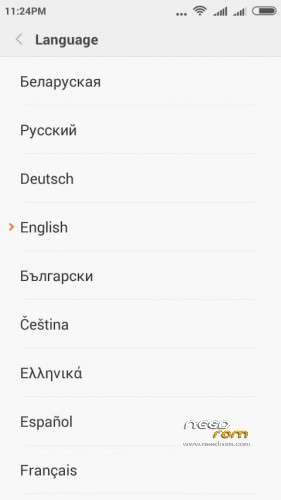
do not change the language after installation … and you change it
Leave the default language the first installation … and then you change
Hi, thank you for the new version rom, i installed everything ok except wifi and network connectivity as explained above by others.
This problem led me to install prevous version back. Please fix wifi and network problem.
Thanks.
Hello, I have the same problem like cielostellato , I can't continue…. some problem with miui cloud.