
- Title: MIUI-8 Ver. 6.8.11
- Listed: August, 2016
- Last modified: 08/23/2016 1:29 pm
- Version: 5.0.2
You must be logged for ROM download.
14447 total views, N/A today
2 Total favorites
CUSTOM


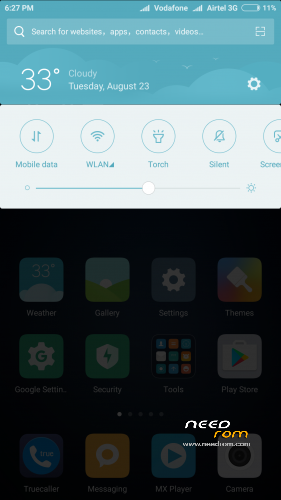
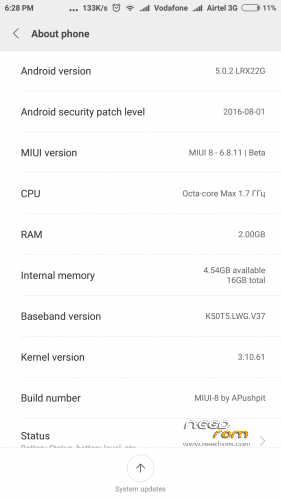
 Member Info
DESCRIPTION
Pls donate Rs 10/- if you like & encourage my work.

DON'T USE OTA IT COULD BRICK YOUR DEVICE …. SO PLS ALWAYS DOWNLOAD FROM HERE (IF YOU ARE ON 6.8.4 THEN YOU CAN DIRECTLY FLASH IT WITHOUT WIPING LIKE OTA.
Instruction:
1. Go to TWRP
2. Wipe > Advance Wipe > Dalvik / ART Cache & System & Cache & Data (For fresh Install, ignore if updating from any previous MIUI rom to keep ur data)
3. Install Zip package
4. Clear Dalvik Cache (If updating from any previous MIUI rom)
5. After start keep airplane mode on by presing power key & salect aeroplane mode on ( this need to be done only while startup wizard, after complete start wizard you can off aeroplane mode)
6. Enable "Documents" app by going Setting > Install apps > go to end of apps there is "Documents" app & enable it.
For Theme & no china language:
Download & replace it at Root>system>app>ThemeManager & give permission (read +write, read, read)
For NVRAM Error:
Download NVRAM File & replace the both file Wifi & Wifi custom to Root or (/Device) > data > nvram > APCFG > APRDEB
& reboot.
IF FACING APP SLEEP IN BACKGROUND OR NOT AUTOSTART THEN PLEASE FOLLOW BELOW INSTRUCTION:
1. Go to Security app > Permissions > Autostart > Enable the perticular app which you want to be autostart.
2. Go to Security app > Battery > App battery saver > (click on pertucular app which u don't him to be sleep & keep running in background) > choose "No restrictions"
Changelog in 6.8.11
New – Three-fingered swipe for screenshots
New – Revamped Security layouts
New – Revamped Security layouts
Optimization – Improved layout for text descriptions of Wallpaper Carousel
Fix – Issues with icons after reflashing the device
New – Double tap the Scrolling screenshot preview to zoom in
Optimization – Screen won't go to sleep while creating a Scrolling screenshot
Fix – Couldn't make a scrolling screenshot after changing a note's background
Fix – Scrolling screenshot issues in QQ and WeChat (08-09)
Optimization – Adjustments in Sound & Vibration section of the Settings
New – Extended Chinese features in calendar
Fix – Music app stopped if Public transport page was opened (08-10)
Fix – Back button in the Settings (08-10)
FOR DOWNLOAD:
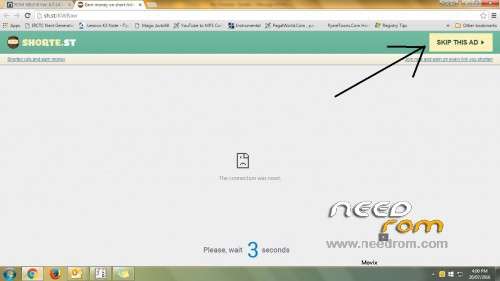
Click on link which come up after 5 secound in right top corner. (See image under all scrn shoot)
※Please make a backup of your device before installing or updating ROM
I have Lenovo A7000 Plus can I flash this ROM?
u can try…..but i don't have A7000… may be it will work.
Support Double tab wake up??
MIUI doesn't support DTTW in K3 note
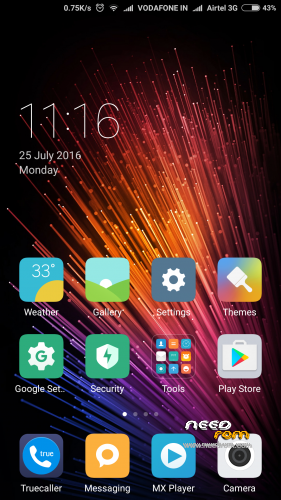
More screenshots will do please
Dear djdimie,,
Its looks like preious rom… if u want then i will post
posted
No Bro..
for a319…plz
sry bro i don't have that mobile , so how i will test the rom…. we need to try sveral times.
How about theme ,crack or stil pay?
bro how to set fonts coz at theme don't has it..can use ifonts at playstore
I will post Theme.apk for full version
does is support VOLTE?/……pushpit BRO U SEEMS TO BE FROM INDIA…so which rom supports volte for jio sim……???
K3 Note might not support VOLTE.
I don't know if the k3 note support VOLTE…….I also not use reliance jio bcoz in my area there is network problem with jio
What are the Hardware difference between K3 Note and Lenovo A7000-a_Plus?
Is there any one who can explain it? I want to use this ROM in my Lenovo A7000-a_Plus but I am not sure this will work or damage my phone. Please Help!!
K3 Note differs from the A7000 Plus is only modem
You need to slightly modify the ROM to add modem from ROW S308
How can I do that?? I have modem.zip file for Lenovo A7000-a.. so sould I first flash this ROM then modem.zip file for lenovo A7000-a?
bro .please add hack theme for rom, i like it .thank
added.