
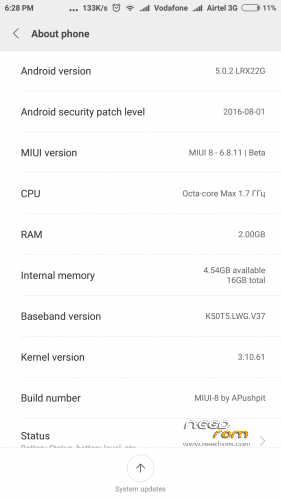
- Title: MIUI-8 Ver. 6.8.11
- Listed: August, 2016
- Last modified: 08/23/2016 1:29 pm
- Version: 5.0.2
You must be logged for ROM download.
14142 total views, 3 today
2 Total favorites
CUSTOM

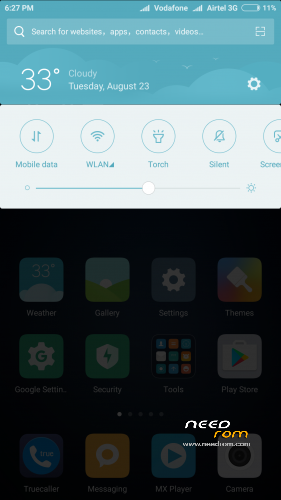
 Member Info
DESCRIPTION
Pls donate Rs 10/- if you like & encourage my work.

DON'T USE OTA IT COULD BRICK YOUR DEVICE …. SO PLS ALWAYS DOWNLOAD FROM HERE (IF YOU ARE ON 6.8.4 THEN YOU CAN DIRECTLY FLASH IT WITHOUT WIPING LIKE OTA.
Instruction:
1. Go to TWRP
2. Wipe > Advance Wipe > Dalvik / ART Cache & System & Cache & Data (For fresh Install, ignore if updating from any previous MIUI rom to keep ur data)
3. Install Zip package
4. Clear Dalvik Cache (If updating from any previous MIUI rom)
5. After start keep airplane mode on by presing power key & salect aeroplane mode on ( this need to be done only while startup wizard, after complete start wizard you can off aeroplane mode)
6. Enable "Documents" app by going Setting > Install apps > go to end of apps there is "Documents" app & enable it.
For Theme & no china language:
Download & replace it at Root>system>app>ThemeManager & give permission (read +write, read, read)
For NVRAM Error:
Download NVRAM File & replace the both file Wifi & Wifi custom to Root or (/Device) > data > nvram > APCFG > APRDEB
& reboot.
IF FACING APP SLEEP IN BACKGROUND OR NOT AUTOSTART THEN PLEASE FOLLOW BELOW INSTRUCTION:
1. Go to Security app > Permissions > Autostart > Enable the perticular app which you want to be autostart.
2. Go to Security app > Battery > App battery saver > (click on pertucular app which u don't him to be sleep & keep running in background) > choose "No restrictions"
Changelog in 6.8.11
New – Three-fingered swipe for screenshots
New – Revamped Security layouts
New – Revamped Security layouts
Optimization – Improved layout for text descriptions of Wallpaper Carousel
Fix – Issues with icons after reflashing the device
New – Double tap the Scrolling screenshot preview to zoom in
Optimization – Screen won't go to sleep while creating a Scrolling screenshot
Fix – Couldn't make a scrolling screenshot after changing a note's background
Fix – Scrolling screenshot issues in QQ and WeChat (08-09)
Optimization – Adjustments in Sound & Vibration section of the Settings
New – Extended Chinese features in calendar
Fix – Music app stopped if Public transport page was opened (08-10)
Fix – Back button in the Settings (08-10)
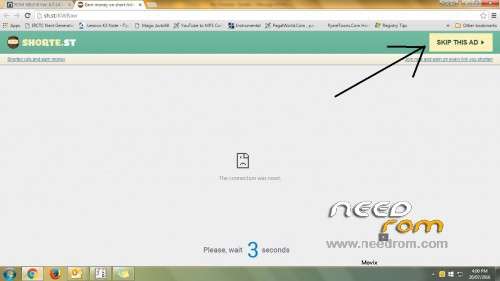
FOR DOWNLOAD:
Click on link which come up after 5 secound in right top corner. (See image under all scrn shoot)
※Please make a backup of your device before installing or updating ROM
this rom can set sdcard default memory or not?
no.
Pushipit Ji can u please tell me how to port stock redmi note 2 miui for k3 note.
from starting we need to set all working files… it take very long time to port a rom. i used my old sources & files for porting….if you want to port then you need some tools & extractor after that you need to replace file with necessory required files. its looks replacing the files side by side
Google Apps Include H Ya Nahi
included hai
Theme crack not work ,any solution?
what problem u r facing dear
DEAR ALL,
TODAY I AM GOING TO OUT MIUI VER. 6.8.18
If i on 6.7.21 can i flash without wiping?
yes
thx. multilang?
Can i flash in my k3 note marshmallow
is that lollipop version? what about dynamic status bar?
can u give me the porting guide for MT672.?i have working miui 8 kitkat version.